


Answered
transparency issue on render
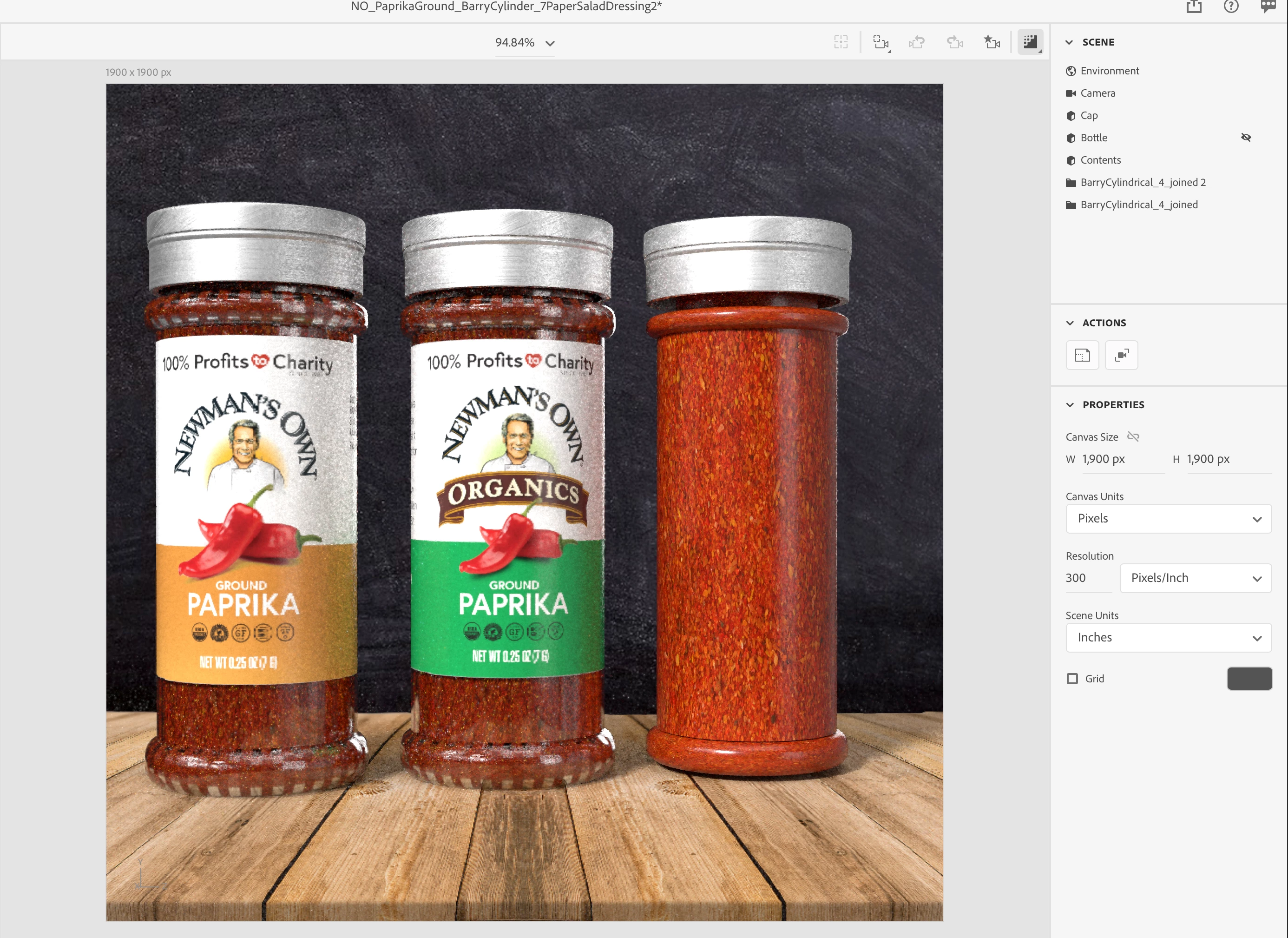
I've created a model of a bottle in Blender. There is an inner smaller "contents" and a larger outer "bottle" object. The inner has a graphic applied to it as a fill, and the outer is set as a glass material. In the design view it looks as expected, but on render or in the render preview, there are stripes appearing on the surface of the outer where it appears to be taking on the fill of the inner.
The first pic is the render, the 2nd is a screenshot of the design view with render preview on, the right bottle having the outer bottle layer turned off to reveal just the inner contents object. The 3rd pic is a screenshot of the design view without render preview.
I don't understand what these stripes are or how to get them to not be there.


 AdChoices