CreativeRapp
Participant
October 19, 2020
Answered

What do I do wrong – remove illustrator part

  • October 19, 2020
  • 2 replies
  • 279 views

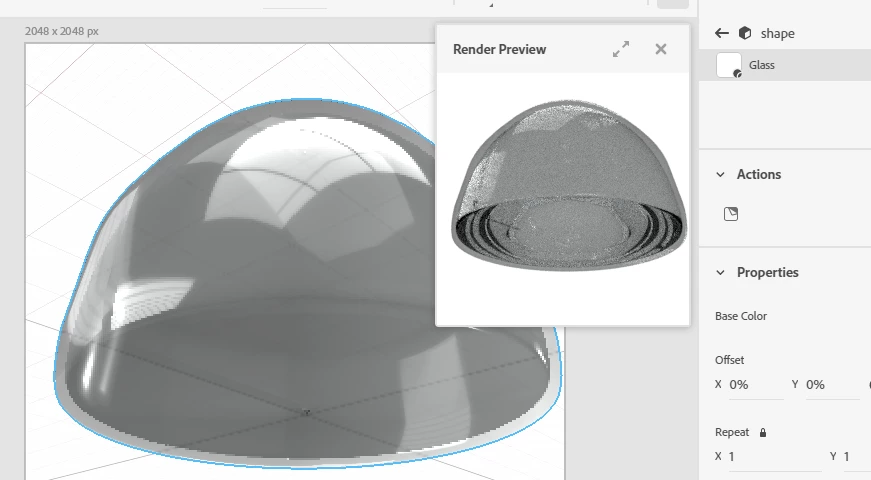
How do I make the optimal extrude where you can not see the illustrator path that I have used - especially when it has to be a transparent object. What am I doing wrong ..? 

Please see attach.


Thanks!

This topic has been closed for replies.
Correct answer Ussnorway7605025

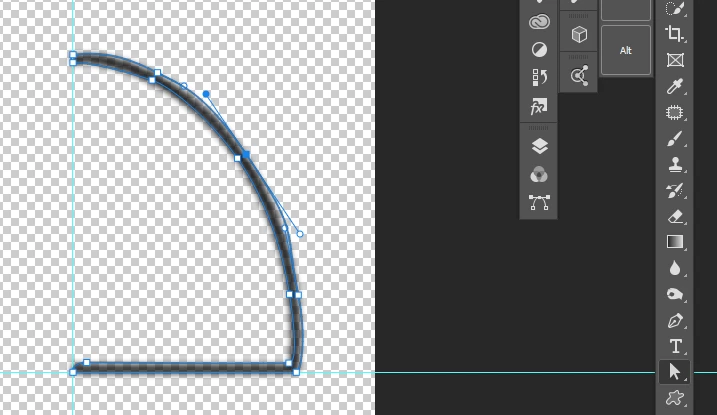
Your 1st mistake was using a shape instead of a path... That is why the middle bit is visible


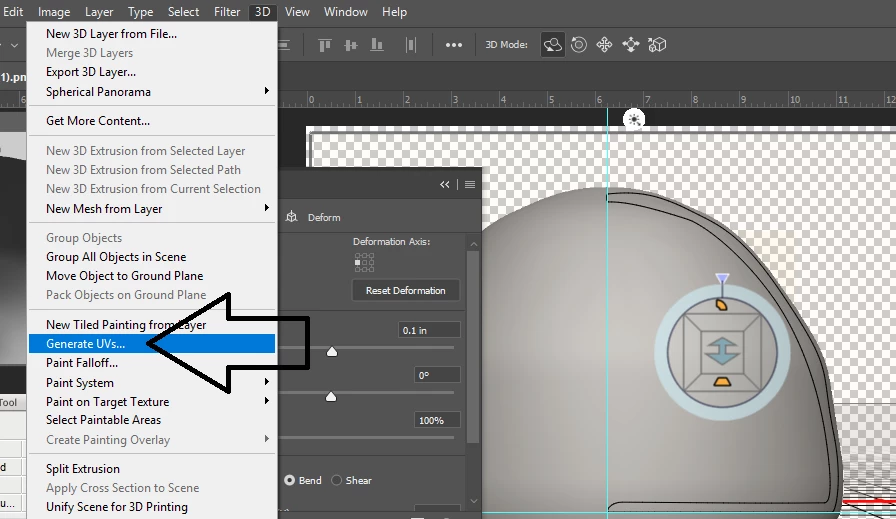
Your 2nd mistake was not generating a UV map in Photoshop before exporting the model... They are both easy to fix
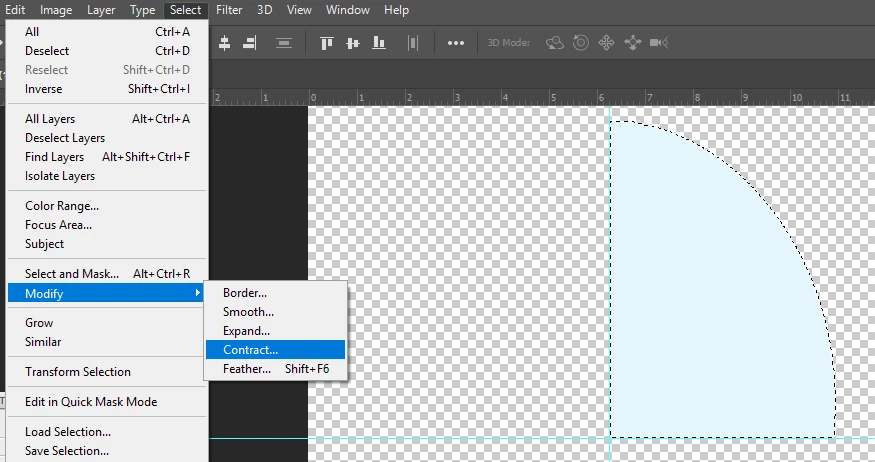
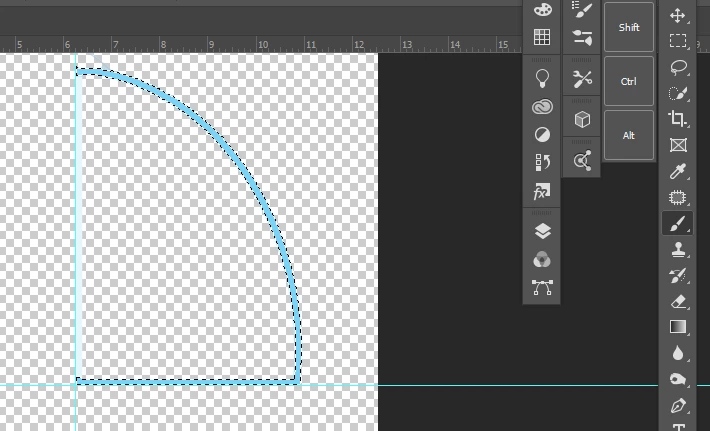
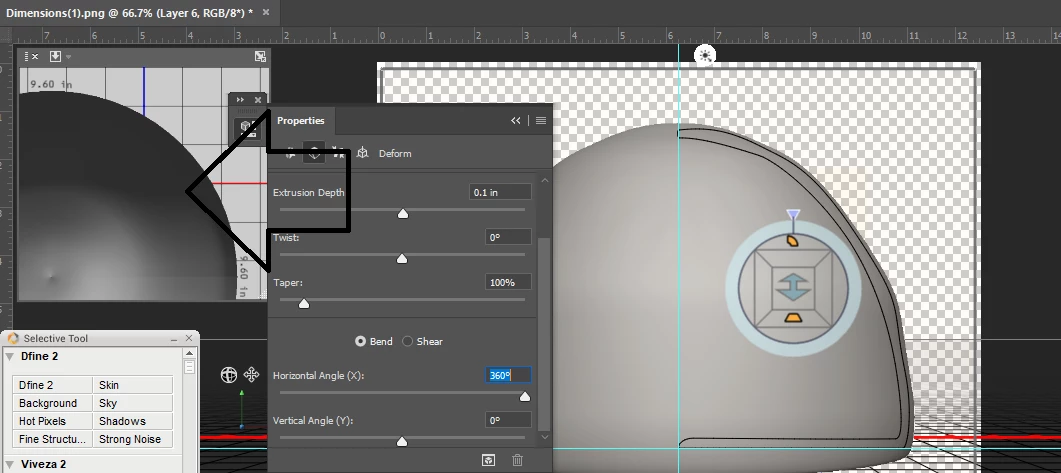
i'm on my work laptop without my wacon so the line is a bit wonky but you should be able to follow these steps... notice the difference between a pen tool rendor and a pixel rendor is how smooth the surface is

2 replies

Ussnorway7605025
Ussnorway7605025Correct answer
Legend
December 31, 2020

Your 1st mistake was using a shape instead of a path... That is why the middle bit is visible


Your 2nd mistake was not generating a UV map in Photoshop before exporting the model... They are both easy to fix
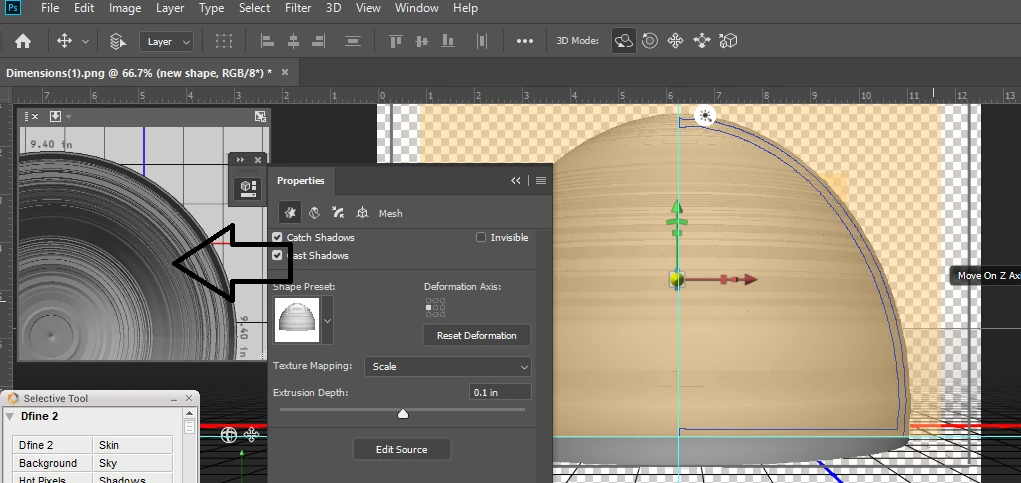
i'm on my work laptop without my wacon so the line is a bit wonky but you should be able to follow these steps... notice the difference between a pen tool rendor and a pixel rendor is how smooth the surface is


Ares Hovhannesyan
Community Expert
Community Expert
December 30, 2020

Can you explain your workflow more in details. Thanks