


Question
What is the best practice for decals when creating models with Photoshop?
I create some kind of bucket with photoshop 3D extrude
I then export it as OBJ and import It to dimension.
when I tried to add a decal to the bucket it was placed with half of it hidden and rotated (see image)
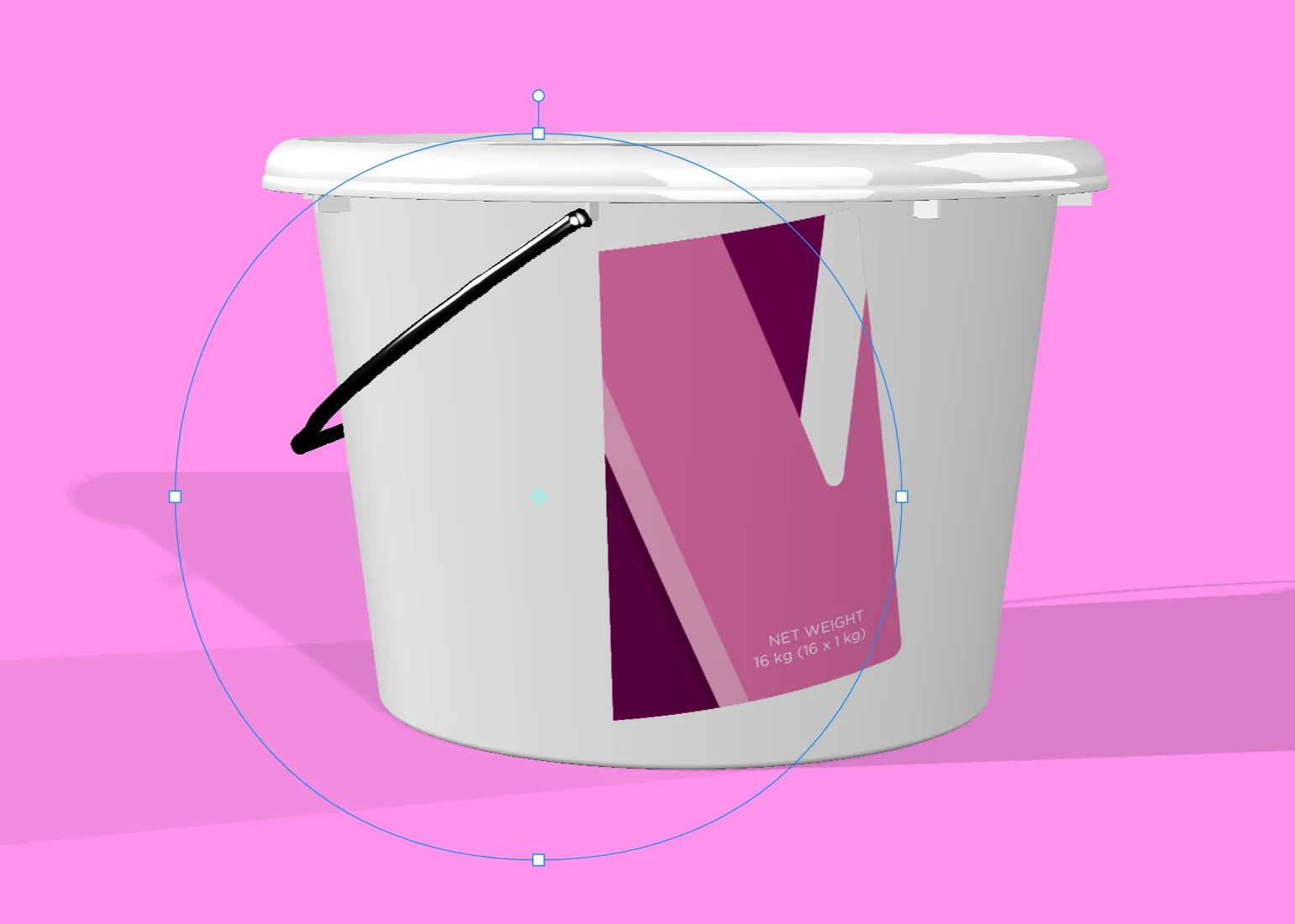
I know I can resize it and rotate it to fit but I would like to learn more on how to make it better when creating it on photoshop.
my problems:
- decal not placed fully visible
- decal not aligned to the 3D object
- decal, although exported as JPG with 300dpi not placed in the correct size (lets say I have a cube with 20cm each side and I want to have 10cm label on it I want the decal fit the size accodring to the DPI set)
 AdChoices