


Participant
July 10, 2022
Question

Why is my illustration (imported from illustrator) not smooth and at the narrow parts on Dimension?

  • July 10, 2022
  • 4 replies
  • 721 views

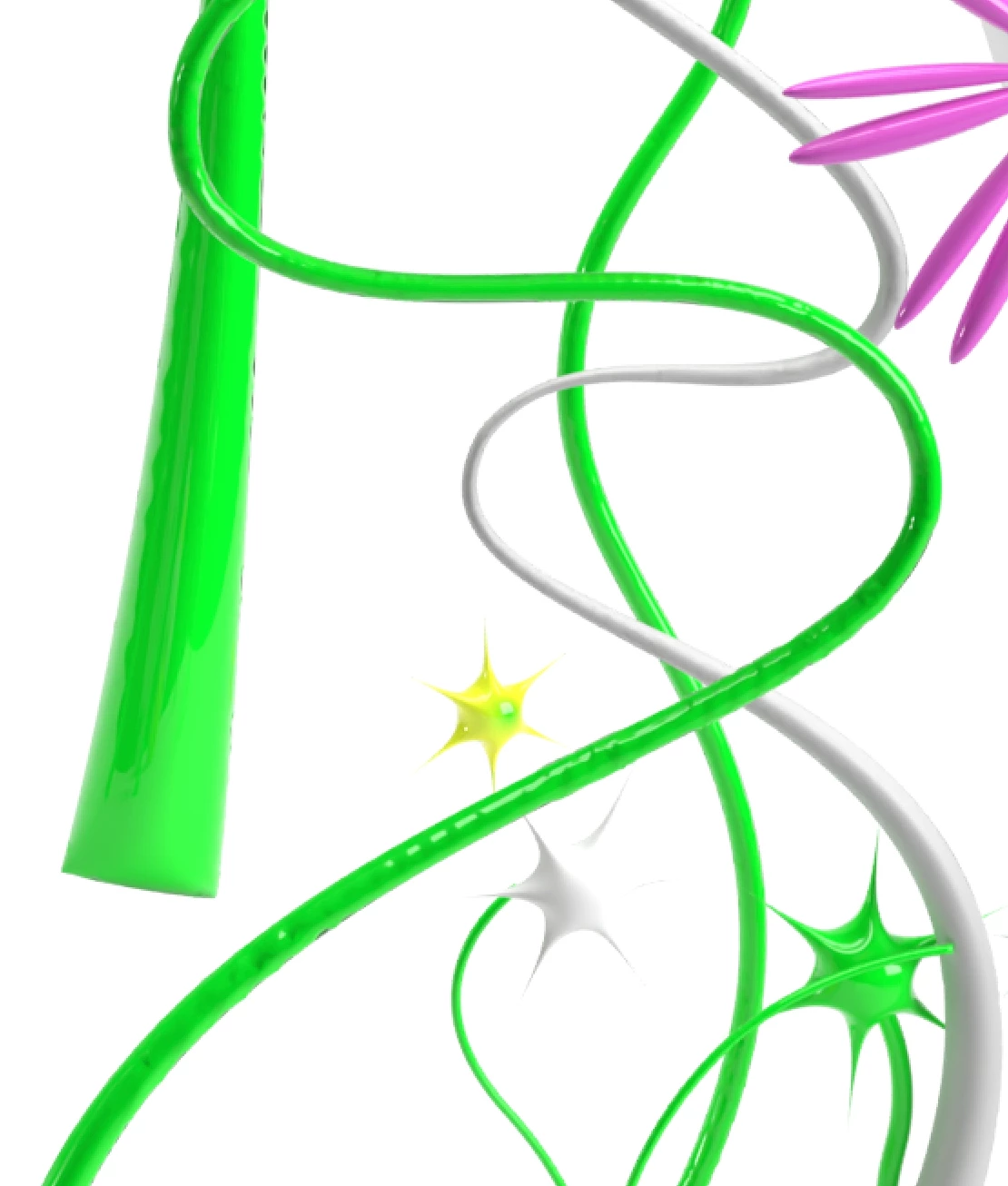
I've drawn these flower stems in illustrator with the pen tool, converted to 3d in illustrator and then imported into Dimension. The stems are thinner in the middle and wider at the bottom. As you can see, the widest parts are very smooth but the more narrow parts are not.  They're all weird and jagged.


The drawing shown is at x0.7 scale measuring at 47cm. The narrow parts still stay all jagged when I scale it right down as well.


What is the reason for this? Is it too narrow? Is there a a width threshold Dimension has?


Thanks!
 

This topic has been closed for replies.

4 replies

Ussnorway7605025
Legend
July 14, 2022

yes the 3D tool used to live in Photoshop and you had the option to merge or cut models as well as remapping but that all got tossed in the bin when Adobe stickytaped it into Illustrator instead

Ares Hovhannesyan
Community Expert
Community Expert
July 14, 2022

I forget to mention Microsoft 3D Paint that allow to draw with 3D brush👍.

Ares Hovhannesyan
Community Expert
Community Expert
July 11, 2022

I create the same object with 3d inflate and Revolve feature Illustrator and get cool result for Revolve. Please try. See images that shows the same object in Dimension. On the left is revolved and on right Inflated. The UV map for revolved object looks correct.


Participant
July 12, 2022

Wow, thanks for the response! It's my first time posting and I'm impressed that I'm getting assistance haha.

So, this is a good lead... but I made a stem with the line + revolve tools and brought it over to dimension where it gave me uneven edges again.


Your example has a varying widths which gives it a smooth curve. It seems like when the curve is only minor like in mine, it gets jagged edges.


Also, with the revolve tool, I can't make the stems curve like in the screenshot I posted, because the revolve tool just revolves everything. Do you know what I mean? Is there a way to revolve the straight line, then lock the shape somehow in revolve and then I can go in afterwards and curve the lines to make them more organic and natural plant-looking?


Thanks!

Participant
July 12, 2022

Ussnorway7605025
Legend
July 11, 2022

its because the Ui map has to wrap around different thickness in parts of the model & that boils down to the way you made it having flow on your pen tool i.e, the pen tool should be set to give a consistant flow or you could cut the model up into smaller parts so the Ui maps don't get stretched as much

Ares Hovhannesyan
Community Expert
Community Expert
July 11, 2022

Yes, it looks true. Here is model I have from Ai obj.


Ares Hovhannesyan
Community Expert
Community Expert
July 10, 2022

It dificult to say. DId you try to smooting curves and reduce anchor points amount?