

解決済み
Can't activate CS4 Web Premium after upgrading Hard Drive Mac OSX 11.3
After upgrading my hard drive to a SSD I now cannot access any CS4 program. I get a small dialog saying "Licensing for this product has stopped working. Error code 150:30" MacBook Pro, OS X 11.3 (el Capitan). The tech support chat person told me that CS4 is "not compatible" with El Capitan, but I have been using Cs4 for several months now with El Capitan, so that's not true.
In the past when I've gotten a new Mac or upgraded the OS, I have been given the opportunity in an Adobe dialogue to reenter my serial number, but that isn't happening now.
Nothing has changed since this morning except my newly upgraded hard drive. Except this time I don't have a way to reenter my serial number and reactivate.
Can anyone help?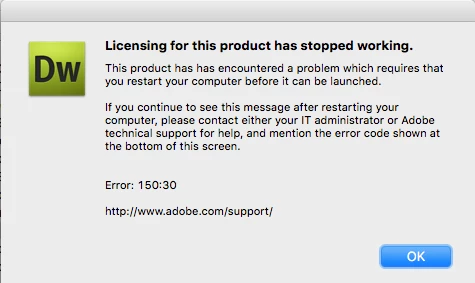
 AdChoices