Robin110966
Participant
September 12, 2018
Answered

Delete Folder? Need Answer ASAP Please...

  • September 12, 2018
  • 1 reply
  • 318 views

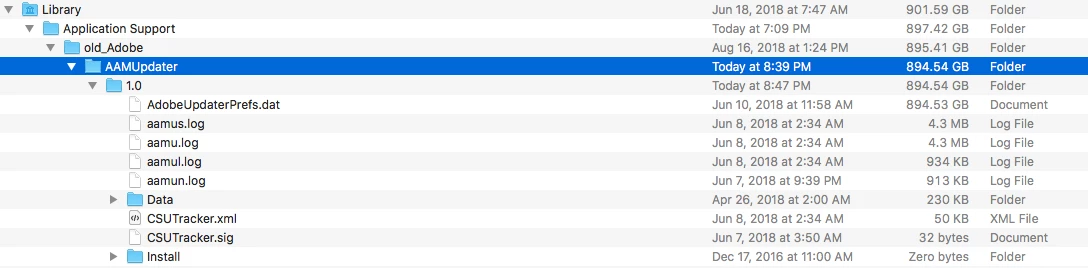
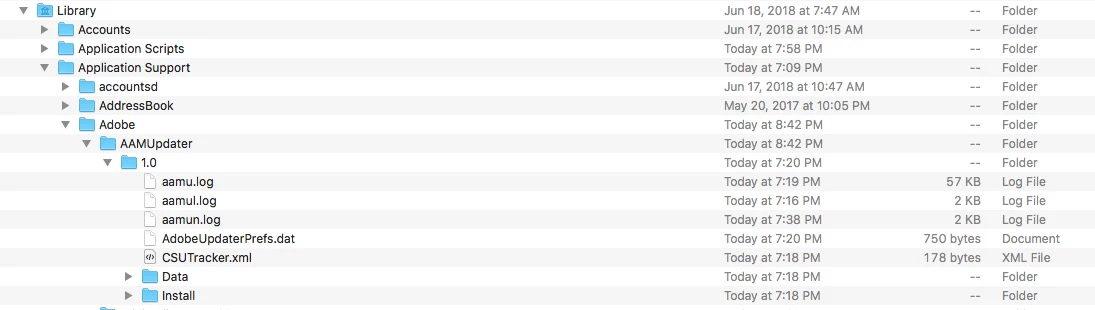
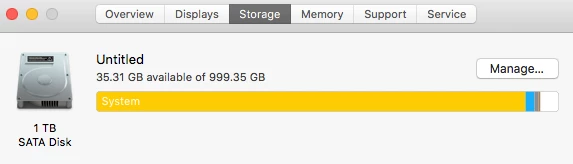
Tonight with the assistance of support via Chat I deleted and reinstalled the Creative Cloud.  The tech kept the OLD folder and labeled it old_Adobe.  Inside of that folder is AdobeUpdaterPrefs.dat file that is 894GB in size, which is taking up a TON of my drive in the system library.  The new AdobeUpdaterPrefs.dat file is only 750bytes in size.  My question is this: Can I now DELETE that old_Adobe folder thereby freeing up much needed space on my drive?
This topic has been closed for replies.
Correct answer Abambo

The Support agent was friendly enough to keep for you the old stuff on your computer. If you are happy with the situation, you can surely delete that directory, as it has no specific functionallity except as a security operation in case the agents manipulation would fail.

SoMylenium is right.

1 reply

Mylenium
Legend
September 13, 2018

Yes, you can.

Mylenium

Abambo
Community Expert
AbamboCommunity ExpertCorrect answer
Community Expert
September 13, 2018

The Support agent was friendly enough to keep for you the old stuff on your computer. If you are happy with the situation, you can surely delete that directory, as it has no specific functionallity except as a security operation in case the agents manipulation would fail.

SoMylenium is right.

ABAMBO | Hard- and Software Engineer | Photographer