





Question
Installing Creative Cloud app with Parallels on Mac
Hi
I have only been using Adobe software for 30 years, but I am stumped on this one.
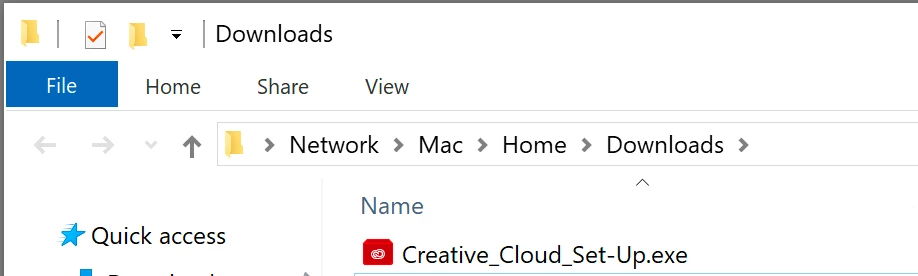
I am trying to install only the Creative Cloud app on Windows, which I run through Parallels on my iMac. I am getting a message saying the installer can't be run from a network drive, and sure enough, when I look in the Windows File Explorer, the location is > Network > Mac > Home > Downloads.
This is not an office network. It's something that Parallels is doing on a single computer. Office 365 installed without a hitch.
Hardware: iMac (Retina 5K, 27-inch, 2017)
OSX: High Sierra 10.13.6
Windows 10.1809
Parallels 14.0.1-45154
I need to be able to either:
- Install the CC app through a "network" or
- Find a way to move the installer to a non-network location (I tried Desktop) or
- Another solution?
Here are my screen shots:

~ Jane
ACP on the forums
Adobe Certified Instructor: InDesign, Illustrator, Acrobat
 AdChoices