


'You have been signed out' CC will not let me sign in or even uninstall apps
Hello, right now on my main computer adobe creative cloud will either be constantly loading or it will say 'you have been signed out' with an option to sign in. However, pressing the sign in button just brings me back to the exact same page - it doesn't even let me enter my username or password.
Also, I have looked at this page: Adobe Creative Cloud signs you out or asks you to sign in repeatedly
and none of those solutions work. Because the Creative Cloud desktop iteself handles the installing/uninstalling of apps, and said apps need to be uninstalled before CC can be uninstalled.
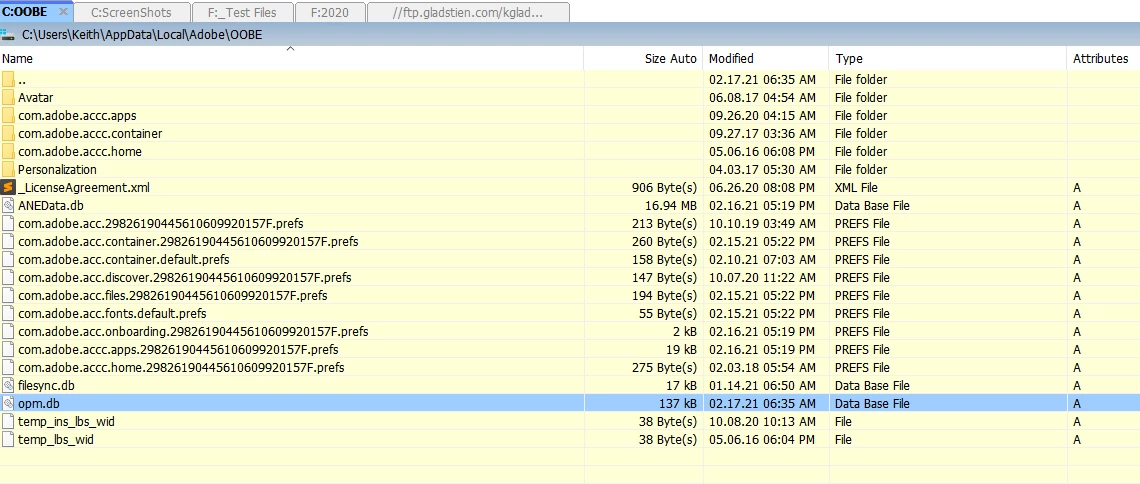
There is also no obm file in my Adobe appdata folder, like this thread ( Solved: "You've been signed out" error every time I try to... - Adobe Support Community - 5570906) suggested.
The one thing I can do is stop all adobe related processes using task manager. What can I do to uninstall the CC apps and get a fresh start or sign in?

 AdChoices