


Creative Cloud stuck in compatibility mode, can't update apps
This problem cropped up last week when I had an issue with CC removing photoshop and then telling me I can't install it.
CC removed Photoshop from my win10 workstation, wo... - Adobe Support Community - 12476704
Long story short, I did a work around and managed to get things working- but one of the things that was suggested was to put CC into compatibiltiy mode. I fixed this by wiping out all adobe presence on my machine and clean installed, but for whatever reason compatibility mode keeps coming back, even tho things are checked off in the .exe. properties. What can I do here? I cannot update apps, and am getting files from other people I can't open because I'm not up to date.
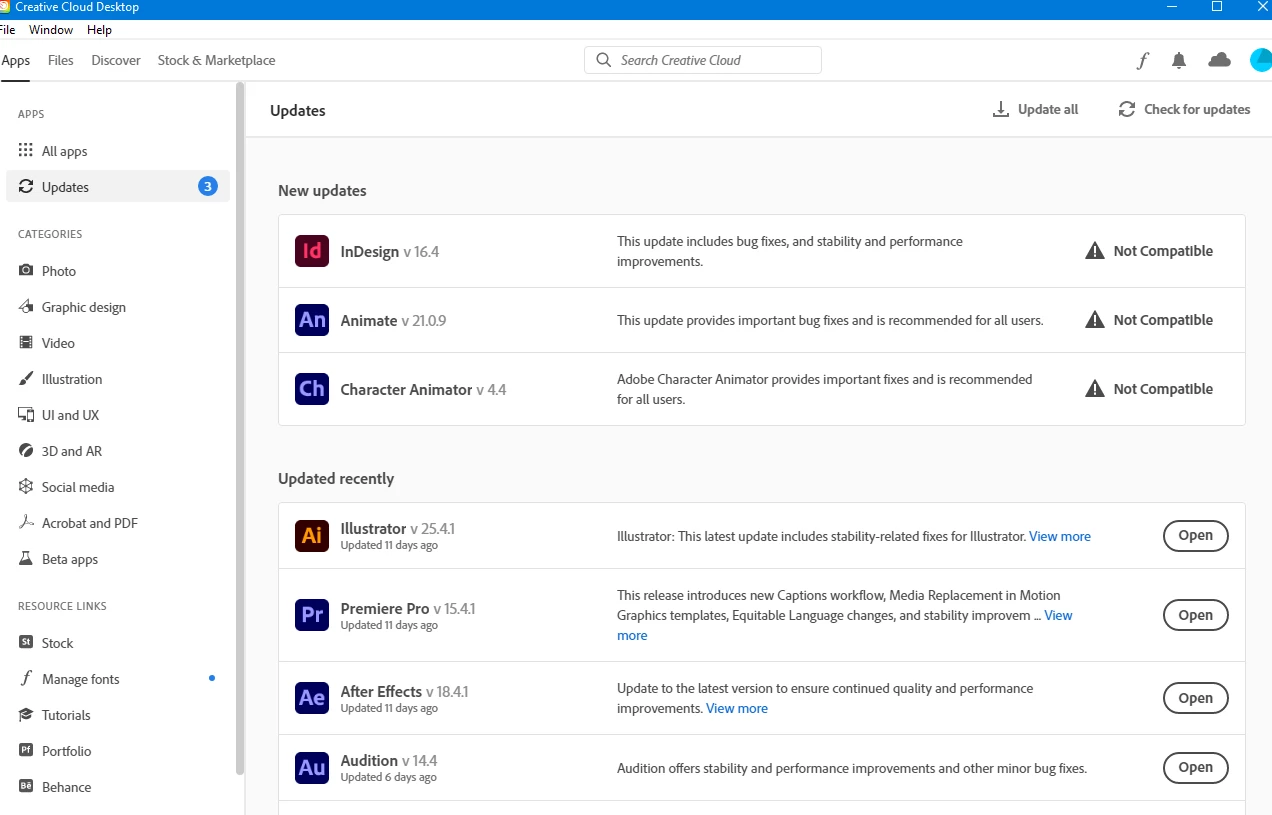
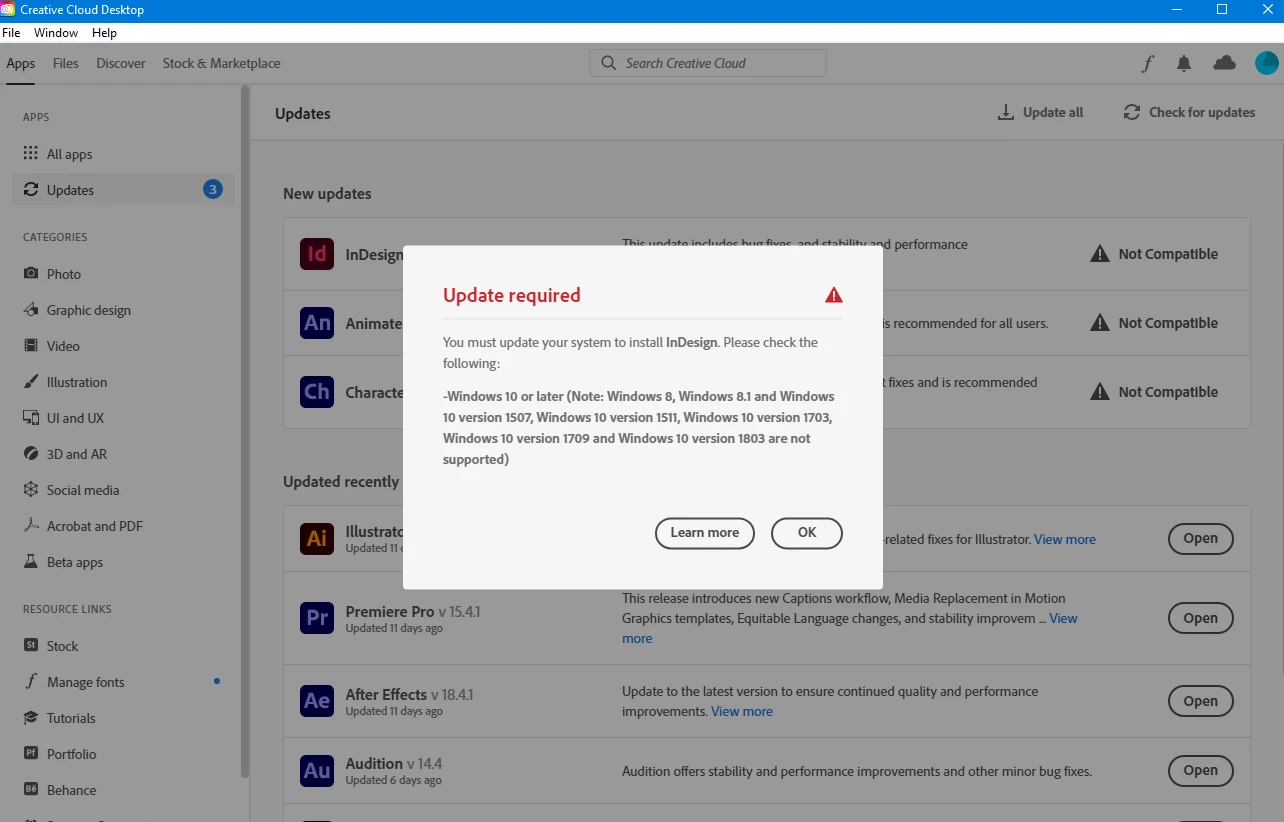
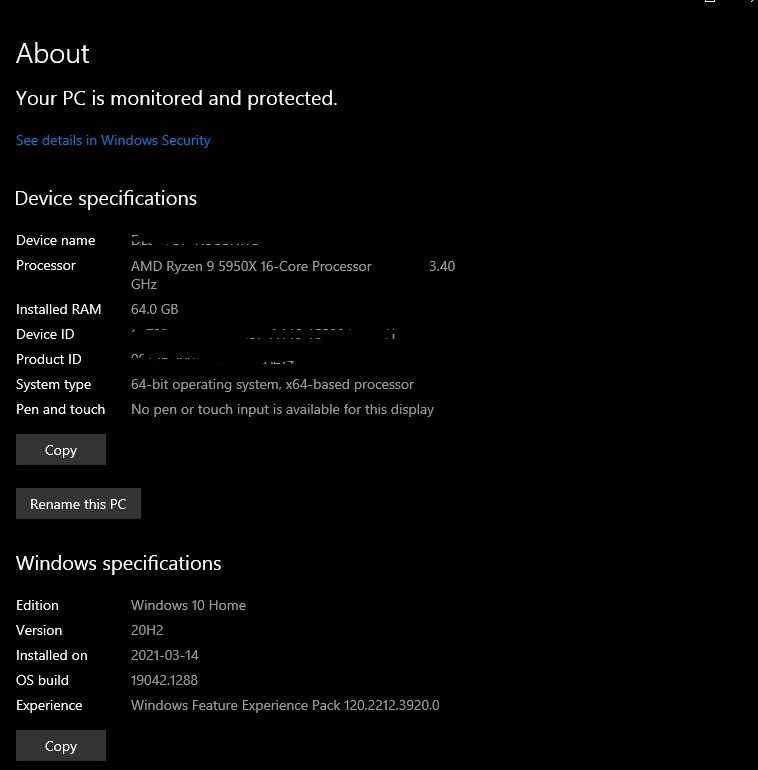
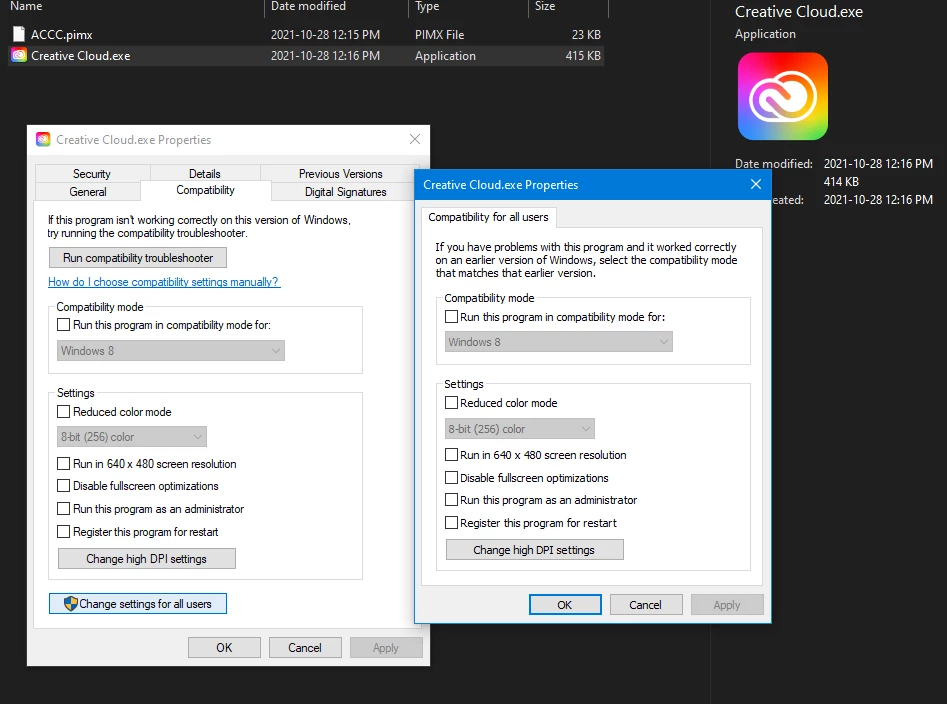
Adobe, why does this keep kicking me back into Compat mode? Why does it follow my account to different machines kicking those into compat mode?
 AdChoices