
Discover the Latest Photography Innovations at Adobe MAX 2024

We unveiled some exciting updates for Imaging & Photography creatives in your organization or team. To ensure your team members can access these new features, please follow these steps:
- For self-service packages: Update the latest Imaging & Photography app versions using the Creative Cloud Desktop app.
- For managed deployments: Update your existing packages or create new ones and deploy them within your organization.
Photoshop 26.0 and Photoshop on the Web
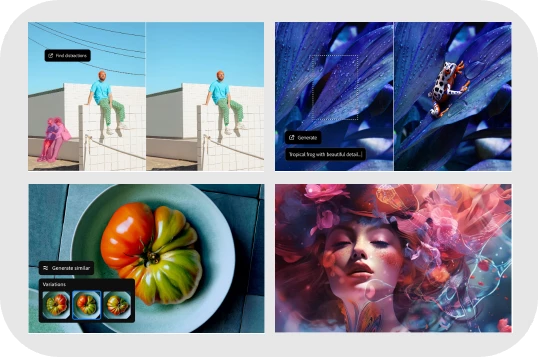
With the new Distraction Removal tool, you can easily clean up your images by automatically removing unwanted people, wires, cables, and imperfections with just a few clicks. To learn more, Click here.
Quick Actions in Lightroom on Mobile (iOS & Android) & Lightroom on Web
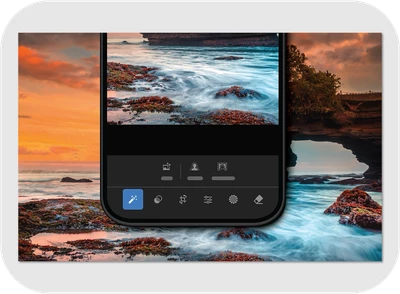
Try out the new Quick Actions tool in Lightroom Mobile! This powerful feature makes editing a breeze with AI-powered suggestions for specific areas of your image. Open a photo, select Actions, and watch as Lightroom delivers custom enhancements in seconds. To learn more, click here.
Generative Remove in Lightroom
To remove an object with Generative AI, select 'Use Generative AI' and brush over the object that you want to remove. Lightroom will generate three different variation options. You can Refresh to develop three new variations. To learn how to use the Generative Remove tool, Click here.

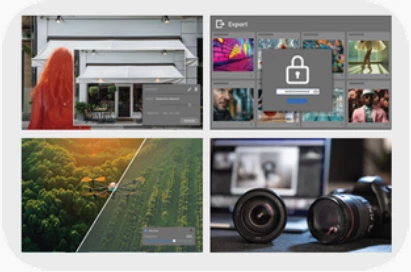
Remove distractions in a photo with 'Generative Remove.' Secure your digital assets with Content Credential and Add Denoise to Linear Raw DNGs. To learn more about these features, click here.

Have questions? Click 'Reply' below to ask.
Click 'Follow' below to bookmark this post for easy reference.


 AdChoices