irecordings
Participant
April 26, 2017
Answered

Downloading Enterprise Package & Failed Installation

  • April 26, 2017
  • 9 replies
  • 996 views

Why is it so difficult to install Adobe CC enterprise edition (MAC) for my office staff? I get insconsistent results. First 2 macs will usually work.. then it will fail for the rest of my colleagues. Pls help.

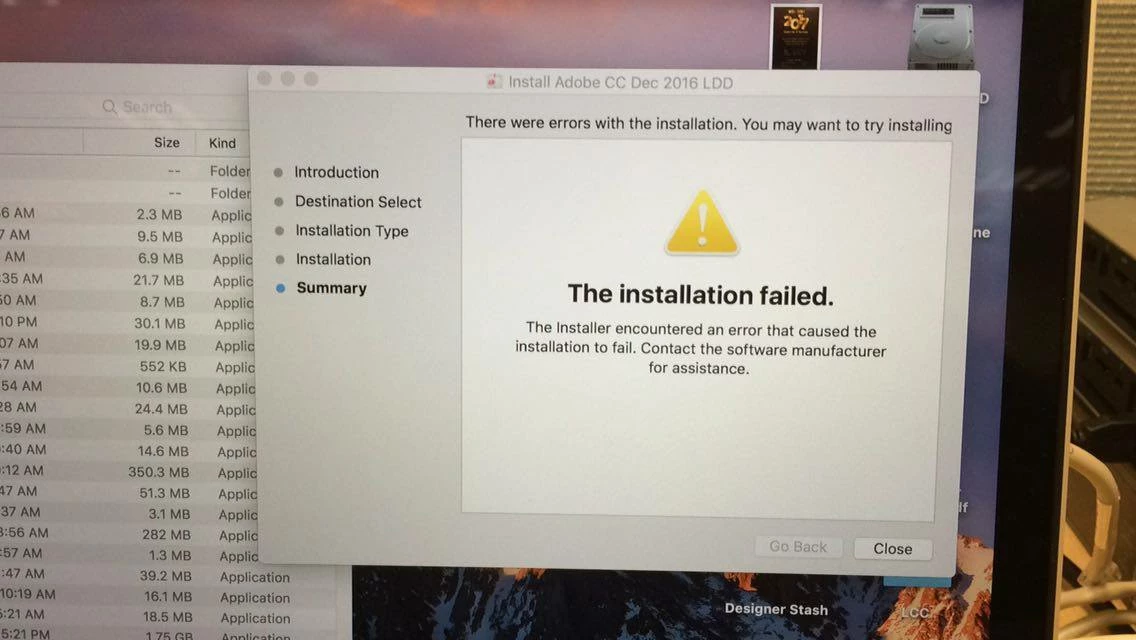
This is the message that i get after the 3rd macs onwards. I even used the CC Cleaner Tool before every installation

    This topic has been closed for replies.
    Correct answer rpandita

    Hi, I did the steps that you recommended.

    1. uninstalled all previous versions of adobe cc using the uninstaller and adobe cc cleaner.
    2. managed to install the whole package on 3 imac and then it failed on the 4th imac and beyond
    3. i transferred the installation package to another colleague. he managed to install on 4 imacs but it failed on the 5th imac and beyond.
    4. so i downloaded another package without the 3 applications (scout, lightroom and adobe dc) but it still fails.

    Below is the screenshot of the error log.

    so now, i can't use any of the downloaded package. May i know is there a limit to the number installations per enterprise package?

    Pls help. Thank you.


    Hi irecordings ,

    No there is no limitation, for installation of packages.

    How are you transferring packages to another machine's ?

    And are there any Adobe applications pre-installed on these machines ?

    ~Rohit

    9 replies

    irecordings
    Participant
    May 11, 2017

    Thanks for your reply. I will download and try it today.

    irecordings
    Participant
    May 8, 2017

    Hi, this failed installation also happens on newly installed machines. So how can a fresh OS detect any error in security certificates from

    • Adobe Scout CC (1.1.3)
    • Lightroom 4.4 and 5.7.1
    • Acrobat DC

    How can end users use Adobe CC Enterprise account using the Adobe Application Manager? I was told that the enterprise version does not auto-update.

    Please help as new staffs are coming in and I am unable to install Adobe CC in their macs.

    rpandita
    Inspiring
    May 8, 2017

    Hi irecordings

    Please update your CCP to the latest version and then create a new package this should resolve the issue.

    If howsoever the issue is still not resolved you can exclude all these applications and then create a package and test it, if that installs successfully.

    Do notify us if the above solutions works or not.

    ~Rohit

    irecordings
    Participant
    May 12, 2017

    Hi, I did the steps that you recommended.

    1. uninstalled all previous versions of adobe cc using the uninstaller and adobe cc cleaner.
    2. managed to install the whole package on 3 imac and then it failed on the 4th imac and beyond
    3. i transferred the installation package to another colleague. he managed to install on 4 imacs but it failed on the 5th imac and beyond.
    4. so i downloaded another package without the 3 applications (scout, lightroom and adobe dc) but it still fails.

    Below is the screenshot of the error log.

    so now, i can't use any of the downloaded package. May i know is there a limit to the number installations per enterprise package?

    Pls help. Thank you.

    rpandita
    Inspiring
    April 26, 2017

    Hi irecordings ,

    Adding to post of alisterblack  please check this link - tagproducts_SG_PACKAGER_i18nKeyHelppagetitle

    ~Rohit

    alisterblack
    Inspiring
    April 26, 2017

    Are you installing on to a supported version of the Mac OS - 10.10 or later? System requirements | Adobe Creative Cloud

    If you are then the next step would be to look at the log files. Please refer to the following document for the log file locations and guide to errors.

    Troubleshoot Creative Cloud apps installation and uninstallation errors