


Participant
July 12, 2018
Answered

Downloading Photoshop CC

  • July 12, 2018
  • 2 replies
  • 507 views

Hi,

We currently have a Photoshop CC licence that is installed on one machine. The machine is being changed and we want to install Photoshop CC on the new machine. When we access our admin console, Photoshop CC shows up, see screen below:
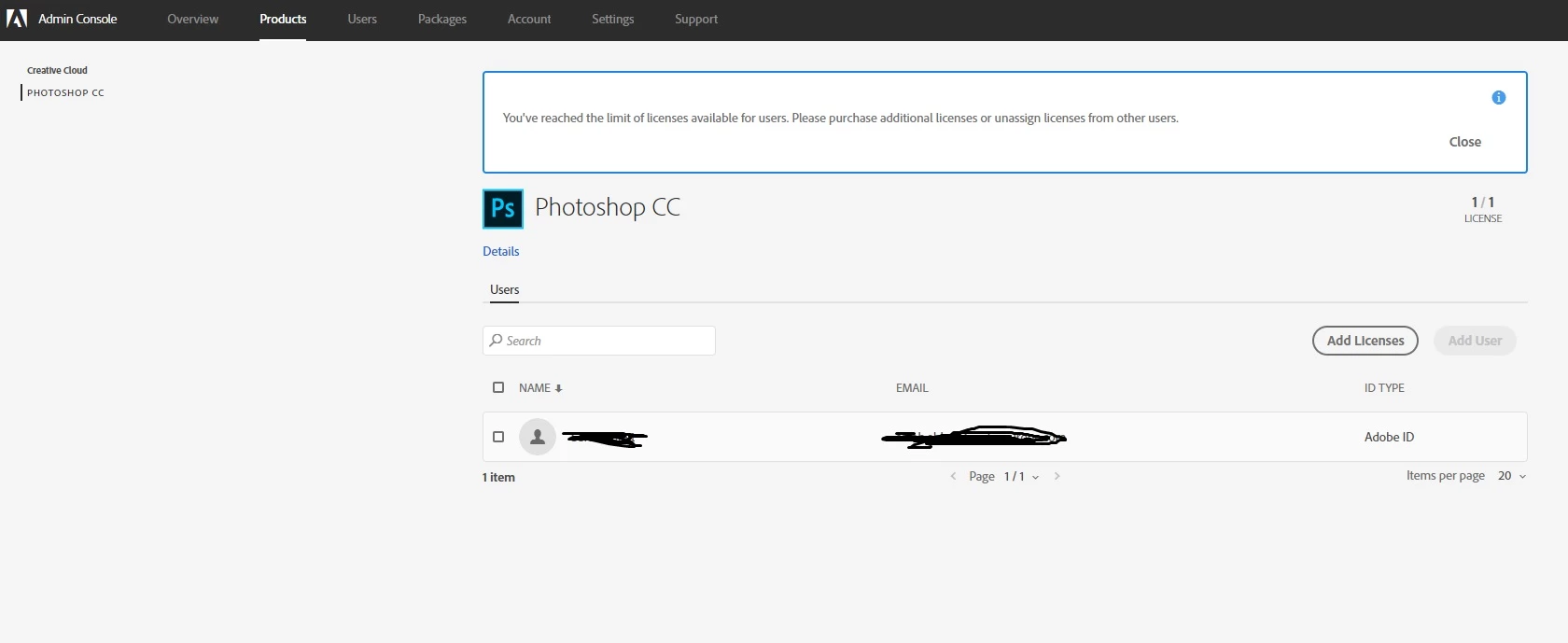
We have created a package and deployed it to the new machine and it installed it but it is only a trial version that is installing not the version we have a license for. What are we doing wrong? Does Photoshop need removing from the old machine (still in use) before we can install the software.

Any help would be appreciated.

Message was edited by: Chris Barker

    This topic has been closed for replies.
    Correct answer alisterblack

    Hi,

    With one license of Photoshop have the user sign out from the old machine and then they should be able to sign in to the new machine.

    2 replies

    alisterblack
    alisterblackCorrect answer
    Inspiring
    July 23, 2018

    Hi,

    With one license of Photoshop have the user sign out from the old machine and then they should be able to sign in to the new machine.

    Bani Verma
    Legend
    July 12, 2018

    Moving this query to Deployment for Creative Cloud for Team, Enterprise, & CS community.

    Looping in alisterblack for help.