
Participating Frequently
November 1, 2022
Answered

Impossible de me connecter à l'application Creative Cloud

  • November 1, 2022
  • 2 replies
  • 1516 views

Bonjour, depuis bientôt 1 mois je n'ai pas accès à l'application Creative Cloud ainsi qu'à toutes les applications qu'elles comprend. A chaque fois que je lance l'application, un message d'erreur apparait ne laissant place qu'au désespoir de passer encore une journée sans aucune de mes application préférées:
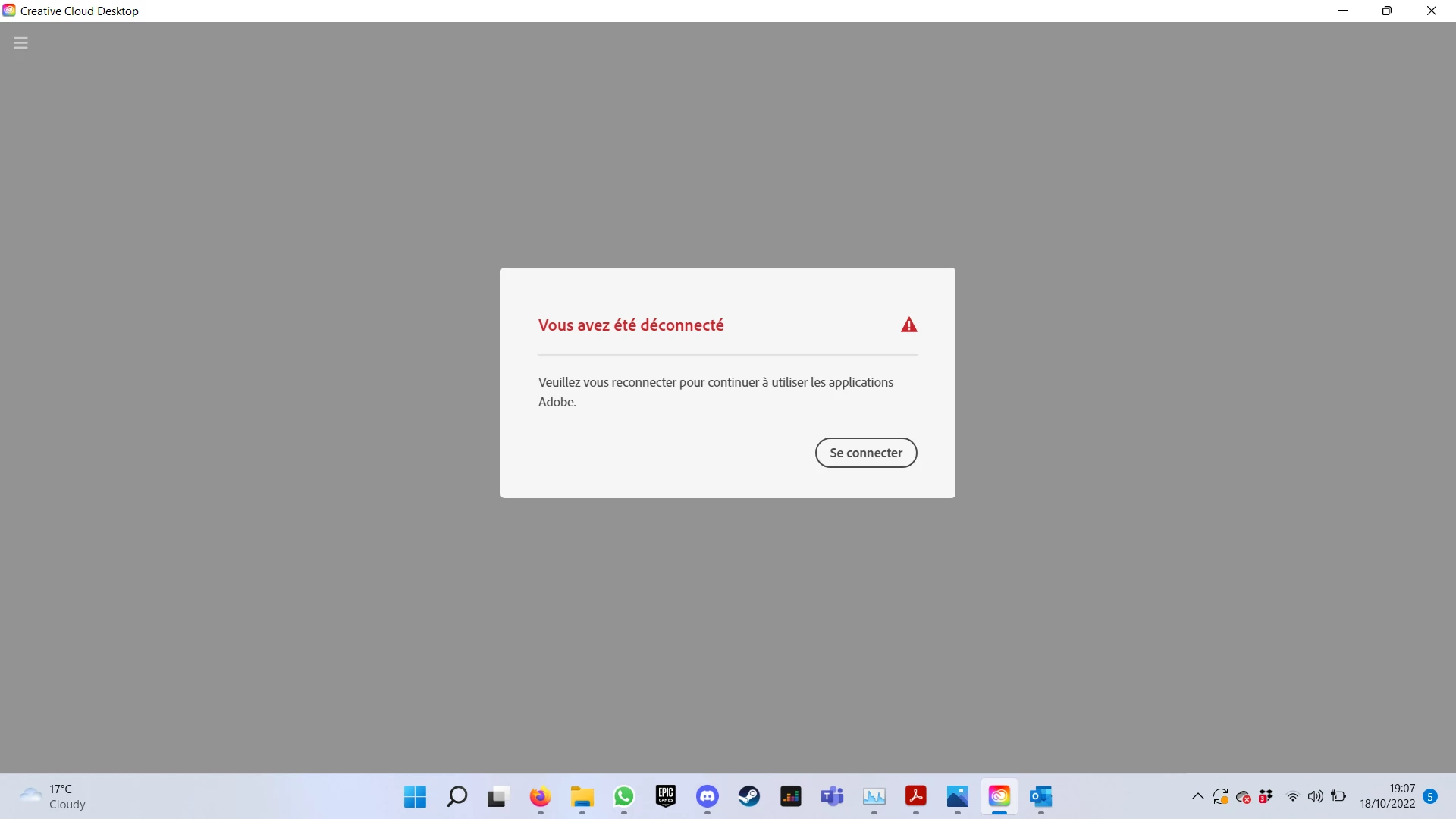
 

A chaque fois que je clique pour me connecter, la pop-up s'en va, mouline un peu et réapparait avec le même message d'erreur. En effet, impossible d'avoir accès à aucun des services de Creatives Cloud. Aussi le menu burger en haut de l'écran à gauche est innaccesible.


J'ai essayé de faire tout ce que j'ai pu :

- Désinstaller toutes les applications pour ensuite ré-installer : n'a pas marché

- Relancer l' "Infrastructure de gestion Windows (WMI)" : n'a pas marché

- Supprimer le fichier opm.db : n'a pas marché


Rien n'y fait...

Je suis étudiant et je ne peux plus travailler depuis maintenant 1 mois.

Aidez-moi à trouver une solution svp !!!


Voila les liens que j'ai suivi pour essayer de fix mon problème de connexion.

https://helpx.adobe.com/fr/manage-account/kb/troubleshoot-creative-cloud-sign-out-sign-in.html
https://community.adobe.com/t5/account-payment-plan-discussions/wrong-email-address-to-log-into-creative-cloud-desktop-how-do-i-switch-to-my-email-address/td-p/6057165


This topic has been closed for replies.
Correct answer Jeffrey_A_Wright

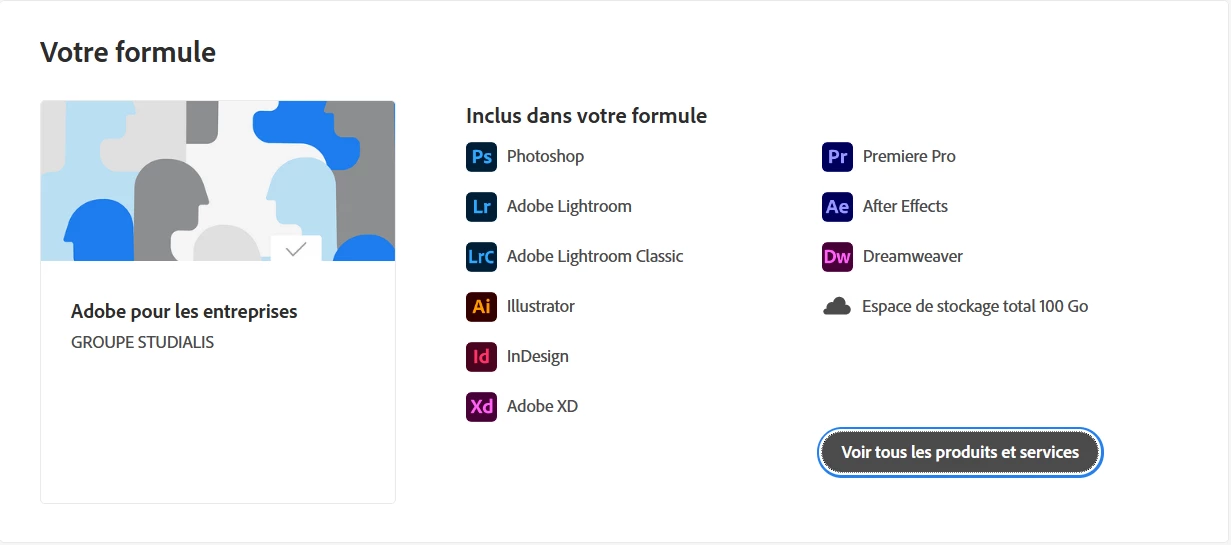
Here is my formula related to the ID that i use to talk with you


Thanks for the update, Martial, the reason why the suggestions that have been offered to you are failing is that they are designed for an individual plan on a computer where the User has unrestricted access to the computer.  Your screenshot shows a membership that is managed by an organization.


I will move this public discussion to the Enterprise & Teams discussion forum to see if there is any additional suggestions they can offer.  I would strongly recommend you contact the organization that manages your membership for assistance.  They can use the process listed in https://helpx.adobe.com/enterprise/using/support-for-enterprise.html if they need to contact us on your behalf.

2 replies

Jeffrey_A_Wright
Legend
November 2, 2022

Matrial, what Adobe software or service are you attempting to access? Is the membership provided by your school?  I don't see any active individual memberships under the e-mail address you used to post to this public discussion forum.

Participating Frequently
November 3, 2022

I have a subscribtion that include every adobe apps including CC for desktop.

kglad
Community Expert
Community Expert
November 3, 2022

check your account to verify your subscription is what you expect and to verify your adobe id, https://accounts.adobe.com


does that show your all apps subscription?


 did you use an adobe id different from the one associated with the screen name you're using in this thread?


did you follow the adobe connection checks?

kglad
Community Expert
Community Expert
November 2, 2022

if you have a non-current os, your default browser must support tls 1.2, https://helpx.adobe.com/x-productkb/multi/eol-tls-support.html


to test your default browser's tls you can use , https://clienttest.ssllabs.com:8443/ssltest/viewMyClient.html


otherwise, confirm that you can connect to the secure adobe servers by reading, http://helpx.adobe.com/x-productkb/policy-pricing/activation-network-issues.html


do you see both logos after clicking "link"?


if you can and still see a connection error try these steps, https://helpx.adobe.com/download-install/kb/common-network-connectivity-issues.html


if those all fail, white list the adobe network endpoints, https://helpx.adobe.com/enterprise/kb/network-endpoints.html

Participating Frequently
November 3, 2022

Nothing worked... idk what to do

kglad
Community Expert
Community Expert
November 3, 2022

can you answer the questions in my previous message?