Participant
April 18, 2022
Answered

Substance Blender integration tool not working

  • April 18, 2022
  • 2 replies
  • 2585 views

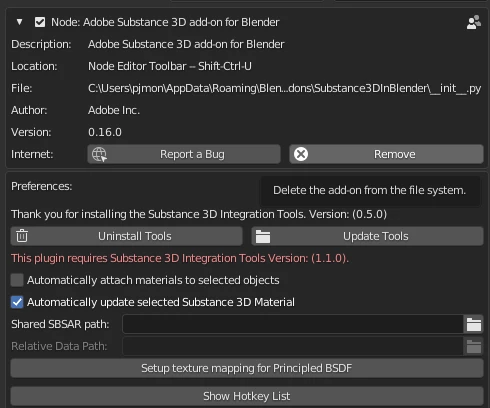
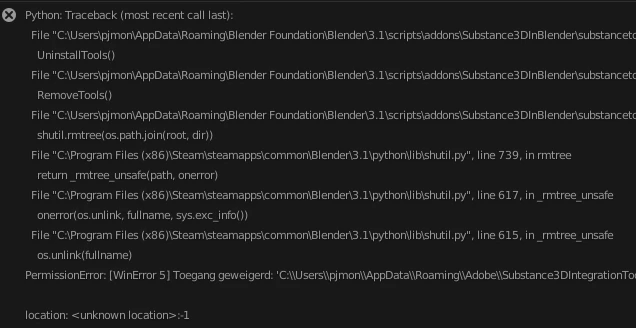
I have integrated the latest tools from the website in blender but they seem to bug no matter what blender version I use. The error I'm getting:


The error I'm getting when trying to update:


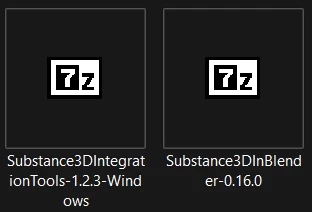
These are the Tools:

This topic has been closed for replies.
Correct answer Shwetha23063442qtvs

Hi, I downloaded the latest plug ins. The Substance 3D add-on installs fine, the Integration Tools does nothing, does not install after I try to install from my hard drive. I have even tried to re-download. I am using Mac with Blender ver 3.3. I have tried to un-install, re-started Blender, tried to re-install, to no avail. Can you offer any suggestion to get this to work for me? Thank you!


Hi,


Could you
- uninstall the plugin
- manually uninstall the Substance Integration Tools on your hard drive 
- check if there is an instance of Substance Remote Engine running in the activity monitor, if so kill the process
- reinstall the plugin

- reinstall the integration tools 

If you're getting any errors or see logs in the terminal (run Blender from the terminal: https://blender.stackexchange.com/questions/2078/how-to-use-blender-command-lines-in-osx to see the logs), please share what logs you see. 

2 replies

Participating Frequently
August 11, 2022

mine wont take the tool at all

Inspiring
August 12, 2022


Looks like the plugin is working right now based on your comment here: https://community.adobe.com/t5/substance-3d-plugins-discussions/blender-wont-accept-tool/td-p/13128546. Please let us know if you are still running into issues. 

Participant
December 30, 2022

Hi, I downloaded the latest plug ins. The Substance 3D add-on installs fine, the Integration Tools does nothing, does not install after I try to install from my hard drive. I have even tried to re-download. I am using Mac with Blender ver 3.3. I have tried to un-install, re-started Blender, tried to re-install, to no avail. Can you offer any suggestion to get this to work for me? Thank you!

Community Manager
April 18, 2022

Hi, we have released a new version of the plugin. Could you try removing the integration tool and reinstalling both the addon and integration tool that's available here: https://www.adobeprerelease.com/beta/68A24EE2-2EA8-416F-D95B-23B8E64E5DE8#?

Participant
April 19, 2022

I've downloaded the 2 latest versions but they seem to not work together in my file. I'm unable to open Blender because of the plug in.

Community Manager
April 19, 2022

Are you getting any errors in the console that you could share with us?
Also, what operating system are you using?