
Inspiring
November 4, 2023
Answered

how to modify an element in a structured document

  • November 4, 2023
  • 5 replies
  • 559 views

Hello,

I have tried to do a FM structure, and would like to modify the selected  "Title".  So I have opened the "paragraph designer" to change the font size, but I have an alert message saying me that if I do that it "can lead to unexpected global changes ".
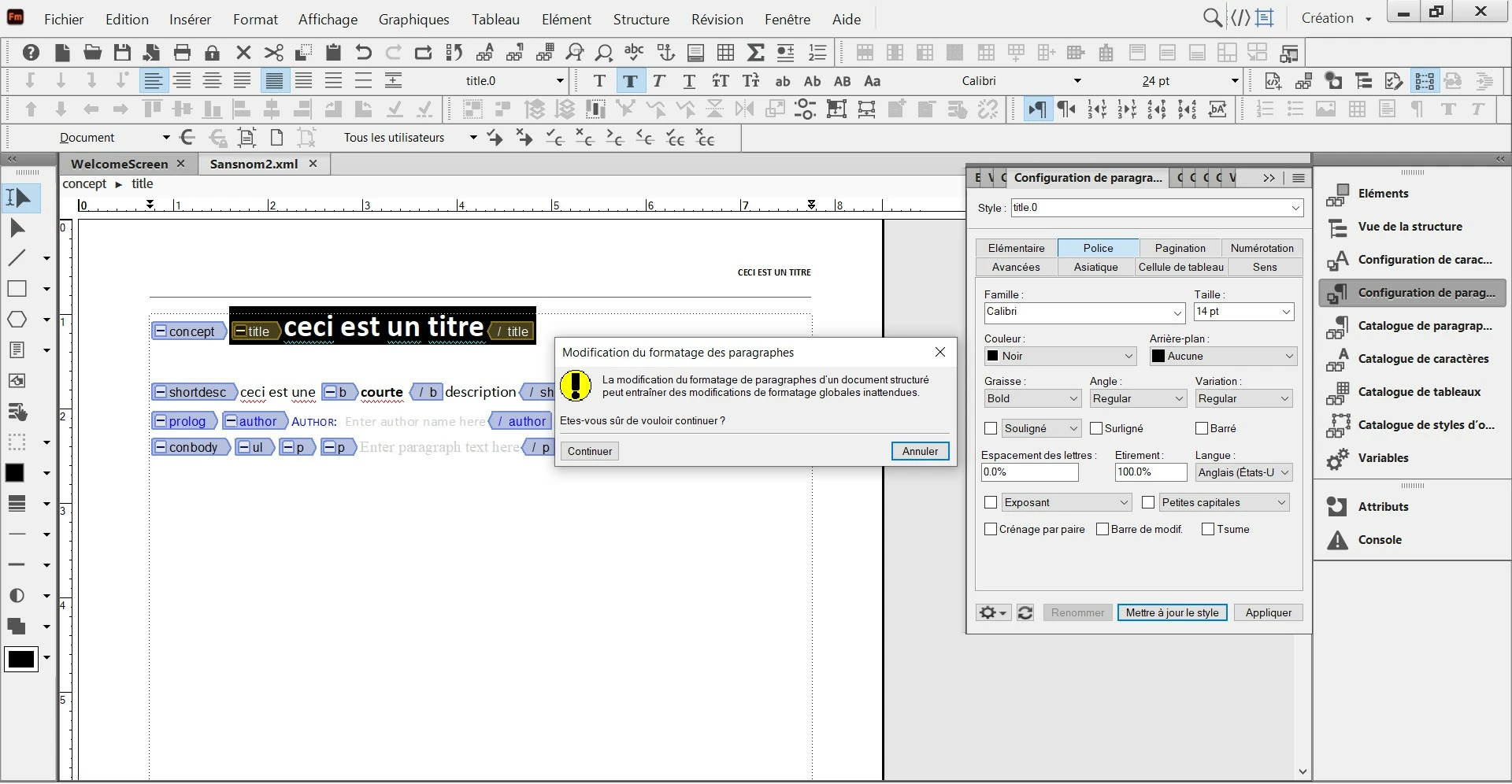
 

Do you think there is a risk if I do this change by using the "paragraph designer" ?

What is the best way to modify the formatting of an element in a structured document ?


This topic has been closed for replies.
Correct answer frameexpert

Use the paragraph designer as you showed in your first screenshot and click OK to ignore the warning. However, make sure you save the document as FrameMaker binary (.fm). Otherwise, the next time you open the .xml file, it will default to the base template and your paragraph format update will be gone.

5 replies

Inspiring
November 11, 2023

@Matt-Tech Comm Tools 

About your Frame Maker books : are they written in XML or in FM files ?

Do you advise me to write books in XML or FM ?

Inspiring
November 10, 2023

Hi @frameexpert 

I have saved my XML file as FM, and succeeded to modify the formatting of the Title element by creating a new paragraph style for the title. 

I am wondering if it is possible to add the structured elements of the "Concept template" directly inside a FM file ? Or am I obliged to begin all the time in XML then save as FM ?

Matt-Tech Comm Tools
Community Expert
Community Expert
November 10, 2023

It sounds like you're starting to look at the tradeoffs between working in Fm binary files and DITA (or other XML standards)


You'll find that there are advantages to working in both .fm and .xml files, but you're not likely going to want to maintain a "hybrid" environment where you use both file formats.


There's nothing wrong with working with DITA files saved as .fm files, other than the file size will be much larger and you'll not be able to easily pass the DITA to non-Fm users.


-Matt

-Matt Sullivan, FrameMaker Course Creator, Author, Trainer, Consultant
Inspiring
November 10, 2023

@Matt-Tech Comm Tools 

In fact, I don't want to modify the format of the title permanently. My goal is to modify the format of the title only for one document. How to do it ?

frameexpert
Community Expert
frameexpertCommunity ExpertCorrect answer
Community Expert
November 10, 2023

Use the paragraph designer as you showed in your first screenshot and click OK to ignore the warning. However, make sure you save the document as FrameMaker binary (.fm). Otherwise, the next time you open the .xml file, it will default to the base template and your paragraph format update will be gone.

Matt-Tech Comm Tools
Community Expert
Community Expert
November 9, 2023

To permanently change how the title is displayed, you need to open up the template that formats your concept topic.

From there you can change the formatting of the title.0 paragraph format. 

You can find the location of the concept template file in the global application definition (location differs, based on Fm version and DITA version.

After saving the template file, any concept opened or created in FrameMaker will use the new template to format concept files.

-Matt Sullivan, FrameMaker Course Creator, Author, Trainer, Consultant
Inspiring
November 6, 2023

I have seen online help videos on how to modify the formatting of an element, but the only thing I have found is that we are obliged to modify the code. For me it is too much complicated. Do you think I can click on an element of my structured document (by example "Title") and use the "paragraph designer" window in order to modify the formatting of this element ?

Community Expert
November 6, 2023

Hi, @pierret18811376 ,

seems you are new to structured content.

I am not an xml/sgml expert but afaik it is not working that way.


The formatting is done by using a) a formatting FM template (which contains all the paragraph/character etc. formats) that will be assigned, b) a "Format change list" in the corresponding EDD or c) by specifying it by writing the formatting into each element definition (afaik only done in specific cases).

Normal way is a) or b).

So going your way can possibly damage the structure of that document or as the error message states lead to unexpected behaviour.

Regards

Stephan