Participating Frequently
October 29, 2025
Answered

Adobe Illustrator 2026 Not Responding on launch - macOS 27

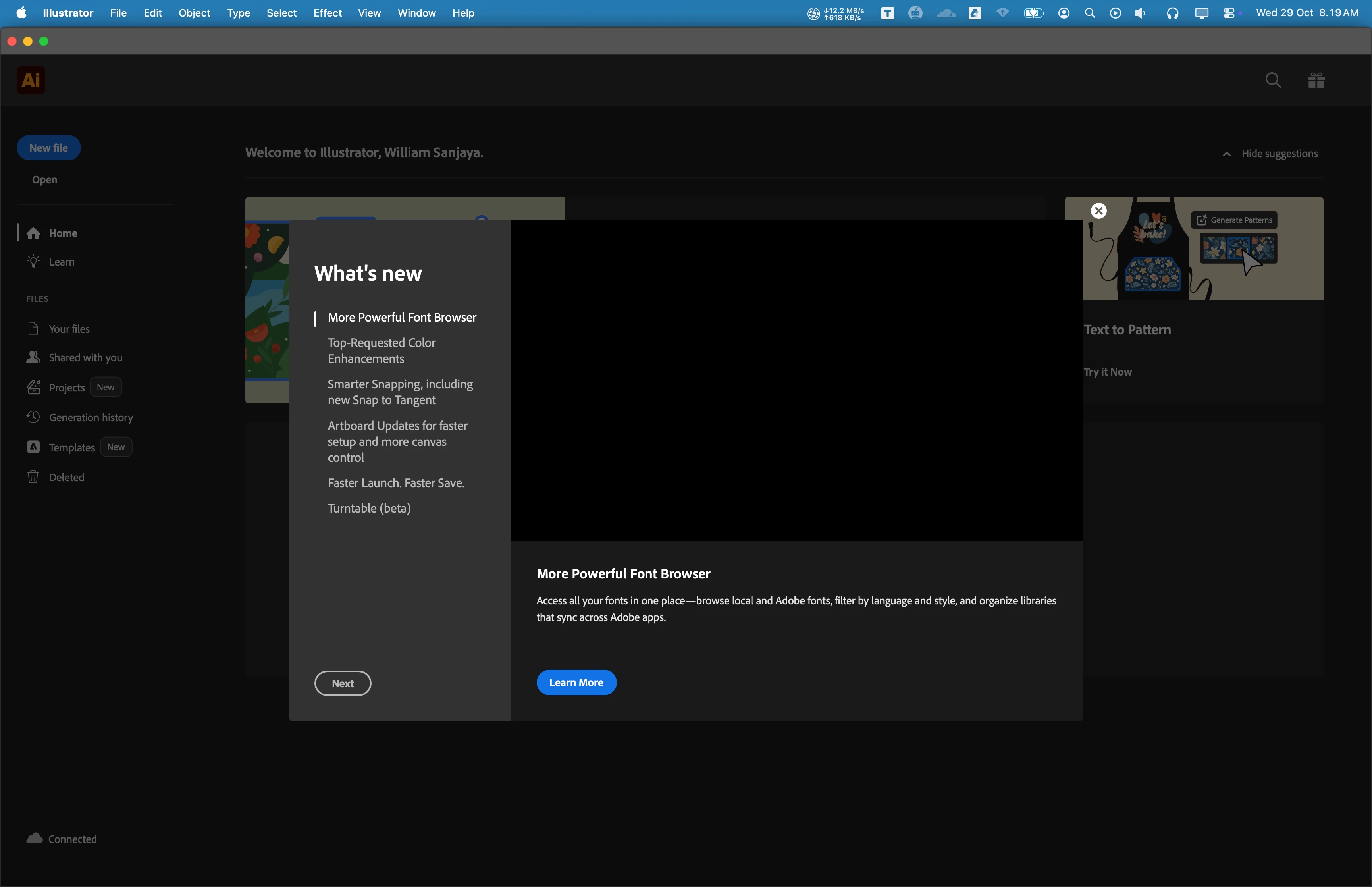
Hi, my name is William, I have issue when I tried to open Adobe Illustrator since 3 months ago. It's always not responding. Sometimes, it takes few times untill it opened. I tried to update to newest version (currently v30.0), but the problem is still exist.


I have updated to newest MacOS Tahoe 26.0.1. I am using Macbook Pro M2 Max with 32 GB RAM. I have tried to reinstall, restart, and do a clean installation, but nothing works. I have no issues with other Adobe Product when opening application, only with Adobe Illustrator.


I attatch screenshot of application below.

Any suggestion would be appreciated. Thankyou so much.


Anubhav M
Anubhav MCorrect answer
Community Manager
September 24, 2026

Hello everyone,

Wacom has released new drivers that are compatible with macOS 27.0. Please follow the steps shared in this help article (https://support.wacom.com/hc/en-us/articles/43537850453527-Wacom-Driver-for-macOS-27-Golden-Gate-Installation-Troubleshooting-Steps) and let us know how it goes.

Anubhav

53 replies

Monika Gause
Community Expert
Community Expert
September 30, 2026

It is just too early to update to MacOS 27. It’s better to wait for announcements by Adobe.

That said: do you have any third party plugins? Equipment like a Wacom, special mouse, whatever? The drivers might not be compatible or need updates if available.

Translate
Participant
September 30, 2026

Every time I start Illustrator, it stops responding. If I let it sit for 10-15 minutes, it eventually becomes usable. 

I’ve uninstalled/reinstalled the software; I’ve removed my system preferences; I’ve deleted my UXP files. None of this helps my problem. 

Is there a solution to this problem?

Translate
Participant
September 29, 2026

I’ve been having very similar problems since updating my Mac to macOS 27.

I’m currently using Illustrator 30.6.0. I haven’t updated Illustrator yet or tried uninstalling and reinstalling it. I just came across your post because I was actually wondering whether my SVG files might be causing the problem.

For work, I often need quick, simple vector icons. Some of these are SVG files generated with ChatGPT – nothing complicated, just simple vector graphics. My Illustrator problems seemed to start around the same time I began working with these files, so I thought they might be the cause.

But now I’m wondering if that was just a coincidence, since I also updated my Mac to macOS 27 around the same time.

When Illustrator freezes, I can’t do anything and have to restart my Mac completely. Sometimes even my keyboard stops responding after a restart.

So it sounds like we might be experiencing a very similar issue.

Translate
Monika Gause
Community Expert
Community Expert
September 29, 2026

If you have a Wacom installed, try and update the driver. They have just released a compatible version. 

Translate
Participant
October 1, 2026

I did and now no problems anymore :)  But I also updated to 27.0.1 
Thanks a lot!

Translate
Harshika Verma
Community Manager
Community Manager
September 28, 2026

Hi tony0vicmizzy,

Thank you for reaching out, and sorry for the trouble you're experiencing with Illustrator. We will try our best to investigate and help you here. In addition to what our expert has suggested, would you mind telling us if you're connected with an external monitor? Since when have you been experiencing the issue?

Please share the crash report and crash log with us by following the steps suggested.

We will make every effort to assist you.


Thanks,

Harshika

Translate
Participant
September 29, 2026

Dear Harshika,

could you please explain why you are asking about external monitors? I’m experiencing a similar issue and I’m wondering if this could be related.

I use external monitors, and after Illustrator freezes and I restart my Mac, sometimes one of my external monitors is not recognized immediately. I’ve also noticed that my keyboard sometimes stops working, even though the batteries are fully charged.

Could this be related to the Illustrator issue or to macOS 27?

Thanks!
Anja

Translate
Monika Gause
Community Expert
Community Expert
September 26, 2026

It’s just not a good idea to update to a .0 MacOS. Just don’t do it. Wait at least until .1 or better until Adobe and all the other companies officially support the system.

Translate
Participating Frequently
September 26, 2026

Thanks for the info on the Wacom Driver. I removed all Wacom drivers a while back and made sure to uncheck the Wacom Driver box in my Illustrator preference settings.

Translate
silk-m
Community Expert
Community Expert
September 26, 2026
Participating Frequently
September 26, 2026

Thanks, but I don’t have a Wacom driver or device. Take care.


Translate
Ton Frederiks
Community Expert
Community Expert
September 26, 2026

Do you have a Wacom driver installed? Try to remove it, it is not compatible currently.

Translate
Participating Frequently
September 26, 2026

Thanks, I don’t have a Wacom driver installed. I made sure to remove it once I had my iPad.

Tony

Translate
Participating Frequently
September 26, 2026

I am having an issue with Adobe Illustrator version 30.8.2 freezing after I launch it a second time. I have to restart my machine in order to get the application to open and let me work. If I close the app and try opening it again. It opens, but as soon as I try to open a file, it locks up, and I have to force quit. I’ve done all of the steps online, like clearing the preferences and opening in safe mode. I’ve even uninstalled the app and done a clean install. Still get the same problem. I’m I the only one with this issue? My Mac is running the latest OS 27 version on an Apple M3 Ultra Mac Studio. It's very frustrating to have to restart my machine every time I need to open Illustrator after I’ve closed it. If anyone has a suggestion on how to fix this, please share. It all began when I updated to OS 27.

Translate
Anubhav M
Community Manager
Anubhav MCommunity ManagerCorrect answer
Community Manager
September 24, 2026

Hello everyone,

Wacom has released new drivers that are compatible with macOS 27.0. Please follow the steps shared in this help article (https://support.wacom.com/hc/en-us/articles/43537850453527-Wacom-Driver-for-macOS-27-Golden-Gate-Installation-Troubleshooting-Steps) and let us know how it goes.

Anubhav

Translate
Participant
September 24, 2026

Thank you for the link. Very kind

Translate
Participant
October 8, 2026

I have no Wacom drivers at my MacBook (M4 Max), but I have the same trouble: Illustrator freezing when starting (or after some time in background), and it could go on forever, while I quit it enforced.

Translate