
Amir Mahdi Moslehi
Participant
June 10, 2021
Answered

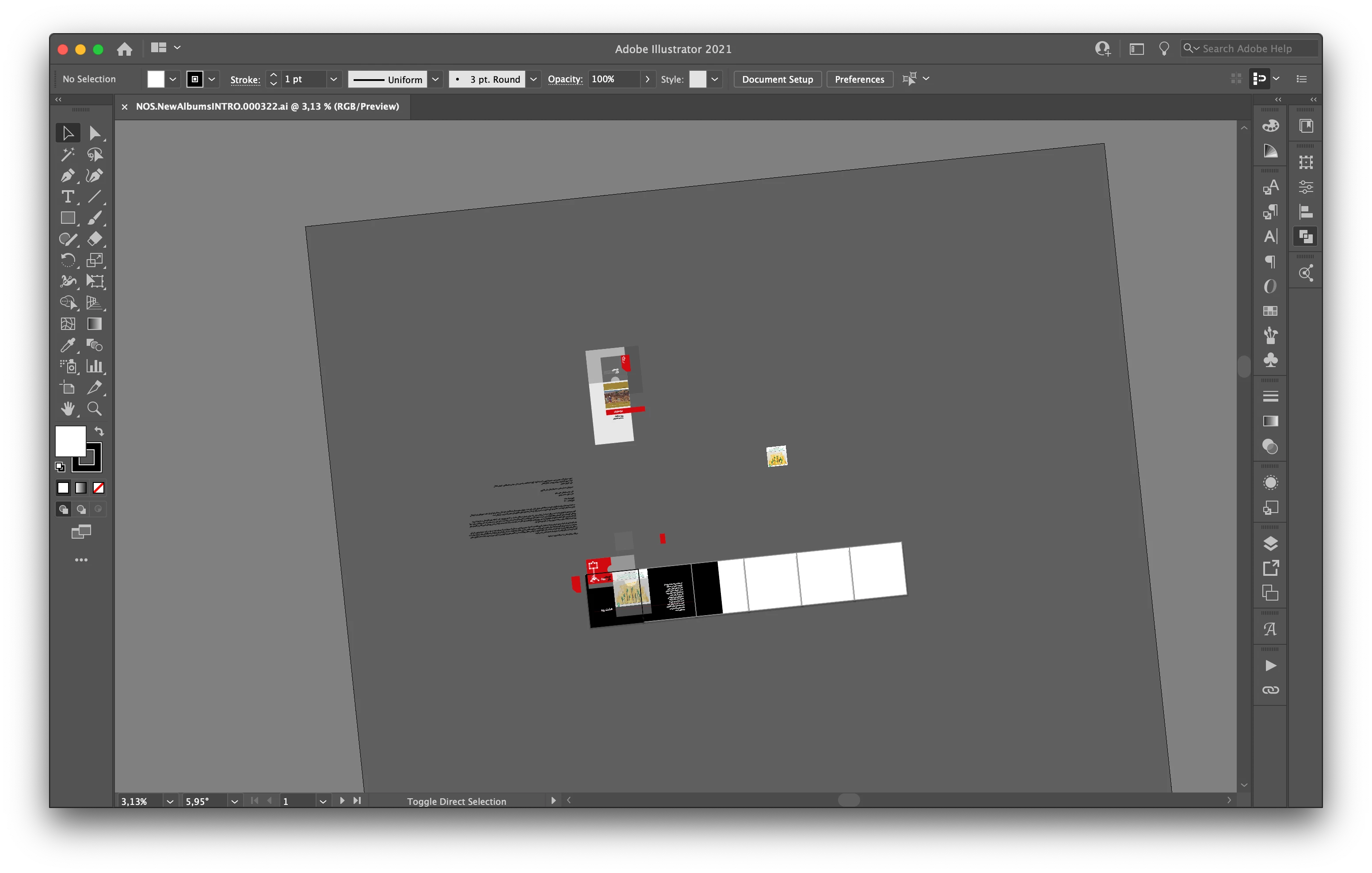
Artboard Rotation while using touchpad for zoom in Illustrator 25.3

  • June 10, 2021
  • 64 replies
  • 122651 views

Hi, recently I faced a new problem. When I use the trackpad for zoom-in/out the artboard keeps rotating. I don't know how can I fix this problem.

Correct answer joannem27208843

Hi I solved this problem by going to macbook System Preferences> Track Pad >Scroll and Zoom > Rotate and uncheck rotate with two fingers .


Hope this helps if there isn't already another solution that i have missed. 

Jo 


64 replies

melissapiccone
Community Expert
Community Expert
July 26, 2021

Me too, it's infuriating. 

Melissa Piccone | Adobe Trainer | Online Courses Author | Fine Artist
amyctyrrell
Participant
July 23, 2021

please remove or provide a lock this is slowing me down so much its extreamly irrritating 

Participant
July 19, 2021

It should be fixed soon. Many tools in illustrator must suggest on/off option.

charleh
Participating Frequently
July 16, 2021

I would love to be able to lock and unlock the rotate view with shortcuts too, so that I wouldn't need to go into menu settings to change it. In the meantime I have set up a personal shortcut cmd + shift + 0 for reset view rotation, that way I can fit to screen the active artboard and reset rotation with two very quick shortcuts. Shouldn't need to though!!

MarkGould
Participating Frequently
July 14, 2021

For what it's worth on my system 2018 iMac/Big Sur/Apple trackpad: it appears there is a system wide difficulty in recognizing pinch/zoom/rotate on the Apple trackpad - it's difficult to employ rotating in a similar way even in the Apple Maps app. What Apple does get right is that when rotating there's a 'snap to standard view' employed when rotating so at least there's that. This is suggested along with a lock feature for those who don't want to use it.


hungrycarly
Participant
July 14, 2021

Just adding another voice to the thread... My work day was SO much longer because of this update. I have designed with great ease and success for years with my Mac Book Pro but today was a doozy. Please, please, please make an option to turn this rotation feature off. The number of times today I corrected the artboard orientation was absurd.

Participant
July 14, 2021

I dislike this new tool. I spend more time readjusting my board after I accidentally rotate my artwork with trackpad.

MarkGould
Participating Frequently
July 11, 2021

It's not making a lot of sense to me why Adobe supports the community.adobe.com forums, the uservoice platform, the Slack channel and for now the prerelease forums - there are too many places to track down what's being posted about the issues. Time for consolidation?


Doug A Roberts
Community Expert
Community Expert
July 11, 2021

If it's any consolation, I completely agree.

July 9, 2021

hi there, im using macbook. I accidentally turned a document (with two fingers on the touchpad). now I сant rotate to 0 degrees, maximum I can rotate ~5 degrees. couldnt find anything about it on the internet 😞

July 9, 2021

hi there, im using macbook. I accidentally turned a document (with two fingers on the touchpad). now I сant rotate to 0 degrees, maximum I can rotate ~5 degrees. couldnt find anything about it on the internet 😞

Srishti Bali
Community Manager
Community Manager
July 8, 2021

Hi all,


Sorry about the trouble this feature has caused. We are working on the feedback shared by all of you and will be sharing all the updates related to this issue on our UserVoice page ( https://illustrator.uservoice.com/forums/601447-illustrator-desktop-bugs/suggestions/43637925-canvas-rotation-feature-is-obstructing-regular-pin ).


Till the time it is fixed, please try one of the workarounds already shared on this post, i.e.:

  • Press the Esc key.
  • Double click the Rotate View tool.
  • Press Cmd + Shift+1 (Mac) or Ctrl+Shift+1 (Windows).


We hope that a permanent fix will be available soon. Please stay tuned for updates and thanks in advance for your patience. 


Regards,

Srishti

Participating Frequently
July 26, 2021

Key commands definately help! I hope there will be an option to lock this feature soon

MarkGould
Participating Frequently
July 8, 2021

On my 2017 iMac with OS Big Sur with an Apple trackpad, when trying to zoom in and out there seems to be a problem identify between zooming/pinching and turning/rotating - while zooming at times it will go into rotation mode for a half-second and then will continue zooming in or out. But then I am unable to reimplement the rotate gesture with the trackpad - the result being that I can't presently use the canvas rotation feature at all. Can this be isolated to my system? - Mark