


RobtheDutch
Participating Frequently
March 3, 2017
Answered

Blend tool behavior problems

  • March 3, 2017
  • 2 replies
  • 1772 views

Hello,

I always use the blend tool to quickly create an object repeating itself with the same distance. But somehow now it is going crazy on me.
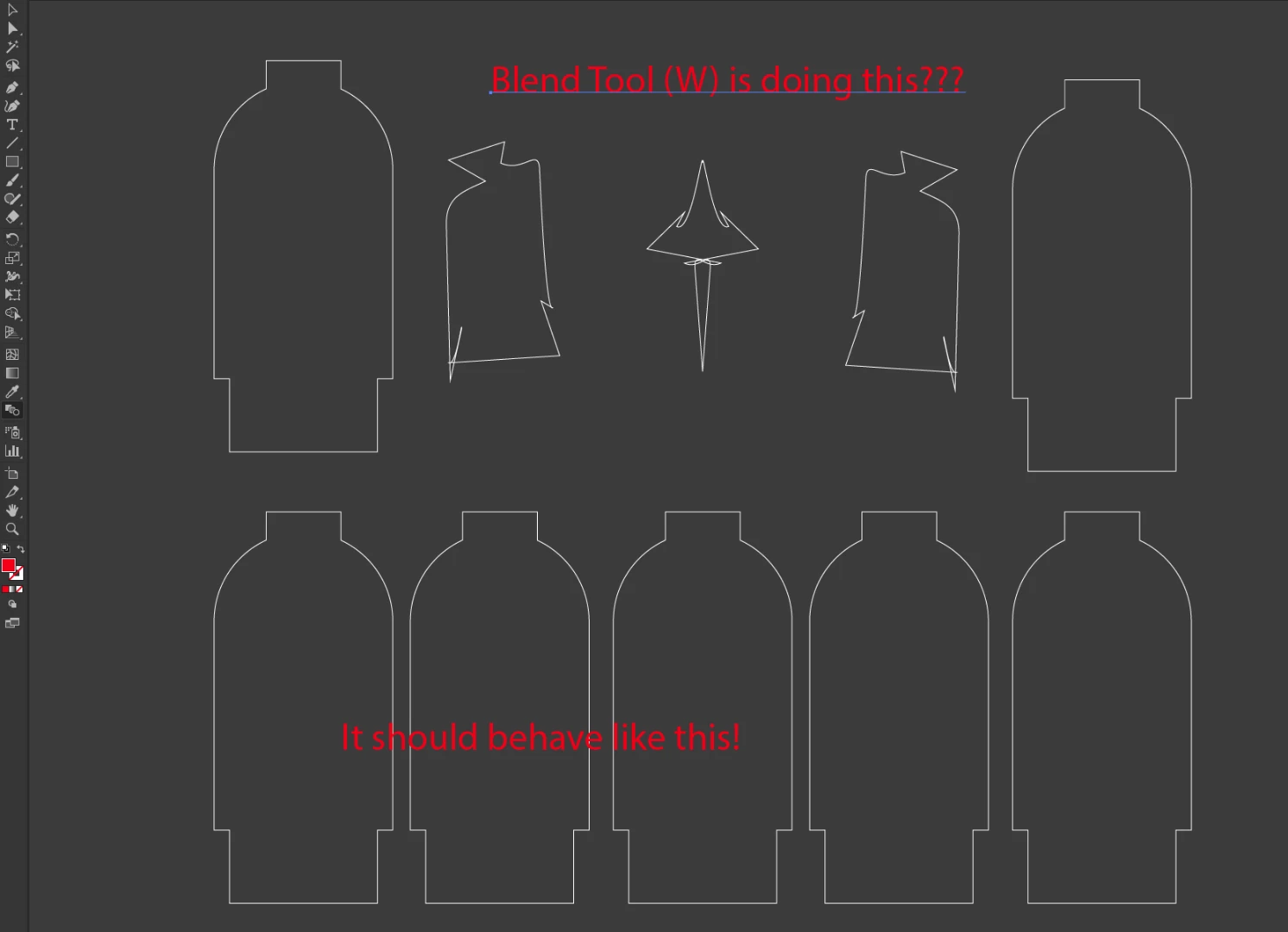
The bottom part I did by hand to show you what I normaly do with the tool. I know there are more ways to do this, but I want the blend tool to work again.

Is there anyone who knows what the problem is?

Best Regards,

Rob

This topic has been closed for replies.
Correct answer Doug A Roberts

not sure then. what happens if you reflect one of the objects?


actually just had a thought: did you use the blend tool? if so, what parts of the objects did you click on to blend? if you clicked on different parts, you could end up with a blend that's trying to rotate itself.

2 replies

jane-e
Community Expert
Community Expert
March 3, 2017

I have seen odd results with the Blend tool if I (for instance) click on the a left anchor point of one object and a right anchor point of another.

• Try going center to center with the Blend tool

• Or select both objects  and go to Object > Blend > Make

Do either of these make a difference?

Move one out of the way and Shift + Option + Drag the other to make a fresh duplicate. Does that make a difference?

Doug A Roberts
Community Expert
Community Expert
March 3, 2017

this would normally indicate to me that the path direction is opposite on each object. could that be the case?

RobtheDutch
Participating Frequently
March 3, 2017

No it isn't. It is an exact copy which I dragged with holding the alt key

Doug A Roberts
Community Expert
Community Expert
March 3, 2017

not sure then. what happens if you reflect one of the objects?