


Participant
May 4, 2020
Answered

Blend Tool Erratic Lines

  • May 4, 2020
  • 2 replies
  • 741 views

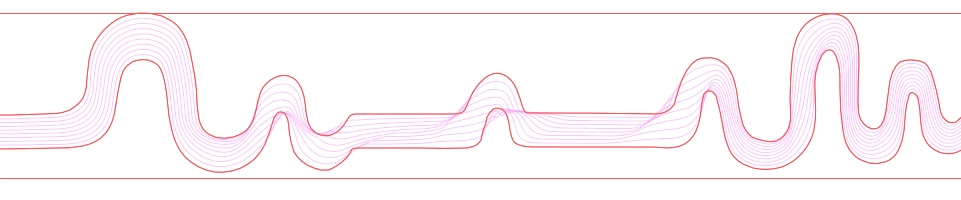
I have two curved paths and I'm using the Blend tool to create a series of lines between them. The Blend tool will create nice even lines through some parts but in other parts of the image it becomes very chaotic. I cannot understand what is different about the parts that look good and the parts that don't.


I have attached two screenshots to explain. The red lines are my actual paths and the pink lines are what's being filled in by Blend. I would like the entire thing to stay within my paths and not start warping around everywhere (as it does in the middle of these screenshots)


Any ideas?
 

This topic has been closed for replies.
Correct answer Jacob Bugge

WM,


You may have some unfortunate mismatching Anchor Points. What happens if you add Anchor Points to either to make pairs of corresponding/matching Anchor Points along the paths?


2 replies

Jacob Bugge
Community Expert
Community Expert
May 5, 2020

You are welcome, WM, and thank you for your kind words.


Jacob Bugge
Community Expert
Jacob BuggeCommunity ExpertCorrect answer
Community Expert
May 4, 2020

WM,


You may have some unfortunate mismatching Anchor Points. What happens if you add Anchor Points to either to make pairs of corresponding/matching Anchor Points along the paths?


WM_WMAuthor
Participant
May 5, 2020

Hello and thanks for the reply!


Your idea of matching up / adding anchor points to both paths worked nicely. Now it looks exactly how I wanted and I can't thank you enough. Very much appreciated!
