


New Participant
July 4, 2025
Question

Bounding box error, stuck in outline mode, and saving error

  • July 4, 2025
  • 4 replies
  • 1337 views

Hi everyone. After a couple of minutes working in Illustrator I suddenly get this PARM error message, then I'm not able to resize objects. After that I get stuck in outline mode for some reason and also am not able to save the document or save copies ect. 
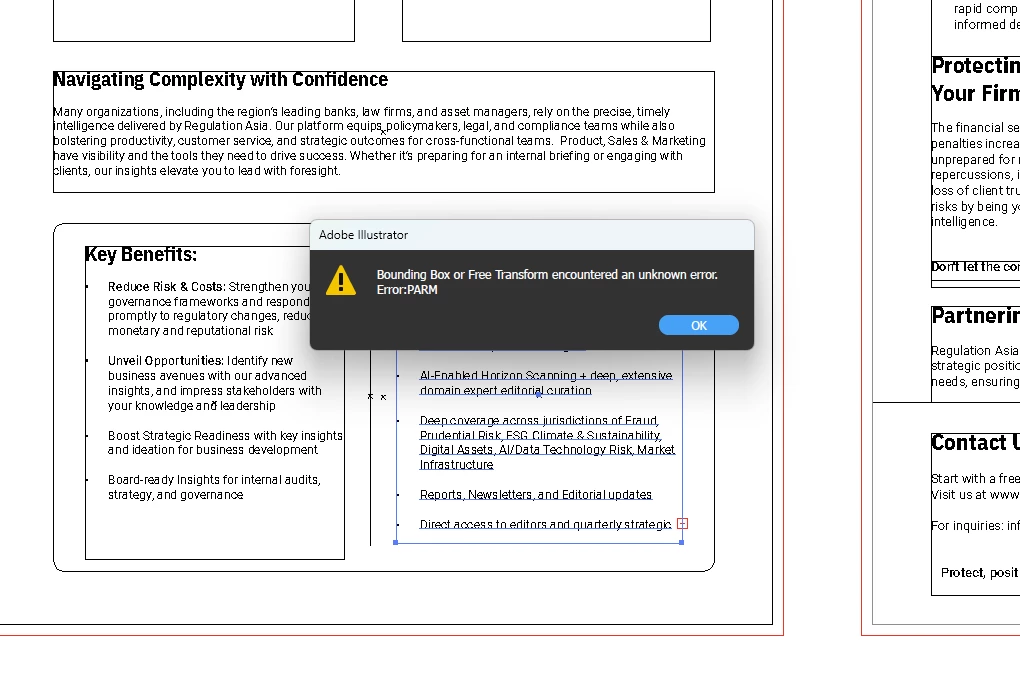


I'm using version 29.6.1 on an Asus Vivobook Pro 16X with Intel i7 processor, GeForce RTX 3050 GPU and 16GB RAM. Studio driver, Windows 11 and Illustrator are all up to date.

I restarted my laptop a couple of times, reinstalled the previous Illustrator version, then uninstalled and reinstalled the most recent version again. Reset my preferences too and still nothing. I've made sure bounding boxes are showing and I am using the selection tool, not the free transform tool. Free transform tool works okay but I'm working with text and want to keep the size of the text as is, just rezise the bounding box. 
I thought maybe the file is corrupt so I made a new document and copied everything over but no luck.


When restarting illustrator, it works again as usual for a while, but I have to redo a couple of things and sometimes some of my panels are missing.


Anyone who can help, please do. It's very frustrating and I have deadlines >.<

Thanks 🙂

4 replies

New Participant
August 26, 2025

I have the same problem. My version of Illustrator is 29.7.1. I followed the instructions by disabling the GPU. I don't have a problem with the bounding box, but now I can't highlight text. I don't think this is a temporary fix.


Please advise. Thank you.

Community Manager
September 2, 2025

Hello @NTBC27392558x6qo,

I'm sorry to hear about your experience. Could you share a small screen recording of your exact workflow and the problem, and confirm if Illustrator behaves this way with all files, so we can try and replicate this on our end?

Looking forward to hearing from you.

Anubhav

New Participant
July 23, 2025
I'm having the same problem! I chatted with support this afternoon, and they first tried installing version 28.0, but it didn't work because Illustrator wouldn't launch. Then they uninstalled the entire Creative Cloud and reinstalled the latest version of Illustrator, but obviously the error appears after working on the project for a while, so the operator wasn't able to see the error live.
I urge Adobe to seriously investigate this error because it's extremely annoying, especially considering the cost of this software.
HARSHIKA_VERMA
Community Manager
Community Manager
July 25, 2025

Hi there,

Sorry for the experience. Would you mind telling us the version of Illustrator installed on your machine and the details of your operating system? As we are unable to reproduce the issue, it would be helpful if you could share the affected file with Abhishek Rao for investigation.

Please also try the suggestion shared by Abhishek and let us know if that helps. 


Does that happen with every file or with a specific file?


We will try our best.


Thanks,

Harshika 

New Participant
September 3, 2025

I reinstalled version 27 and since then everything has worked great, but I would like to know when this bug will be solved, so that I can update the version with peace of mind.
Chiara

New Participant
July 8, 2025

I am having the same issue!

Abhishek Rao
Community Manager
Community Manager
July 21, 2025

Hi @Marketing26446739grfe,


Sorry to hear you're facing the same issue. Could you confirm the version of Illustrator and Windows you're currently using? Try disabling GPU Performance by going to Illustrator's Preferences > Performance and see if that helps improve stability.

If the issue persists, let me know if you're using any third-party plugins or font managers, and whether the issue happens in all documents or just specific ones.

It would also be really helpful if you could share a sample file where this occurs. If the file is confidential, feel free to send it via DM on the community, so I can test and investigate it further.


Looking forward to hearing back from you.
Abhishek

Abhishek Rao
Community Manager
Community Manager
July 4, 2025

Hi @Rizqah De Jongh,


Thank you so much for sharing the detailed explanation and screenshot. I completely understand how frustrating this must be, especially with tight deadlines.

The PARM error along with the bounding box and outline mode issues often points to a GPU or font conflict. Could you please try disabling GPU Performance in Illustrator (you can find it under Preferences > Performance) and then check if the issue persists? Also, make sure your graphics drivers are fully up to date even if they say "Studio driver," as sometimes a clean reinstall can help.

It would also be helpful to try working in a new Windows local admin user account to rule out any profile-specific corruption. If you are using any third-party plugins or font managers, please try disabling them temporarily or test the issue in safe mode to rule out those and every other third-party software and services. 

If possible, please share a short screen recording showing the steps that lead to the error, so I can pass it to the team for further investigation.

Let me know how it goes.


Looking forward to your update.

Abhishek 

New Participant
July 4, 2025

Hi @Abhishek Rao 


Thanks a lot for your response! I'll try these steps out and get back to you.