


Participant
September 7, 2022
Answered

Cannot open any Illustrator files

  • September 7, 2022
  • 3 replies
  • 318 views

Hello! All my Illustrator created files (ai. eps. jog. png. pdf) cannot be opened in Illustrator or any other program. The following message appears to impoert as text instead. 
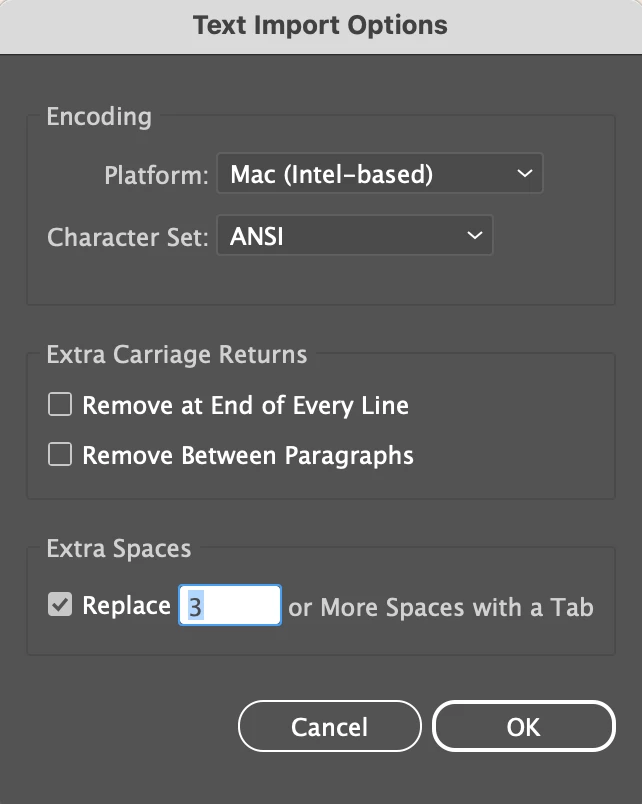
 

I have reset preferences and started in safe mode as previous threads have suggested. I have installed previous versions of Illustrator to no avail. All my files sit in a cloud storage. Please help!


This topic has been closed for replies.
Correct answer Monika Gause

What happens when you first move the files to your local harddrive?

3 replies

Mike_Gondek10189183
Community Expert
Community Expert
September 7, 2022

What Mac OS version are you running? How exactly are you opening from cloud storage, from the desktop option Creative Cloud Files, or  open then clicking on open cloud document? Please show screenshots. Do you have any third-party plug ins, from virus software to cloud management? Have you restarrd your computer?


PREFS  RESET (thorough)

Quit Illustrator

Finder >> Shift Command G

~/Library/Preferences/Adobe Illustrator 22 Settings/en_US*/Adobe Illustrator Prefs

rename Adobe Illustrator 22 to Adobe Illustrator 22 old


Bill Silbert
Community Expert
Community Expert
September 7, 2022

Are you able to create and work with a new file in Illustrator? Do you have any previously created files that may be backed up to an external drive or even on your hard drive that you can try opening and working with? My purpose in asking is to see if the problem is with Illustrator or possibly with your connection to your cloud server. Have you been working on your files directly on the cloud or have you been working locally and backing them up after? Traditionally, Illustrator does not work well over a network. Better results usually occur when working locally. However this turns out for you it is always a good idea to keep copies of all files in more than one place. It may seem like a lot of work to do so but the effort can be worth it in the long run.

Monika Gause
Community Expert
Monika GauseCommunity ExpertCorrect answer
Community Expert
September 7, 2022

What happens when you first move the files to your local harddrive?

Participant
September 8, 2022

This solved it. I moved them to my desktop and everything opened OK. Thank you so much!🙏