Participating Frequently
October 9, 2020
Question

Colors darken and dull over time

  • October 9, 2020
  • 5 replies
  • 4252 views

This problem has arisen a few times and I haven't seen an answer as to why it's happening. I've had this issue where the colors in my document, whether custom colors or pulled from imported swatches, etc, change and got more dull and darker over time in the doc. It changes the hex/rgb values and everything. It's quite frustrating and I've had this happen to me on two different machines over the last 2 years. I have not changed any color settings, I am working in RGB. I link a lot of images within my document as well.


Below is one instance. I cheated the background of this image by eye dropping it and it will change to the darker version within a few hours, having not touched that composition. 

Here is another instance, bottom is the original color, top is the altered.

 

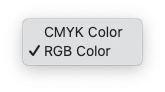
These are the settings that I see, note that I did not change any Color Mangement/Profiles. 
 

This is the color profile that I see most often.

But I also saw this pop up at some point, so I screenshotted it. 

 

I will continue to monitor it and post updates as I need this to be sorted. 


Is it changing color profiles as I work? Is there some hot key that I'm accidentally hitting that I'm unaware of? And what should the color profiles be. I'm not doing production work. I'm working in RGB to create work for a digital branding presentation. Nothing that should need anything specific, I feel.

Good luck and godspeed.

This topic has been closed for replies.

5 replies

Known Participant
December 22, 2021

@sixsevennate @Monika Gause @Ton Frederiks 


There seem to be several variations here on this rather snide and fairly unhelpful comment: "There are quite a few threads about this issue. The only thing they have in common is people who don't know how to deal with color management unfortunately."  ...plus a lot of "try this" and "try that" individual advice.


Can any of you recommend a resource (from Adobe or otherwise) that succinctly explains how to set up our color profiles for Illustrator and other CC applications so that we can avoid these color shifts? I'm looking for something useful for designers rather than for, say, retouchers or pre-press people who have a far deeper technical knowledge (and interest) in geekery? 

I think that would be very helpful to a lot of the people having this color-shifting problem. Thanks!


Monika Gause
Community Expert
Community Expert
December 22, 2021

There is a very good and free source available in German. I'm not aware of anything comparable in English. In case the German is of any use to you: https://www.cleverprinting.de/cleverprinting-handbuch-kostenlos-herunterladen/


There are courses about it on LinkedIn Learning (not free). As for the depth of the learning: I'm afraid that you will need to learn quite a bit of the technical foundation.

Known Participant
January 3, 2022

Thank you, Monika. It's interesting that the Adobe Printing Guide hasn't been updated in years, but I expect the principles haven't changed much.


Sadly, I don't speak German, but others do. Helpful post. Thanks.

Participant
May 28, 2021

If colors on an object are behaving weird and changing from the RGB values you set them to,  then check File / Document Color Mode is set to RGB


RGB supports more colors and brightness. If doc is set to CMYK then whenever you an set an objects  colors using RGB it is modified to the closest CMYK which will vary the RGB settings and will usually result in a duller color.

knjibi
Participant
November 21, 2020

@sixsevennate @Monika Gause @Ton Frederiks 

Hi all, been having the same issues. After reading through the thread and following along, I did some more trial and error and found something that could be part of the problem here.

I went in under 'View' and checked 'Pixel Preview,' which then changed all the colors in the document to match the exported JPG colors (which were coming out duller). Not sure how it all works, but thought I'd share.

Participating Frequently
February 15, 2021

I'm still having the issue and Pixel Preview doesn't seem to change anything for me, sadly.

Ton Frederiks
Community Expert
Community Expert
October 9, 2020

I see, when your screendumps are opened in Photoshop, that they have the VX2770 SERIES profile of your monitor.

Assigning an sRGB profile (like the default RGB you have in your Color  Settings) darkens the image like you described.

I wonder what happens if you set your monitor to sRGB using the color adjust controls from your monitor.

It wont hurt because you monitor setting will be the same as your Color Settings in Illustrator.

Participating Frequently
October 9, 2020

I can test that. That said, I've had this problem on a completely different computer, an iMac so I don't think it will have much bearing in this instance?

Ton Frederiks
Community Expert
Community Expert
October 9, 2020

The reason I suggested changing the monitor profile to sRGB is that I once read a post about colors gradually darkening (on a Mac) and changing the profile to sRGB stopped that.

I will try to find that post.

Monika Gause
Community Expert
Community Expert
October 9, 2020

How is color management set up?

Do you use the soft proof?


Never touching color management is not a good idea at all. There is no standard that works for everyone in every situation. Color management has been there for the last 20 years and it won't go away. So the only thing you can do is learn how it works and then set it up and use it.


There are quite a few threads about this issue. The only thing they have in common is people who don't know how to deal with color management unfortunately.

Participating Frequently
October 9, 2020

I understand what you're saying, but you're not providing a solution by saying the best thing to do is to learn how to use it. But more importantly, this shouldn't be happening regardless. I have been designing for over 15 years and working with several studios of which I know that no one is changing their color management. So I really can't accept that as a solution for this issue. If you want to suggest a general management that makes sense for designing in RGB, I would be happy to test that to see if this continues to happen. But as of yet, there is no solution for this.


If I'm just sketching around in Illustrator, creating notional designs/compositions, why do I need to have a custom color management solution? I do not use Soft Proof, I don't even know what that is. I've posted all of the variables that were asked, if there are others, I would be happy to do so. I am not printing anything from this. I will only be linking this .ai to an .indd for presentation purposes. 


Is there anything else you can give that may help other than saying it's a bad idea to not do color management. This is a bug that has yet to be fixed, that's why people keep posting about it.

Monika Gause
Community Expert
Community Expert
October 9, 2020

Please post your curent color management settings. Is color management harmonized across the Creative Cloud applications?

So the softproof is turned off? Are you sure? Because in at least one case this was caused by the soft proof being turned on.


In other cases this happened because of non suitable color settings that caused the image to change color every time it was opened.


You need to learn about it and that's that. Even if you don't use it, it is always working in the background. No current publishing application works without color management. So it's not even an option touse a different one.