


Participant
October 14, 2022
Question

Create a gradient logo

  • October 14, 2022
  • 2 replies
  • 282 views

Hi! I'm still a newbie in Illustrator, and would be grateful for the help.
With the pen tool I've created a man, it has no fill only white color outline. I need to create a vetor logo with the gradient. I want to apply arbitrary gradient.
Therefore this man for the fill part should be in various gradients, ex like an arm has one gradient that changes on the body part
However, whenever I try to fill i get blank spaces 
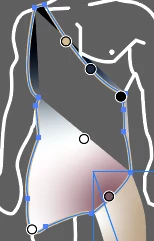
I've tried to expand it and then with ctrl+k color it, but I can't apply arbitrary gradient and the otline can be seemed. 
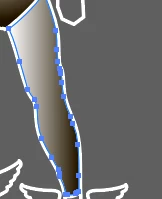
Would appreciate any help or video recomendations
The logo should look smth like: 

This topic has been closed for replies.

2 replies

lambiloon
Community Expert
Community Expert
October 16, 2022

Hi, check the following video hope it helps you...regards


https://youtu.be/tXpnKlUMZQA

Ali Sajjad / Graphic Design Trainer / Freelancer / Adobe Certified Professional
Steve Werner
Community Expert
Community Expert
October 16, 2022

You're facing an almost impossible challenge. It's very, very hard to learn to use the Pen tool to create art without instruction. It's not an intuitive tool.


I teach an Illustrator class for designers who are beginners at Berkeley Extension. It can take at least a couple weeks of instructions to begin to learn the tool, and several more weeks to begin to feel comfortable with it.


This is what I recommend: