
Participant
July 12, 2022
Answered

Creative Cloud Libraries and Illustrator issue

  • July 12, 2022
  • 2 replies
  • 790 views

I been having issues with the Creative Cloud App, it causes Illustrator and other Apps that I am working in to crash. When I try to relaunch the app a window would pop up asking if I want to quit or repair the issue. I usually just select the option to fix. However, I've been having this issue for a while now. So I decided to uninstall and install the Creative Cloud App following the instructions that I found here https://helpx.adobe.com/creative-cloud/help/uninstall-creative-cloud-desktop-app.html. Once I fnished doing that, I reopened Illustrator CC 2022 and I couldn't acces the Creative Cloud Libraries.
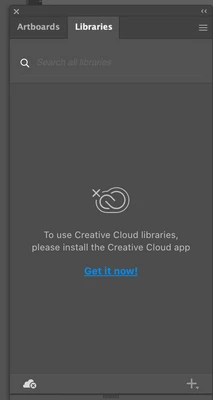
I decided to follow the instructions of Solution 1 from https://helpx.adobe.com/creative-cloud/kb/libraries-panel-not-working.html. After doing that, I opened Illustrator CC 2022 to access the Creative Cloud Libraries and got this error message.
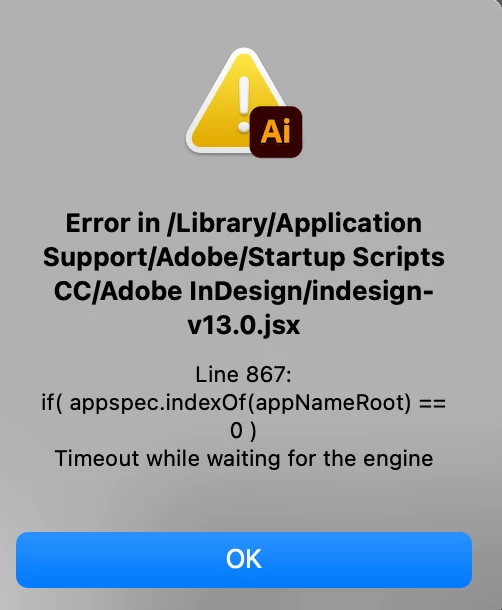
I still can't access the Creative Cloud Libraries, but I would like to fix this error message before doing anything else.


Thanks in advance!

This topic has been closed for replies.
Correct answer hilary soinspired

Can I please have some help with this?

Thanks


Hilary


Worked it out for myself!

Turned off the firewall.

Thanks for all your help.

Stunning response.

2 replies

Anshul_Saini
Community Manager
Community Manager
July 13, 2022

Hi @jjjoose,


We are sorry about the trouble. I would like to know if the steps shared above by Ton helped resolve the script issue? Also, would you mind confirming whether File Sync is turned on within the Creative Cloud app preferences? If it's on, could you try turning it off and then back on again? If it's not on, could you try turning it on and see if that makes any difference? Please make sure it's on and running before launching the desktop products in order to use Libraries. You may also visit the assets website to check if you are able to access them online or not.


If yes, then try suggestions in this community post (https://community.adobe.com/t5/download-install-discussions/cc-libraries-don-t-work-in-desktop-apps/m-p/9929405).


If nothing helps, try uninstalling the Creative Cloud & the apps in which you are facing the issues with the CC Cleaner tool.


Moreover, ensure you have logged in with the correct email ID on which you have an active subscription.


We will be looking forward to your response.


Thanks & Regards,

Anshul Saini


Note: Marking correct for visibility.

Participant
December 5, 2024

I have a similar issue, I have uninstalled, cleaned up and reinstalled but Illustrator 2025 cannot see my Creative cloud which is also installed.


MacMini M1 running Sequoia 15.1.1


I cannot load library's?

Thanks and regards

Hilary

Anubhav M
Community Manager
Community Manager
December 5, 2024

Hello @hilary soinspired,

I'm sorry to hear about your experience. From what you've shared it seems the Creative Cloud libraries panel is not loading in Illustrator. If that's the case, kindly try the following steps and check if it helps:

  • Close all Adobe applications
  • Remove the Creative Cloud Desktop application, CCLibrary, and CoreSync using the Creative Cloud Cleaner Tool (https://adobe.ly/3BjfE5h)
  • Reinstall the Creative Cloud Desktop application (https://adobe.ly/3DaWRJS)
  • Relaunch Illustrator


Looking forward to hearing from you.


Anubhav

Ton Frederiks
Community Expert
Community Expert
July 12, 2022

According to Lakshay5E80 in this thread: https://community.adobe.com/t5/illustrator-discussions/error-in-library-application-support-adobe-startup-scripts-cc-adobe-indesign-idtk-menu-datan-jsx/m-p/9527750#M75734

"In such scenarios, always locate the folder startup scripts cc under /library/application support/adobe/ and remove all the content from that folder."