


The Invid
Participating Frequently
October 19, 2018
Answered

Error "The Dimension of this page are out of range" - How to crop within art board

  • October 19, 2018
  • 2 replies
  • 1446 views

Hello,

I am trying to get out of my comfort zone, by blitzing Illustrator more.  If this was Photoshop, I wouldn't be asking this question.  So here it is. 

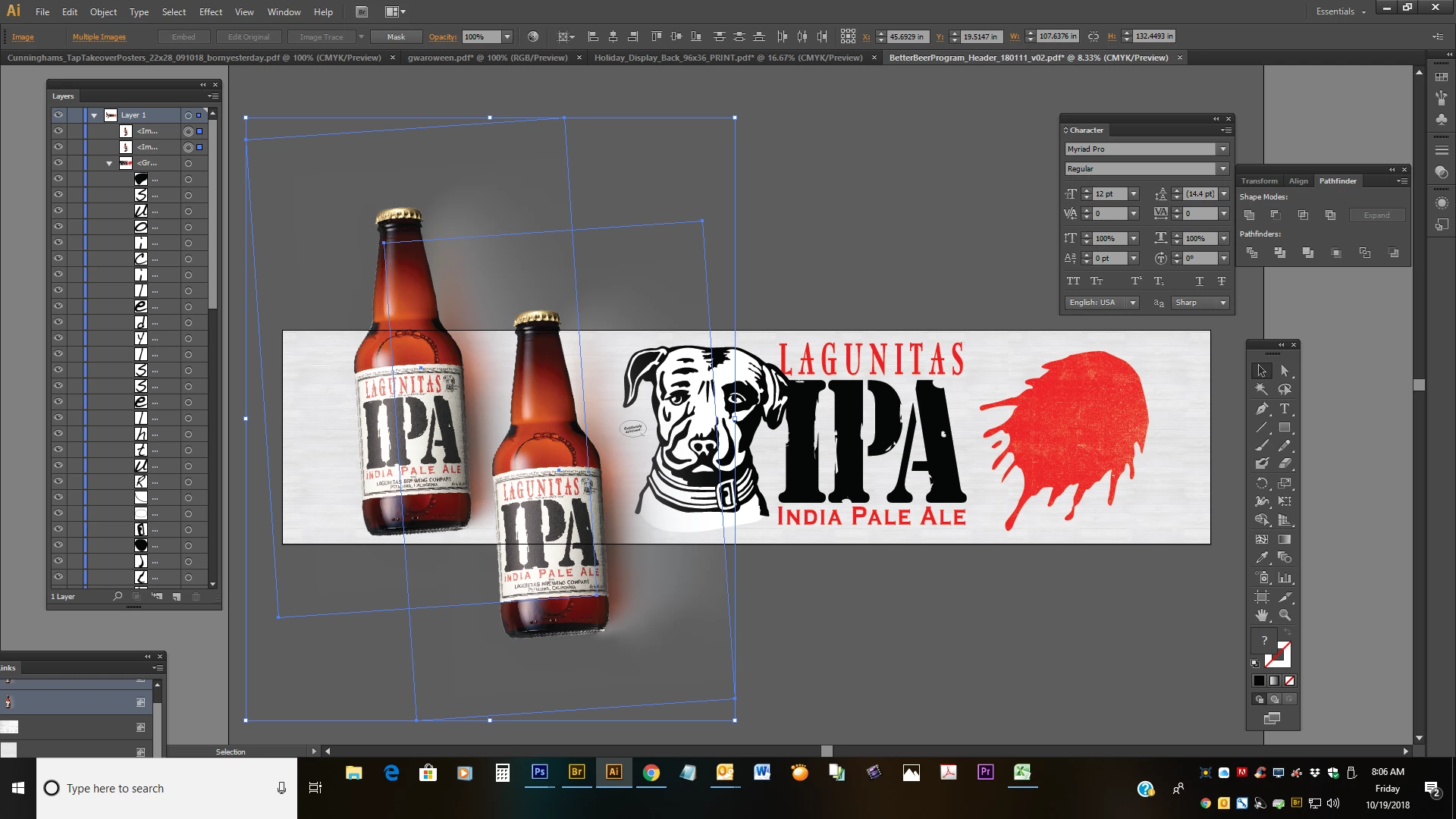
How can I keep the bottles within the art-board?  Obviously if I were to use Photoshop, I would simply drag the bottles onto the art-board and there would be no outlying. 

Measurements are 204" x 47".  This is going in a liquor store in Pasadena, Ca.
This topic has been closed for replies.
Correct answer Monika Gause

You can drag the handles of the bounding box to make the bottles smaller. Press the shift key while doing this to keep proportions.

2 replies

BW_Ellis
Known Participant
October 19, 2018

Something to consider is the size of your presentation. The stage you are working on has a limit to how big the graphics can be. When building super sized graphics like this I usually scale them to a 1 to 10 or 1 to 12 ratio. This reduces the file size and helps to avoid the outer size limit of the stage.

CAD Tools is a great plug in for AI to help with this. I can tell you from extensive experience that print shops prefer the scaled PDF output over full sized graphics. Just make sure the resolution of your bitmaps can handle the upscale process completed by the RIP (Render In Process) engine in the print shop's software.

Good luck, hope this helps.

Monika Gause
Community Expert
Monika GauseCommunity ExpertCorrect answer
Community Expert
October 19, 2018

You can drag the handles of the bounding box to make the bottles smaller. Press the shift key while doing this to keep proportions.