Participant
November 25, 2020
Answered

File -> New

  • November 25, 2020
  • 1 reply
  • 342 views

I can't seem to find the solution to something that used to be so simple in a previous version of illustrator.

For example if I would like to create an a3 poster...

I used to click File - New - and it would open up options where I could select A4, a3, a5, etc. There would be a clearly laid out range of standard presets that included these normally used print document sizes. 


Now I do not see this at all and can not seem to locate these options.

What shows now on the latest Illustrator when I press File - New are template options - but pre made designs, stationary suite suggestions etc. Everything is already populated with vector graphics and designs. Even if I was to use these, delete the content and try to make it work as a hack the sizes are not clearly indicated. 


I feel like im missing something really simple but cant seem to come up with the answer from searching.

Can anyone help?! Very frustrating!!
Thank you 


Does anyone know how to access such information when setting up a new file? I feel a bit daft as it's such a simple thing. 
This topic has been closed for replies.
Correct answer Doug A Roberts

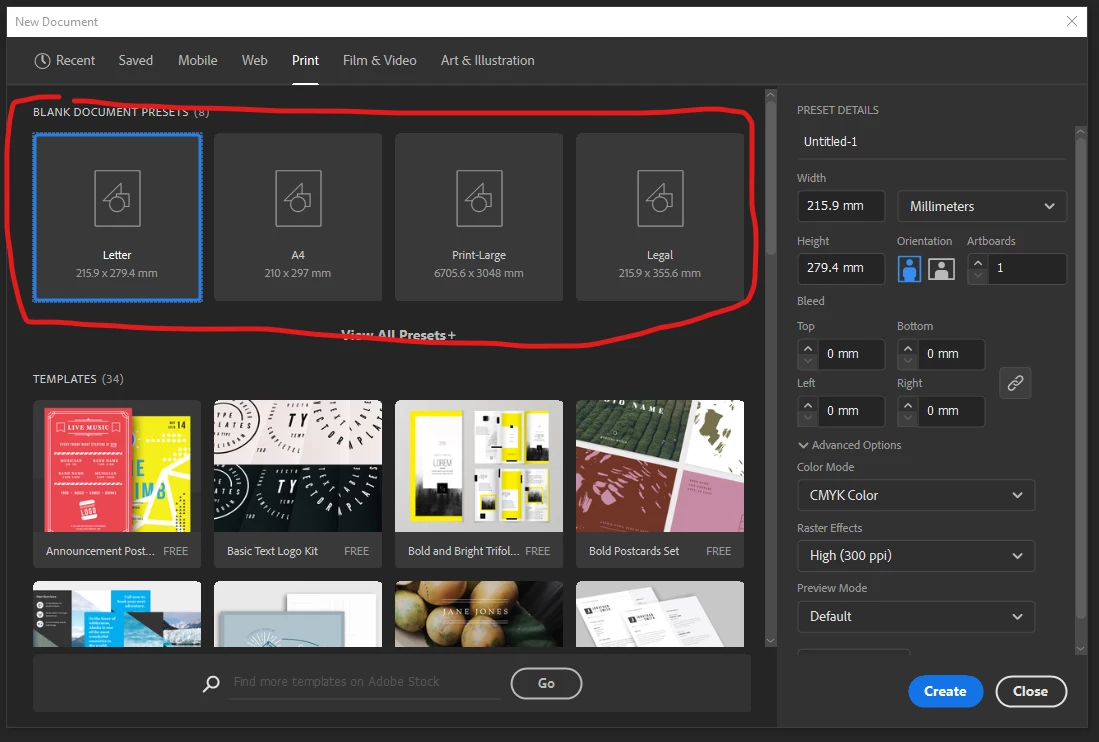
You should see a row of document presets as well as the templates:


If you don't see these, then something may be wrong with your installation.

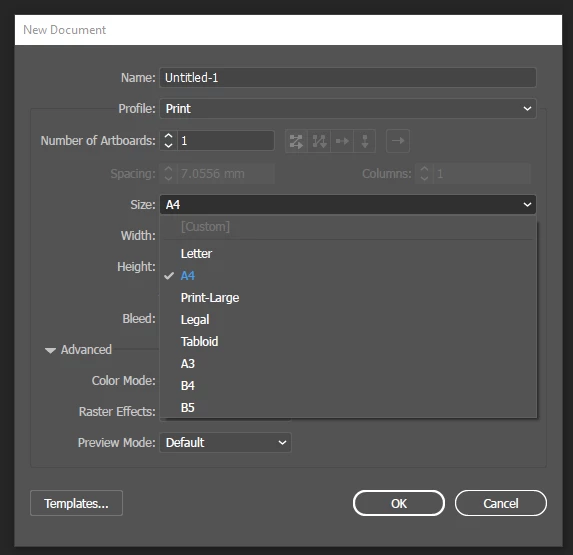
If you switch to the old New Document window (Edit > Preferences > General > Use Legacy 'File New' Interface), can you see the document profiles/size presets as you would expect?


1 reply

Doug A Roberts
Community Expert
Doug A RobertsCommunity ExpertCorrect answer
Community Expert
November 25, 2020

You should see a row of document presets as well as the templates:


If you don't see these, then something may be wrong with your installation.

If you switch to the old New Document window (Edit > Preferences > General > Use Legacy 'File New' Interface), can you see the document profiles/size presets as you would expect?


Participant
November 25, 2020

Thank you kindly for taking the time to reply. With your suggestion I have managed to sort this out and the issue is now resolved. Such a relief! Have a great day,