


Participant
March 9, 2021
Answered

Help turning off visual stroke on all objects and text

  • March 9, 2021
  • 1 reply
  • 217 views

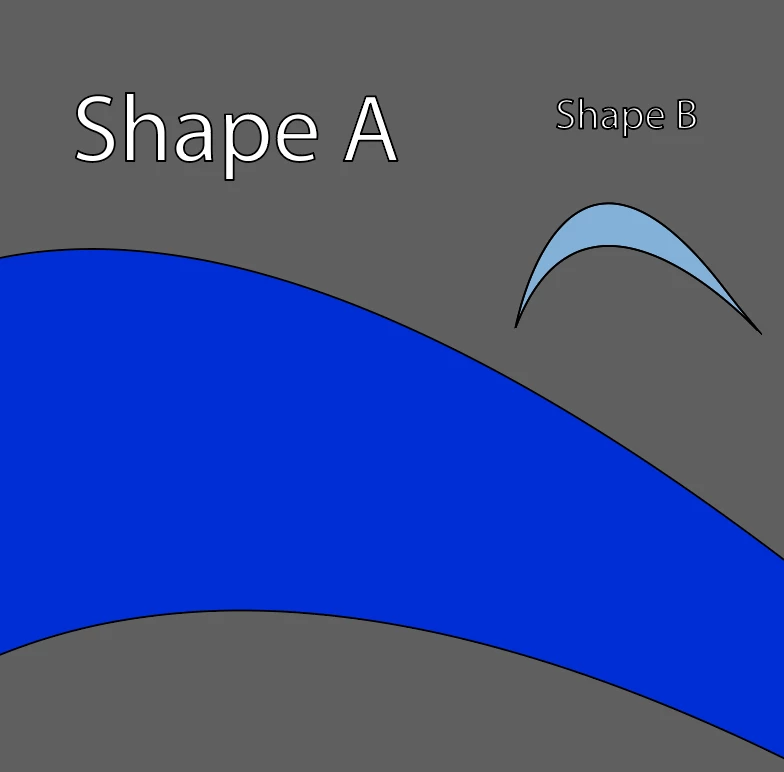
Hello, I am having an issue with all new objects that I create in illustrator have a black stroke on them even without having stroke selected. This includes objects created with the pen tool, shape tool, and text.  I have opened old files and none of the objects have the black stroke. However, if I create a new shape in the document, it will have a stroke. I'm kind of going bananas with this, so I'm hoping someone can help.


I am attaching a screenshot to show how it looks.


I'm using Illustrator 25.2.1
 

This topic has been closed for replies.
Correct answer Kurt Gold

There may be an appearance attribute applied at the layer level (probably an additional stroke).


You may check that in the Layers palette and in the Appearance palette.


Target the layer in question (click on the target circle to the right of the layer name in the Layers palette), go to the Appearance palette and see what you see there.


Delete the stroke appearance, if there is one.


1 reply

Kurt Gold
Community Expert
Kurt GoldCommunity ExpertCorrect answer
Community Expert
March 9, 2021

There may be an appearance attribute applied at the layer level (probably an additional stroke).


You may check that in the Layers palette and in the Appearance palette.


Target the layer in question (click on the target circle to the right of the layer name in the Layers palette), go to the Appearance palette and see what you see there.


Delete the stroke appearance, if there is one.