


Known Participant
April 24, 2013
Answered

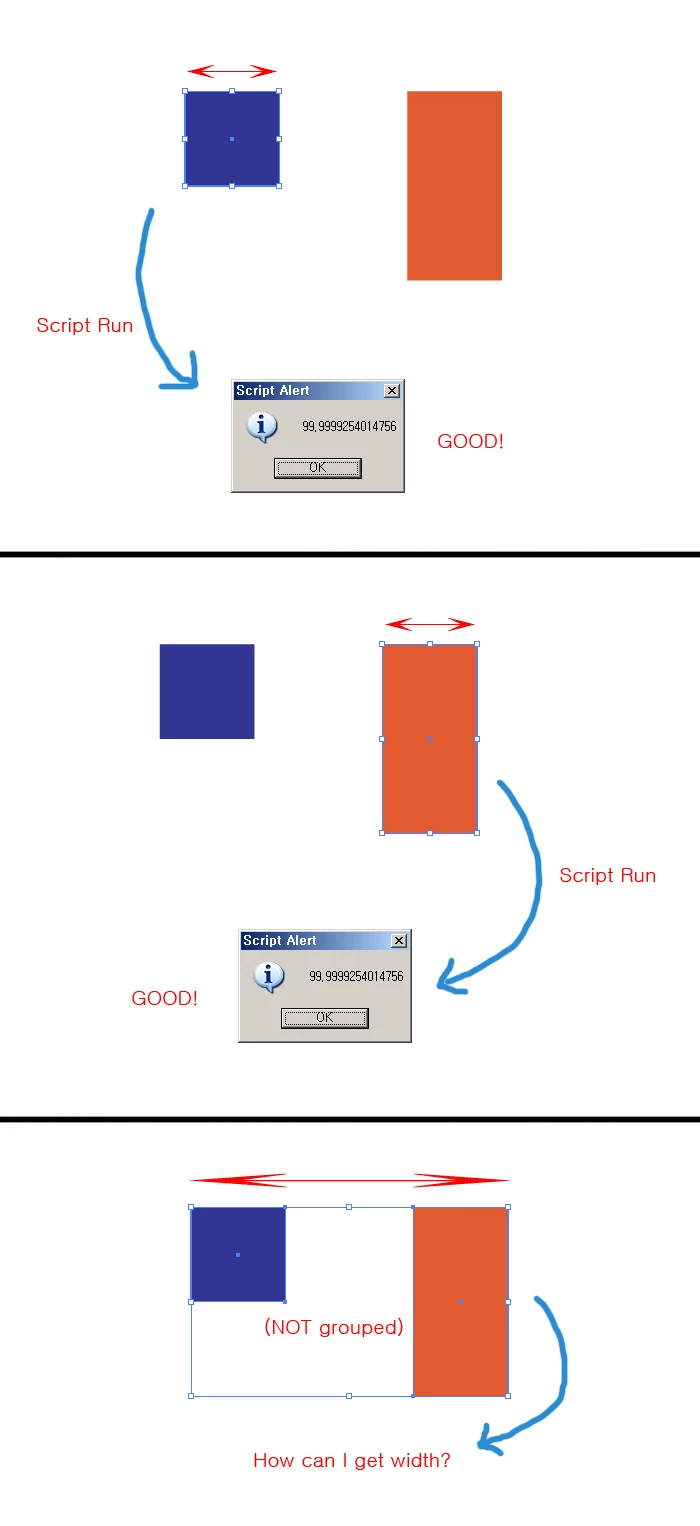
How can I get width that multiple selected items?

  • April 24, 2013
  • 1 reply
  • 1006 views

How can I get width that multiple selected items? (Not grouped.)

//---------- source code ----------

var mm = 2.83464566929134 //unit conversion. (point->milimeter)

var W = docRef.selection[0].width/mm;

alert(W);

//---------- source code ----------
This topic has been closed for replies.
Correct answer CarlosCanto

check this thread, there's a sample by pixxxel

http://forums.adobe.com/message/5213407#5213407

1 reply

CarlosCanto
Community Expert
CarlosCantoCommunity ExpertCorrect answer
Community Expert
April 24, 2013

check this thread, there's a sample by pixxxel

http://forums.adobe.com/message/5213407#5213407

pixxxelschubser
Community Expert
Community Expert
April 24, 2013

That's right Carlos

@kimDino8,

my script in Carlos link creates a green rectangle around the selected items. If you don't need this rectangle than you can remove this lines:

var newRGBColor = new RGBColor();

newRGBColor.red = 0;

newRGBColor.green = 255;

newRGBColor.blue = 0;

and replace this:

var aRectangle = aDoc.pathItems.rectangle(vBounds_Ob, vBounds_Li, vBounds_Re - vBounds_Li, vBounds_Ob - vBounds_Un);

aRectangle.strokeColor = newRGBColor;

aRectangle.strokeWidth= 2;

aRectangle.filled = false;

aRectangle.stroked = true;

aDoc.selection = null;

with this:

var mmFactor = 2.83464567;

alert("width = "+ (vBounds_Re - vBounds_Li)/mmFactor);

alert("height = "+ (vBounds_Ob - vBounds_Un)/mmFactor);

Further you only have to do: create a function for rounding of the result.

kimDino8Author
Known Participant
April 25, 2013

Thank you.

I made it!!!