


BhavisheyThapar
Participant
January 25, 2019
Answered

How do I merge lines to a create a path to fill color into?

  • January 25, 2019
  • 1 reply
  • 13113 views

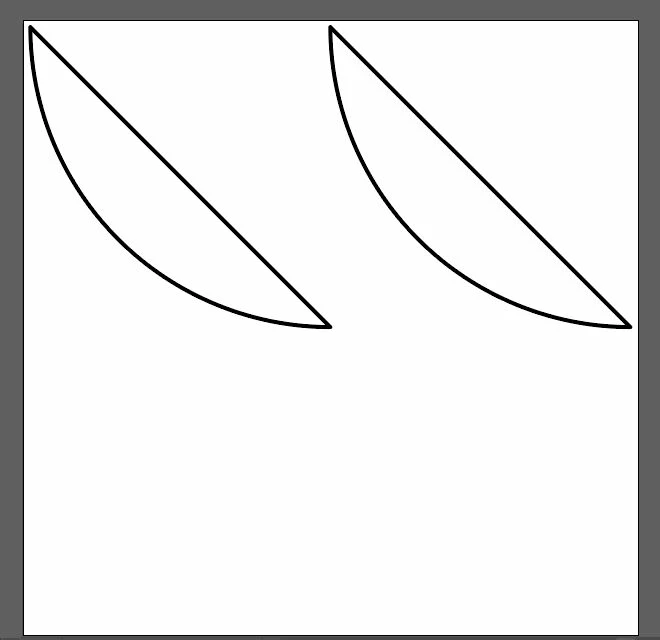
I have four individual lines that I want to merge so that I could fill in color between them as shown below.

If I use the unite command I end up with the path shown below. How else can I unite them so I can fill color between them?
    This topic has been closed for replies.
    Correct answer tromboniator

    Select the four paths, then press cmd/ctrl+J (or Object menu > Path > Join). You may also select the paths, then choose the Shape Builder tool and drag through the interior of the parts you want to join, and opt/alt-drag through parts you want to eliminate, as will occur on the right side of this particular shape.

    You can also use the Live Paint Bucket to add color inside the shape without first joining the parts.

    Peter

    1 reply

    tromboniator
    Community Expert
    tromboniatorCommunity ExpertCorrect answer
    Community Expert
    January 25, 2019

    Select the four paths, then press cmd/ctrl+J (or Object menu > Path > Join). You may also select the paths, then choose the Shape Builder tool and drag through the interior of the parts you want to join, and opt/alt-drag through parts you want to eliminate, as will occur on the right side of this particular shape.

    You can also use the Live Paint Bucket to add color inside the shape without first joining the parts.

    Peter

    BhavisheyThapar
    Participant
    January 25, 2019

    Ctrl+J works great. Thanks a lot for your help Peter.

    tromboniator
    Community Expert
    Community Expert
    January 25, 2019

    I'm glad it does what you want. You're welcome.

    Peter