

Participant
April 14, 2021
Question

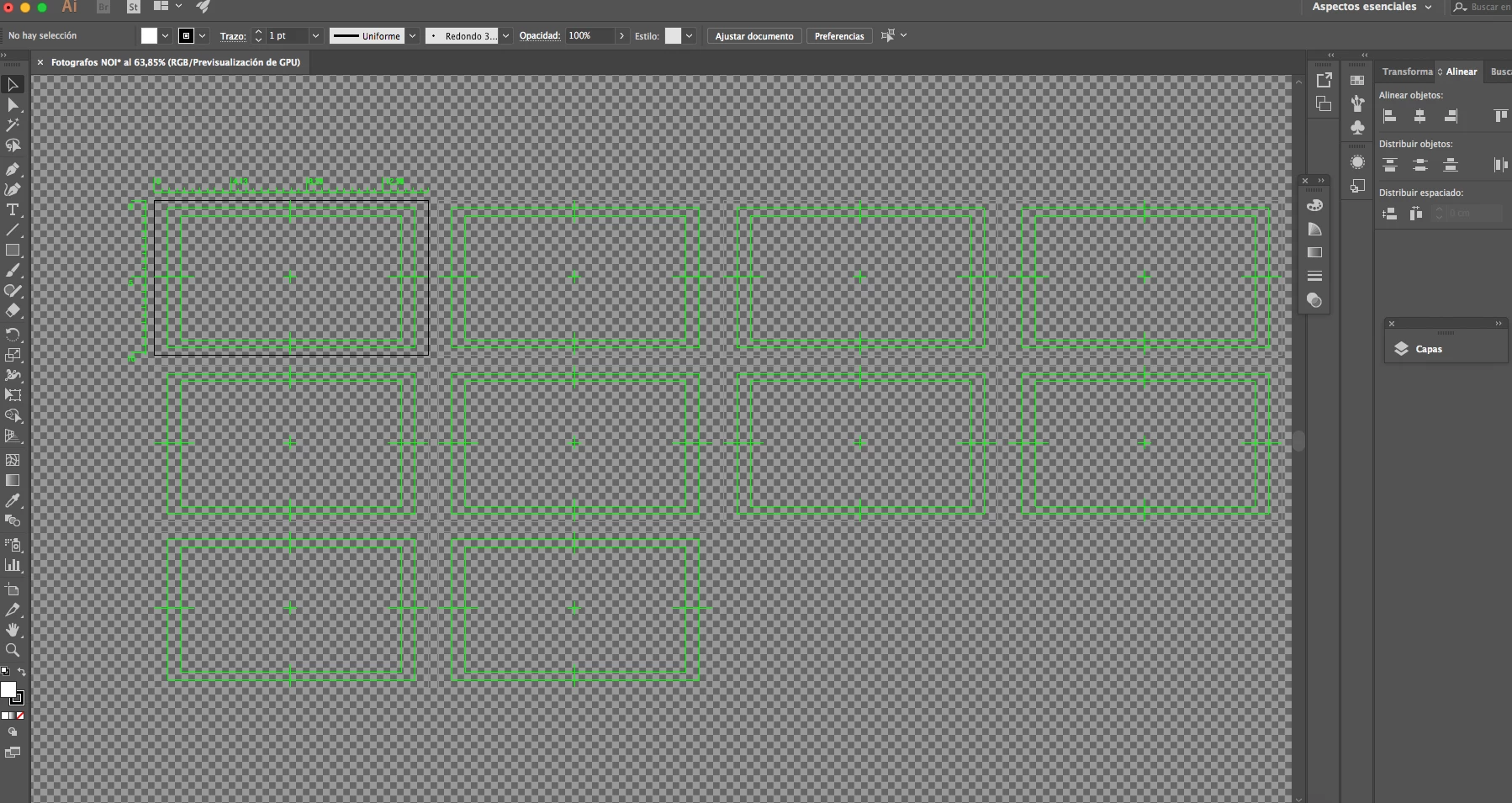
how do I remove this kind of view
  • April 14, 2021
  • 2 replies
  • 208 views


This appeared some days ago and I want it back the way it is, how do i do that

This topic has been closed for replies.

2 replies

pixxxelschubser
Community Expert
Community Expert
April 14, 2021

@BEATRIZ5E4A

These are video rulers, transparency grid and so on.


To avoid them use another document preset ( no Video preset).

To remove them in existing documents see (mini-tutorial with images):

Starting with Illustrator, problem with background and artwork 

( sorry, screenshots from my computer in german language)


… You can't turn it off or you don't want to turn it off?


Another simple way to get a "clean file":

  • select all
  • copy
  • create a new RGB document (document: Preset RBG) of the same size
  • paste in place

By @pixxxelschubser


Ton Frederiks
Community Expert
Community Expert
April 14, 2021

That is caused by creating a file based on a video preset.

Creating new files based on a print or art & illustration document preset will look more like you expect.