


Answered
How to adjust the size of text frame?
Hi there. The text frame is not positioned in the center with the recentage (see the yellow lines). How to adjust the size of the text frame so it's more closer to the text itself? Thanks!
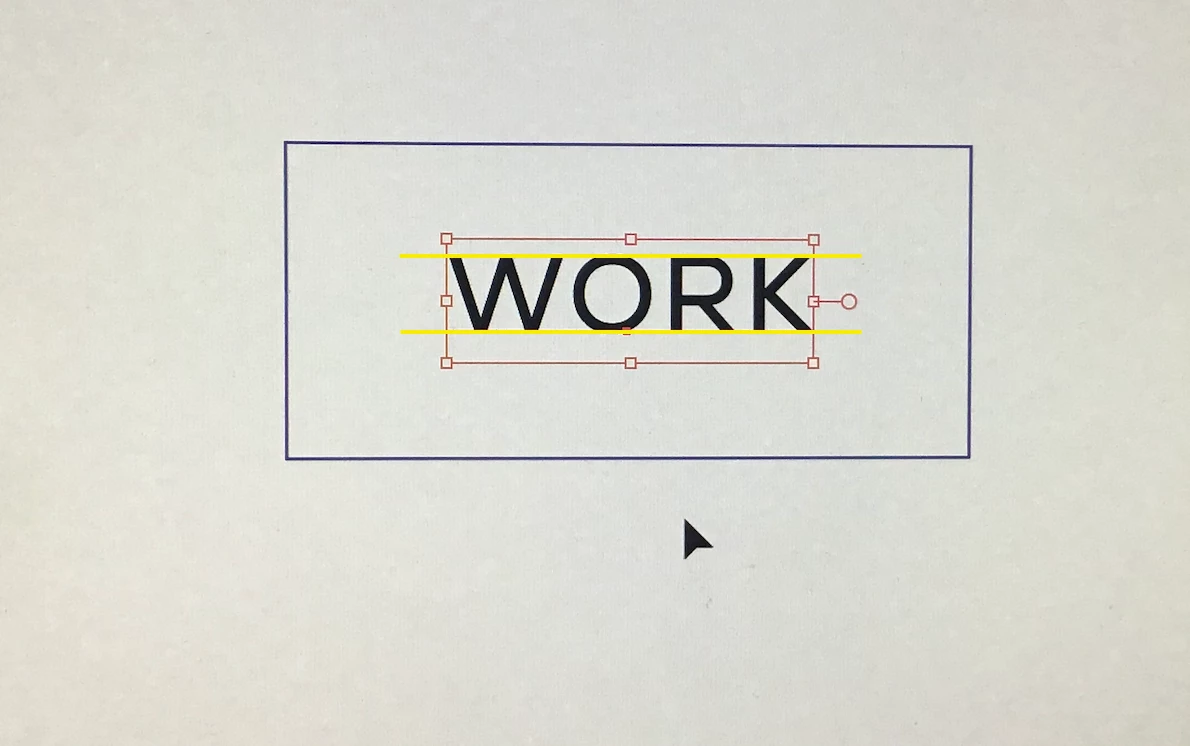

Hi there. The text frame is not positioned in the center with the recentage (see the yellow lines). How to adjust the size of the text frame so it's more closer to the text itself? Thanks!
Apply outline object feom Effects menu -> path -> outline object
then turn on "use preview bounds " from preferences-> general
Already have an account? Login
Enter your E-mail address. We'll send you an e-mail with instructions to reset your password.
 AdChoices