

Answered
How to bend text to a 3d form
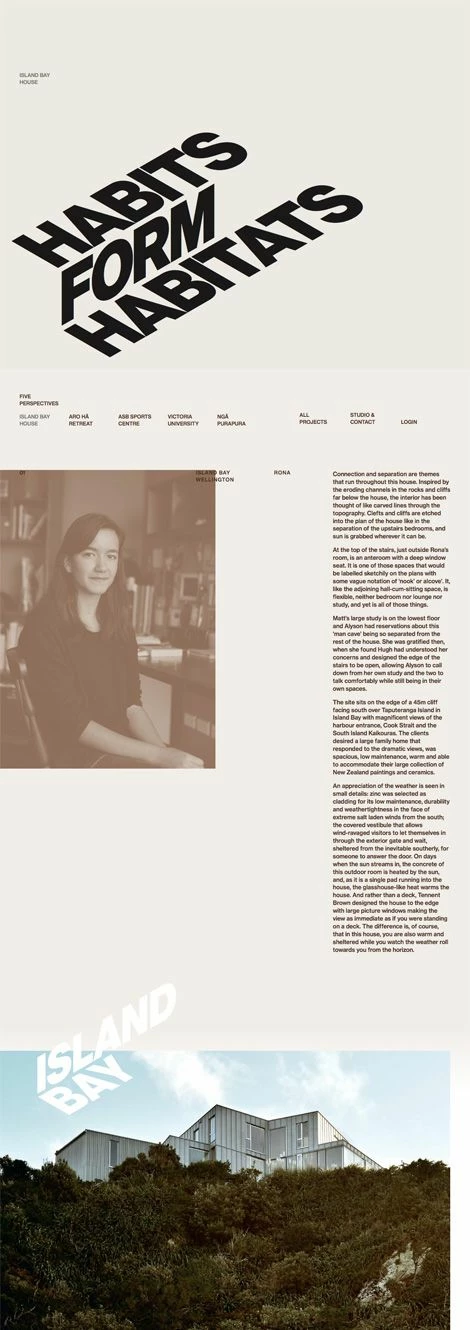 I want to figure out how to create text like the "habits form habitats" but can't figure out how to do it with my knowledge of illustrator and typing on a path. Does anyone have any advice? Thank you!

I want to figure out how to create text like the "habits form habitats" but can't figure out how to do it with my knowledge of illustrator and typing on a path. Does anyone have any advice? Thank you!
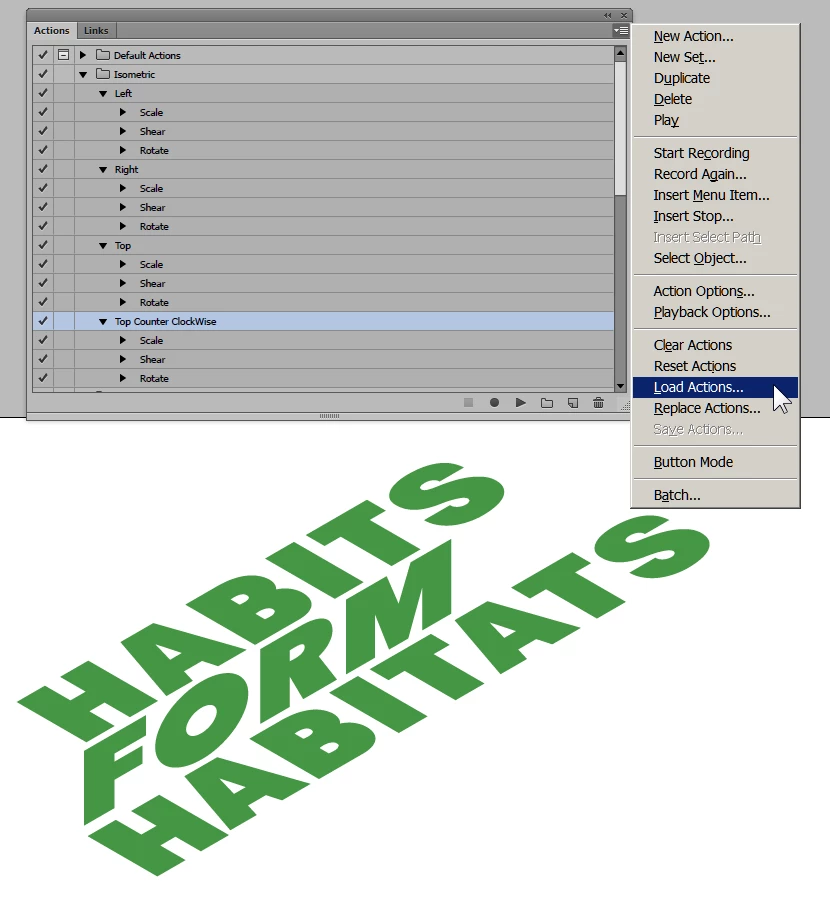
I'd use isometric actions on the text
Type out the 3 words straight
next
Type > Create Outlines
Make a group of each word
Download these actions if you like
Save them, and in Windows > Actions
load the actions and select and run (the little triangle at the bottom of the panel)
Top Counter Clockwise for the first and third word
and Right for the middle word
Already have an account? Login
Enter your E-mail address. We'll send you an e-mail with instructions to reset your password.
 AdChoices