

How to collapse all layers and sublayers into one single layer?
Hi all,
So to preface, I don't spend a TON of time in illustrator, mostly only when I need to make a quick graphic for something or another but wanted to go ahead and ask a question that occasionally comes up and that is, How do I collapse all my layers into ONE SINGLE LAYER/SUBLAYER?
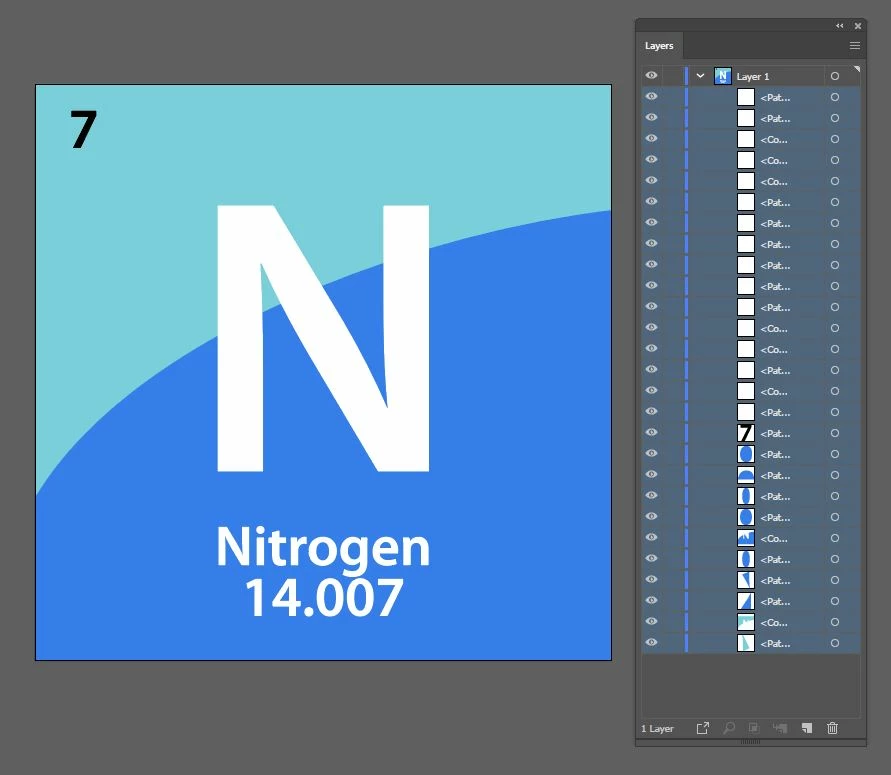
As seen in the image I have a graphic made of multiple sublayers and I am wondering: is there a way to combine these all into one single layer/sublayer?
I really dont have a need to retain the layers as individual components and (maybe Im wrong) but it just seems like if I dont need them as separated layers it would be nice to have them all collapsed into one layer, for tidyness!. If I am misunderstanding some benefit of just grouping instead of collapsing feel free to let me know (as mentioned before im only occasionally in the illustrator paradigm so its possible im missing some fundamental aspect of how the program wants to work) and Ill try to learn to like folders with subobjects instead of collapsed layers. Thanks!!
 AdChoices