

Answered
How to remove the extra shade added in the gradient tool?
Whenever I try to create a gradient of any two colors, there this extra shade that gets added between the two colors, and I can't seem to be able to remove it!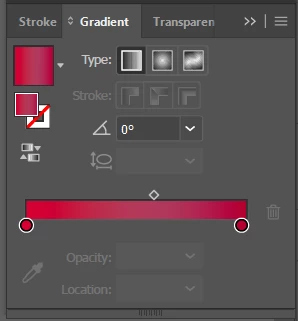

Whenever I try to create a gradient of any two colors, there this extra shade that gets added between the two colors, and I can't seem to be able to remove it!
It looks like the issue occurs because the gradient is a spot colour (swatch) to non-spot-color definition.
It should be solved if you change the spot colour swatch to a process colour.
Already have an account? Login
Enter your E-mail address. We'll send you an e-mail with instructions to reset your password.
 AdChoices