This topic has been closed for replies.
Correct answer Randy Hagan

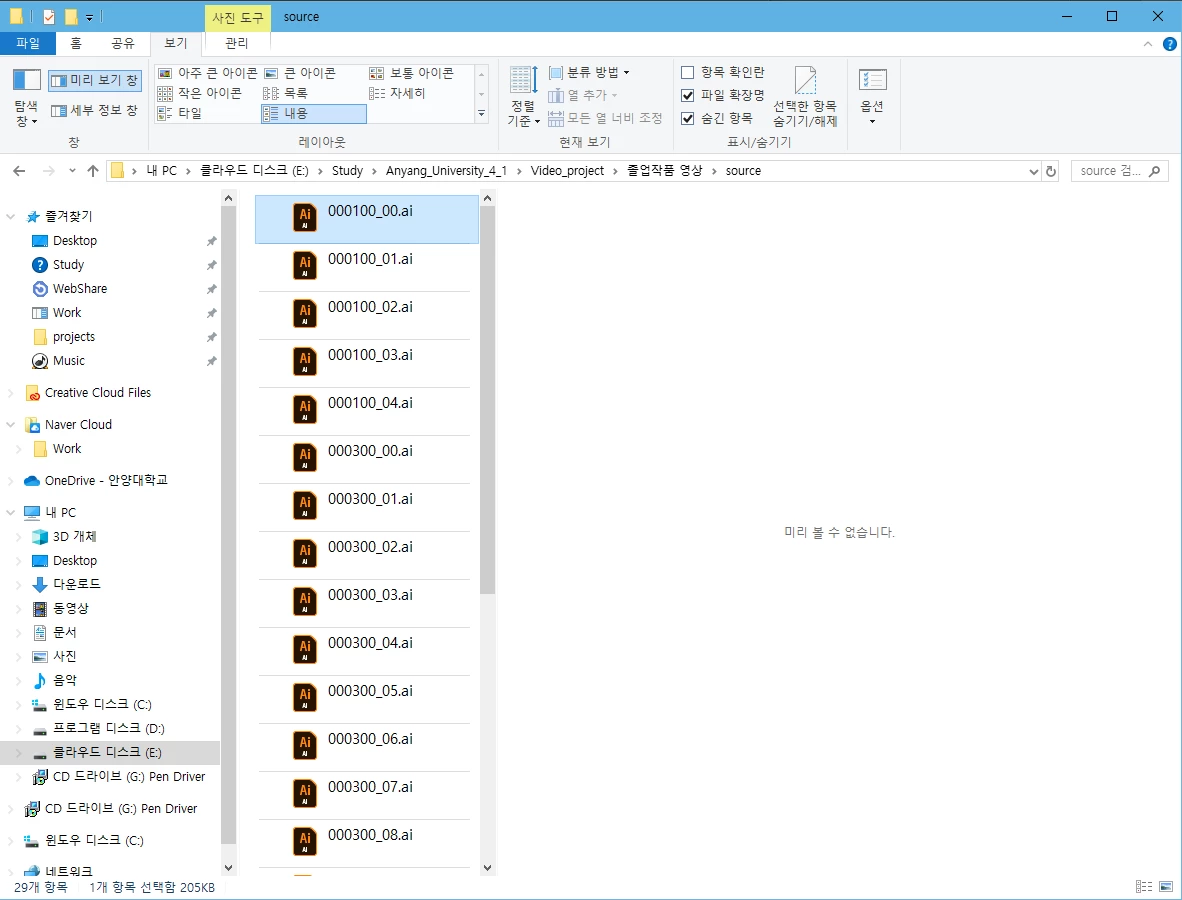
I've found File Explorer previews to be hit and miss with Windows 10 — especially on systems that have updated versions of AICC on the same Win10 install.


A couple of things to try:


  1. Open Illustrator AICC on your system, then go back to File Explorer, click once on an .ai file and wait a minute. Does it show up now?
  2. Open that .ai file. Save it as an .eps file, then as a .pdf file. Go back to File Explorer, then click once on the .eps file.  Do you have a preview now? How about when you do the same with the .pdf file? If so, in either case, click once on the same .ai file. Does that make the difference?


Not that you should have to do this, but sometimes, working your way around the no-preview .ai file fixes the issue. At least for the current Windows 10 session, and sometimes from there on out. It's worth a shot ...


Hope this helps,


Randy

1 reply

Randy HaganCommunity ExpertCorrect answer
Community Expert
June 14, 2020

I've found File Explorer previews to be hit and miss with Windows 10 — especially on systems that have updated versions of AICC on the same Win10 install.


A couple of things to try:


  1. Open Illustrator AICC on your system, then go back to File Explorer, click once on an .ai file and wait a minute. Does it show up now?
  2. Open that .ai file. Save it as an .eps file, then as a .pdf file. Go back to File Explorer, then click once on the .eps file.  Do you have a preview now? How about when you do the same with the .pdf file? If so, in either case, click once on the same .ai file. Does that make the difference?


Not that you should have to do this, but sometimes, working your way around the no-preview .ai file fixes the issue. At least for the current Windows 10 session, and sometimes from there on out. It's worth a shot ...


Hope this helps,


Randy