


mortenh396098
Participant
July 30, 2018
Question

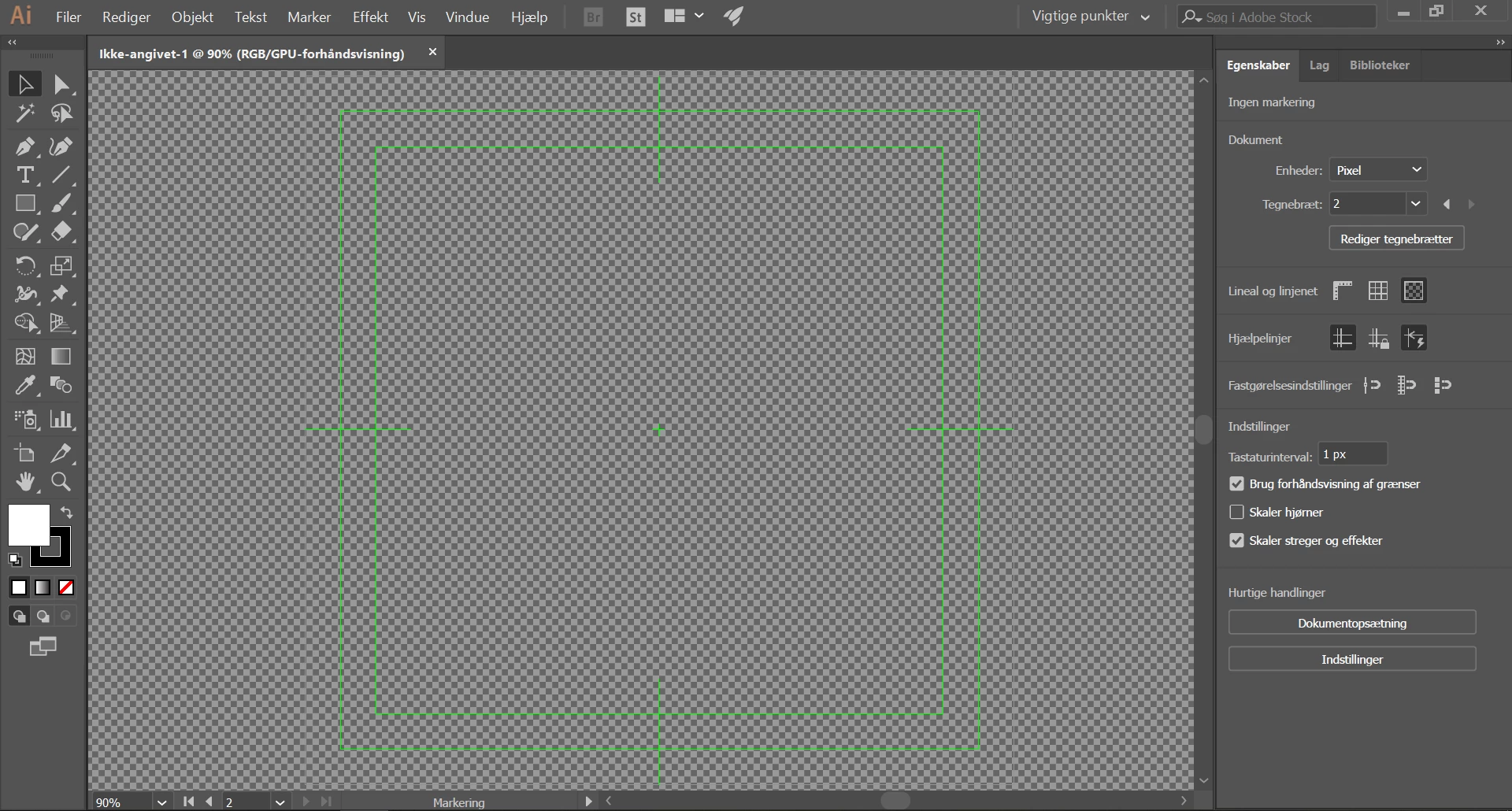
Illustrator looks wired???

  • July 30, 2018
  • 2 replies
  • 354 views

Anybody who know how I get back to the normal look of Illustrator??? I have tried open Illustrator when pressing Ctrl + Shift + Alt (That should reset to default settings), but with no luck. My Illustrator looks like the picture.

Anybody who know what do to?
This topic has been closed for replies.

2 replies

Myra Ferguson
Community Expert
Community Expert
July 30, 2018

It appears you've created a new document with the Film & Video settings. Because you haven't started created anything yet, you could make another new document and select Print or Web or Mobile and set the rest of your document settings in the New Document dialog box.

Eugenio.NYC
Participating Frequently
July 30, 2018

If you create a new document and you select film and video, is going to look like your image

you can hide the transparency grid from the view menu and if you open the artboard options you can control the display options

mortenh396098
Participant
July 30, 2018

Ahhh waow I'm feeling stupid now. Thank you very much that help