
Participant
June 8, 2021
Answered

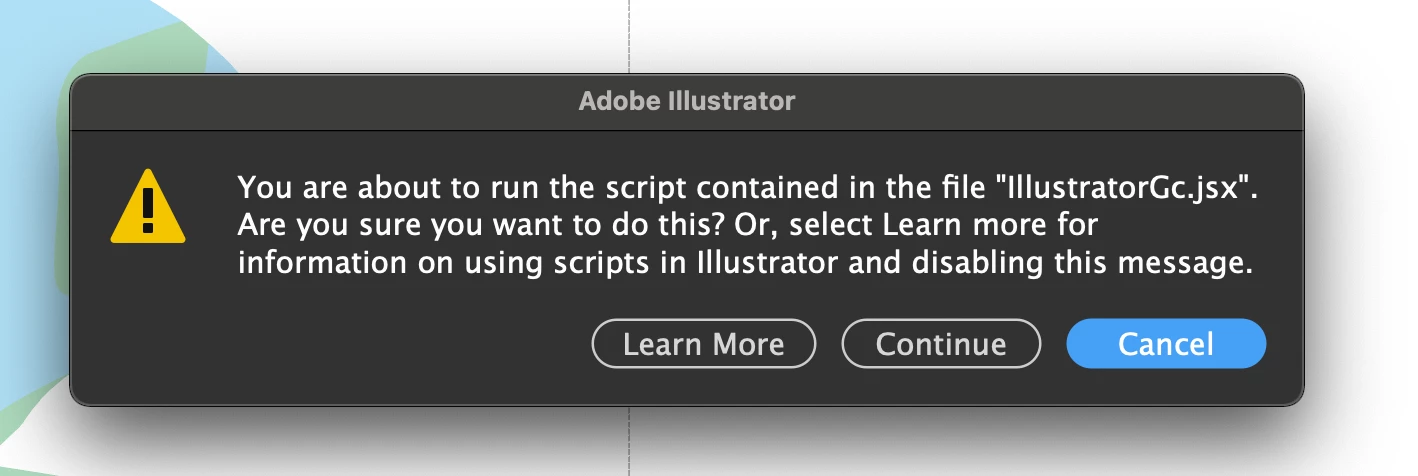
IllustratorGc.jsx script error while launching Illustrator 25.3

  • June 8, 2021
  • 53 replies
  • 118237 views

Updated this morning to Illustrator 25.3 - as soon as the update was done this scripting error began appearing (every 30 seconds). .. Personally went back to 25.2.3 which has solved this issue. 


{Renamed by MOD}

Correct answer Srishti Bali

Hi all,


We hope the issue is resolved by now. If not, please update the logitech driver to latest version (9.40.75) and share your observations with us.


Regards,

Srishti

53 replies

Coloro1979
Participant
July 12, 2021

I have the same problem with my macbook pro... please i need help i cant use illustrator, i upgrade de logi app. 

soulforge
Participating Frequently
August 4, 2021

If it's caused by LogiOptions make sure you turn off app specific settings on and Logitech Keyboards AND Mice. I have a Craft keyboard and the MX3 Perfomance ... Drove me insnae because I killed it on the keyboard but forgot to check the mouse ...


Participant
July 10, 2021

I have also tried to update the ltest version for Logi Option, but the warning still popup every 30 Seconds.


but the following steps works for me: 

open logi option, choose the device - go to All Applications - Disable Application Specific Setting.


hope this would help for now until the next AI or Logi Option Update.

Participant
July 7, 2021

Did anyone figure this out?

I'm having the same issue and have tried re-updating to the latest logi options...

Participating Frequently
July 5, 2021

I have had this error for a week and I have Logi Options installed for my MX 3 Mac mouse.

Having read a few threads, I have managed to fix using the same process for Logi Options issues in Photoshop.


Open Logi Options, navigate to the 'All Applications' tab, from the drop down list do either of these;

If Illustrator is missing add it to the list, then open Illustrator, this was my problem and once added its fixed the script issue.

If Ilustrator is listed, delete it (first make a note of customisations you have set up, as you will need to put them back afterwards). Open and close Illustrator, go back to Logi Options and add Illustrator back (plus any customs keys), again it should be fixed.


There have been many issues with Photoshop for months with Logi Options until somone tried this simple fix, it works for most people with Photshop looks like it could do the same with Illustrator.  Logitech cleary have problems when upgrading and linking to Adobe products, this process clears out unwanted Logi Options files and puts new ones back in the right places. Takes 5 mins to give it a go!

Participating Frequently
July 5, 2021

This should not be marked at solved.


Updating Logi Options to the latest version does not work.


Any chance of an actual explanation as to why this occurs? Or an actual solution on Adobe's part?

Jan Apisith
Participant
July 5, 2021

Downgrade the ai to version 25.2.3 works for me

Participant
August 1, 2021

It works for me too. thanks!

Participant
July 2, 2021

I think I figured it out! No amount of updating or uninstalling worked. However, in Logi Options, the box for "Create custom settings for specific applications" was enabled by default. I toggled off the button for Application Specific Settings, and the annoying notice is gone in Illustrator. 


Coloro1979
Participant
July 13, 2021

i did the same and works for me.....

Participant
July 2, 2021

I have the same thing! It has made design nearly impossible. I updated the app for my Logi mouse and the fix didn't work. I restarted the computer. Still an issue. I'm going insane!

Participant
July 1, 2021

Im getting this IllustratorGc.jsx error .. any fixes please?

Doug A Roberts
Community Expert
Community Expert
July 1, 2021
Participating Frequently
August 5, 2021

Hi Doug,

This issue is not solved, however there are 3 different links to troubleshooting articles/workarounds that do not solve the problem that have been marked as the "solution". This is discouraging.

Participant
June 29, 2021

Hey all,


So I just fixed this error by manually downloading an update for Logi Options via their website. It sounds like many of you have the same issue in that the app says "No Software Updates" when you search for them. However, if you go here:


https://www.logitech.com/en-in/product/options


Then click:

"Looking for another version?"


It will smart search what you need and hopefully offer an update like it did me. After installing and restarting my computer, I have not had this error.


Best,


Jason

Participant
June 29, 2021
Oh yep, I did download from that website.

Do you know which version in particular I should look for?
I’ve found temporary success in turning off application specific settings, but I do like the customisation I’ve made for myself so would prefer if I didn’t have to turn it off haha
Participant
June 30, 2021

That's sounds super frustrating! It's version 8.54.147. Hopefully this helps, that would be super annoying to not have your customizations.