

Participant
March 5, 2020
Answered

logo creation, sprocket/hub/star burst

  • March 5, 2020
  • 4 replies
  • 860 views

Hello!


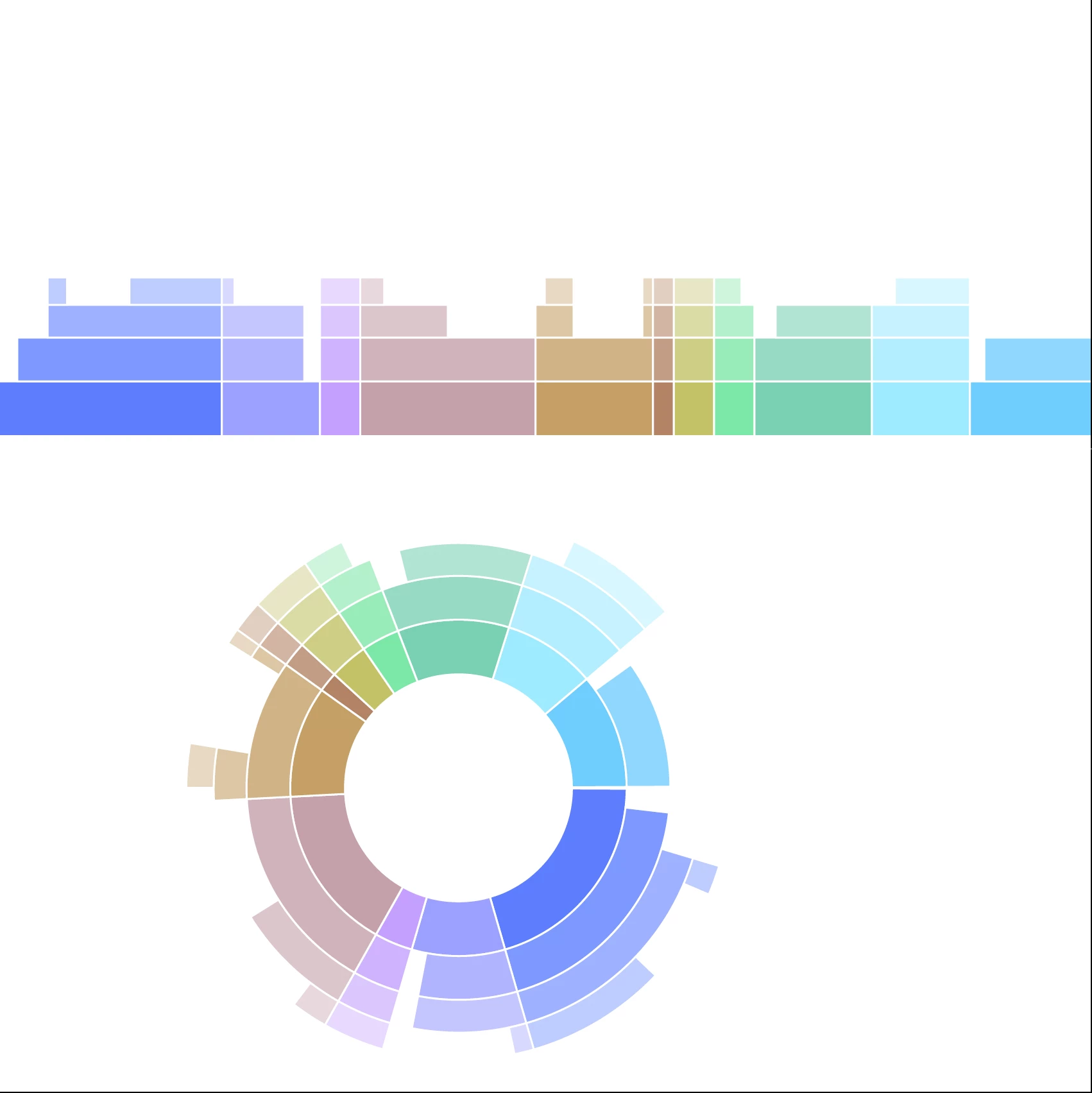
Does anyone have a simplified way of creating something similar to this in illustrator? Thanks!




This topic has been closed for replies.
Correct answer Danny Whitehead.

You could also use a Pattern Brush applied to an ellipse. The rectangles at the top have different colour and opacies applied. Drag and drop them into the Brushes pallete, and apply them to an ellipse.
 

4 replies

Jacob Bugge
Community Expert
Community Expert
March 19, 2020

For my part you are welcome, Talia.


I for one should like to know how you ended up doing it.


Danny Whitehead.
Danny Whitehead.Correct answer
Legend
March 5, 2020

You could also use a Pattern Brush applied to an ellipse. The rectangles at the top have different colour and opacies applied. Drag and drop them into the Brushes pallete, and apply them to an ellipse.


Participant
March 19, 2020

Thank you so much- this is a huge help!!


Stay safe-

Talia

キィィ─!!!
Participating Frequently
March 5, 2020

I tried what Jacob said.


Draw a concentric circle and draw a dividing line.


Divide with Pathfinder.


Create a block with "Shape Builder Tool".


Paint with "Live Paint Bucket".


Set the line.


Expand.
Apply Inner Glow to the fill.

Jacob Bugge
Community Expert
Community Expert
March 19, 2020

こんにちは キィィ─└|*`Å´|┘─ィィィ、

私のプライベートメッセージを読みましたか?

Jacob Bugge
Community Expert
Community Expert
March 5, 2020

taliaf,


You may use the Shape Builder Tool, based on the simple path shapes of circles and radial lines.


https://helpx.adobe.com/illustrator/using/creating-shapes-shape-builder-tool.html
https://helpx.adobe.com/illustrator/how-to/shape-builder-easy.html