Adept_critic0D44
Participant
October 26, 2018
Answered

Problema al abrir archivo .ai

  • October 26, 2018
  • 1 reply
  • 3466 views

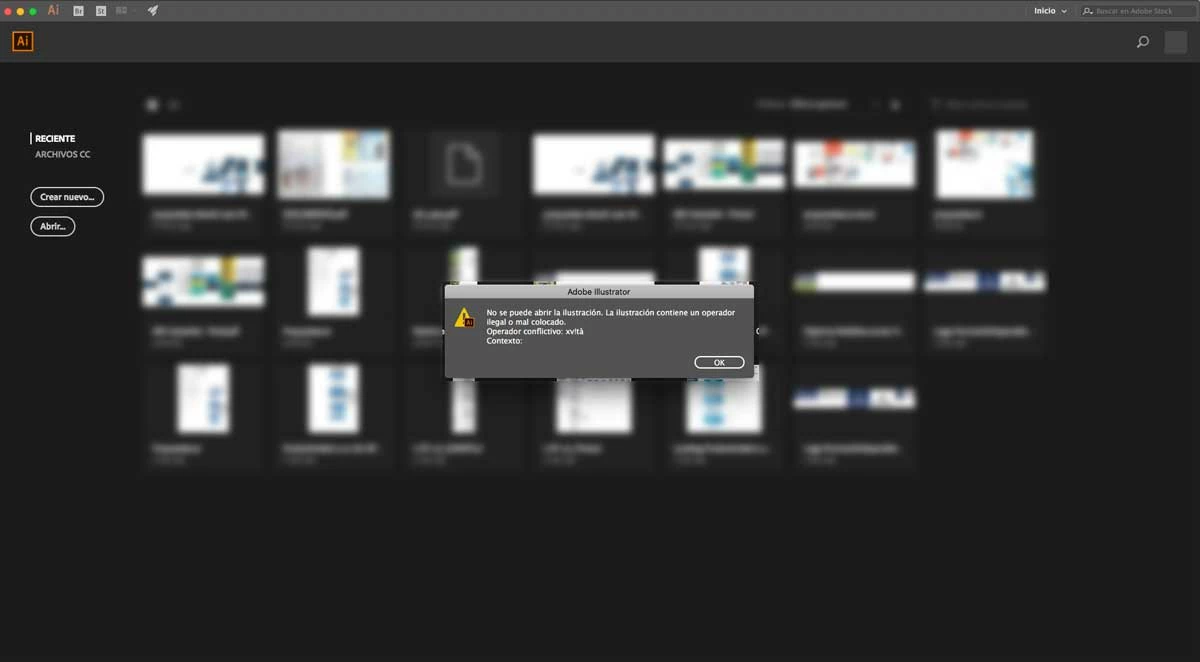
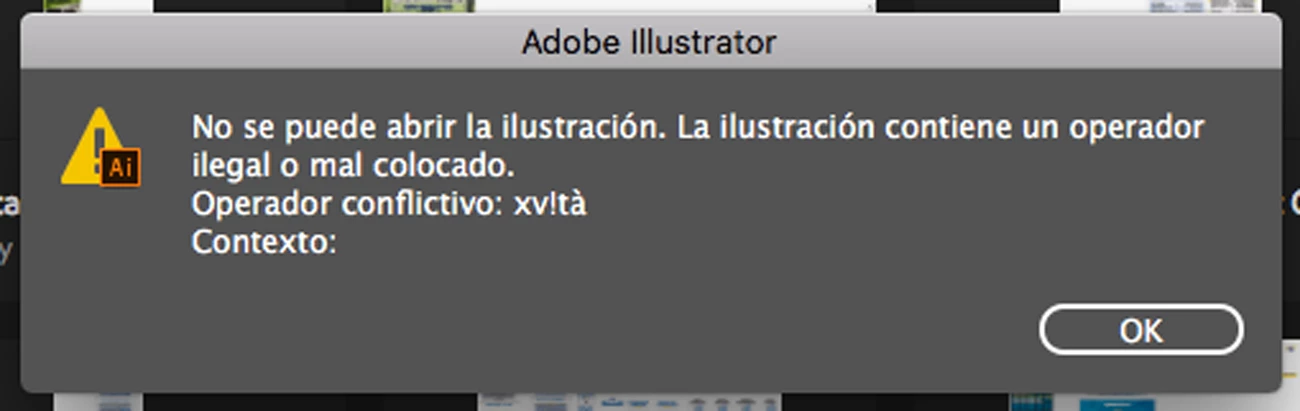
Podrían ayudarme, tengo un archivo .ai que en su momento al guardarlo no dio ningún problema "el documento pesa 1,56 GB", el problema es cuando intento abrirlo, me salta el siguiente mensaje, "No se puede abrir la ilustración. La ilustración contiene un operador ilegal o mal colocado. Operador conflictivo: xv!tá Contexto:" al darle ok abre la mesas de trabajo con algunos de los archivos, los otros los elimino directamente, mi pregunta es, existe alguna forma de poder reparar ese archivo .ai o existe algún método para recuperar los diseños que no ya no están?, muchas gracias.

Datos técnicos: iMac (21.5-inch, Late 2013)  / MacOS High Sierra Versión 10.13.4 / Procesador 2,7 GHz Core i5 / Memoria de 8Gb /

Versión Illustrator: Adobe Illustrator CC 22.1

Gracias por vuestra ayuda

This topic has been closed for replies.
Correct answer Jacob Bugge

Fabiána,

For recovering documents after a crash, see here and here,

https://helpx.adobe.com/illustrator/using/whats-new.html#recovery

https://helpx.adobe.com/illustrator/using/crash-file-data-recovery.html

As it appears, if there is something to recover, you will know when starting up. Proceed carefully, and choose the right options, including whether to overwrite the original document or create a new one; the latter is safer: with the former, work done after the last automatic save will be lost, and an incomplete recovery may have be worse than what you had.

And if you have a CC subscription, saving files in your Creative Cloud Files folder will automatically create and keep versions up to 10 days.

One thing often tried first is to create a new document and File>Place the (PDF contents, if any, of the) corrupted one to see how much may be rescued that way.

Here are some websites where you can see whether it can rescue the actual file, and if it can, you may pay for a subscription to have it done,

http://www.recoverytoolbox.com/buy_illustrator.html

http://markzware.com/adobe-software/fix-illustrator-file-unknown-error-occurred-pdf2dtp-file-recovery/

http://www.illustrator.fixtoolbox.com/

http://www.erepairillustrator.com/

As far as I remember, the first one is for Win and the second one is for Mac, while the third and fourth one should be for both.

Here are a few pages about struggling with it yourself:

http://daxxter.wordpress.com/2009/04/16/how-to-recover-a-corrupted-illustrator-ai-file/

http://helpx.adobe.com/illustrator/kb/troubleshoot-damaged-illustrator-files.html

http://kb2.adobe.com/cps/500/cpsid_50032.html

http://kb2.adobe.com/cps/500/cpsid_50031.html

http://helpx.adobe.com/illustrator/kb/enable-content-recovery-mode-illustrator.html

1 reply

Jacob Bugge
Community Expert
Jacob BuggeCommunity ExpertCorrect answer
Community Expert
October 26, 2018

Fabiána,

For recovering documents after a crash, see here and here,

https://helpx.adobe.com/illustrator/using/whats-new.html#recovery

https://helpx.adobe.com/illustrator/using/crash-file-data-recovery.html

As it appears, if there is something to recover, you will know when starting up. Proceed carefully, and choose the right options, including whether to overwrite the original document or create a new one; the latter is safer: with the former, work done after the last automatic save will be lost, and an incomplete recovery may have be worse than what you had.

And if you have a CC subscription, saving files in your Creative Cloud Files folder will automatically create and keep versions up to 10 days.

One thing often tried first is to create a new document and File>Place the (PDF contents, if any, of the) corrupted one to see how much may be rescued that way.

Here are some websites where you can see whether it can rescue the actual file, and if it can, you may pay for a subscription to have it done,

http://www.recoverytoolbox.com/buy_illustrator.html

http://markzware.com/adobe-software/fix-illustrator-file-unknown-error-occurred-pdf2dtp-file-recovery/

http://www.illustrator.fixtoolbox.com/

http://www.erepairillustrator.com/

As far as I remember, the first one is for Win and the second one is for Mac, while the third and fourth one should be for both.

Here are a few pages about struggling with it yourself:

http://daxxter.wordpress.com/2009/04/16/how-to-recover-a-corrupted-illustrator-ai-file/

http://helpx.adobe.com/illustrator/kb/troubleshoot-damaged-illustrator-files.html

http://kb2.adobe.com/cps/500/cpsid_50032.html

http://kb2.adobe.com/cps/500/cpsid_50031.html

http://helpx.adobe.com/illustrator/kb/enable-content-recovery-mode-illustrator.html