
problems with embedding color profiles
My last print came out greenish on the final print after having sent my files to a vinyl pressing plant - they were supposed to be B&W.
They specifically ask you not to include a specific profile on your print and use euroscale uncoated v2, which is a rather old profile.
This time I decided to include GCR FOGRA27 Uncoated, as this mimics euroscale uncoated v2, but has less of a color variance and stronger K value, or so i've been told.
Now I got back this reply:
“In our specification, it is written that the files should not have any profiles added/attached.
Adding profiles to the files is pointless because after going through the repro department all profiles are removed from the file.
If your customer wants to use profiles, they should apply the profile, don't attach/add it to the file. Attaching a profile doesn't change the CMYK values, it just simulates the display, and that doesn't give us anything..."
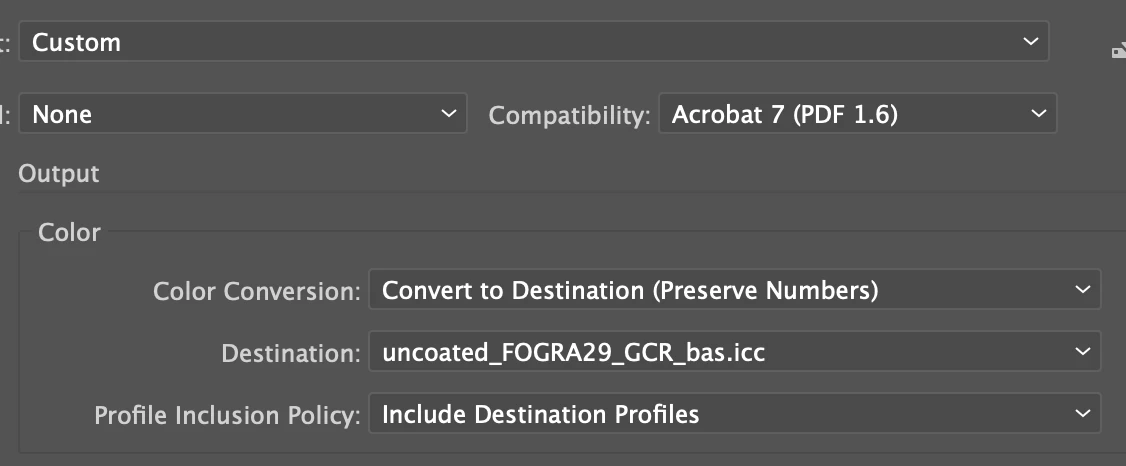
I don't know what they mean by saying I have attached the profile rather than applying it, I exported the file from Illustrator as a pdf with my preferred color profile attached:
Now they are sending me previews where you can visibly see a color difference;
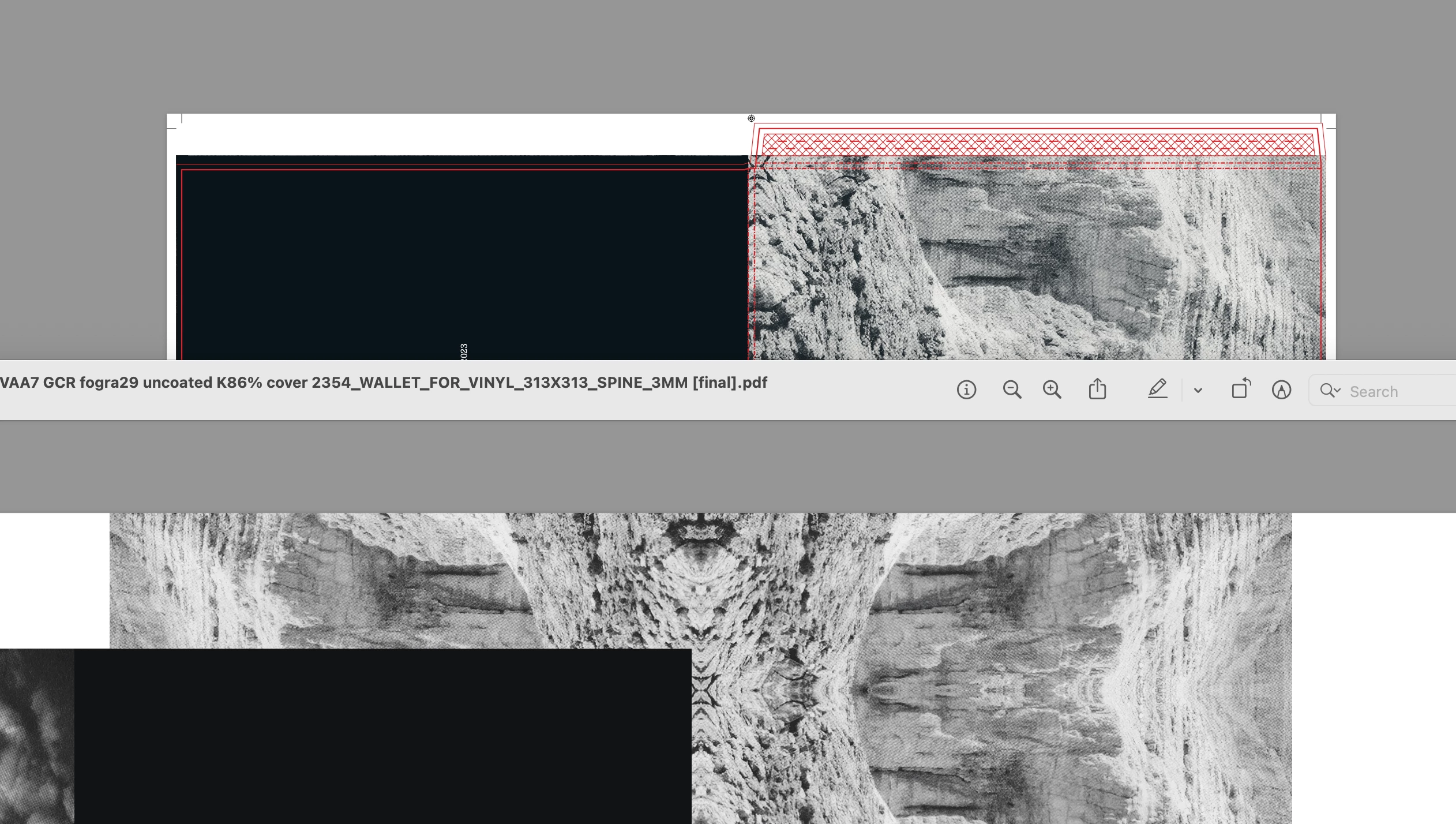
It's subtle, but below is my version via overprint preview using the GCR 26 uncoated profile, vs their preview, which is slightly green when viewed through the euroscale uncoated v2 overprint preview that they are using...
All I want is for my record to be printed as intended, and not to come out slightly greenish again... Can someone help me here?
Best
Oscar


 AdChoices