



Scatter brush artifacts
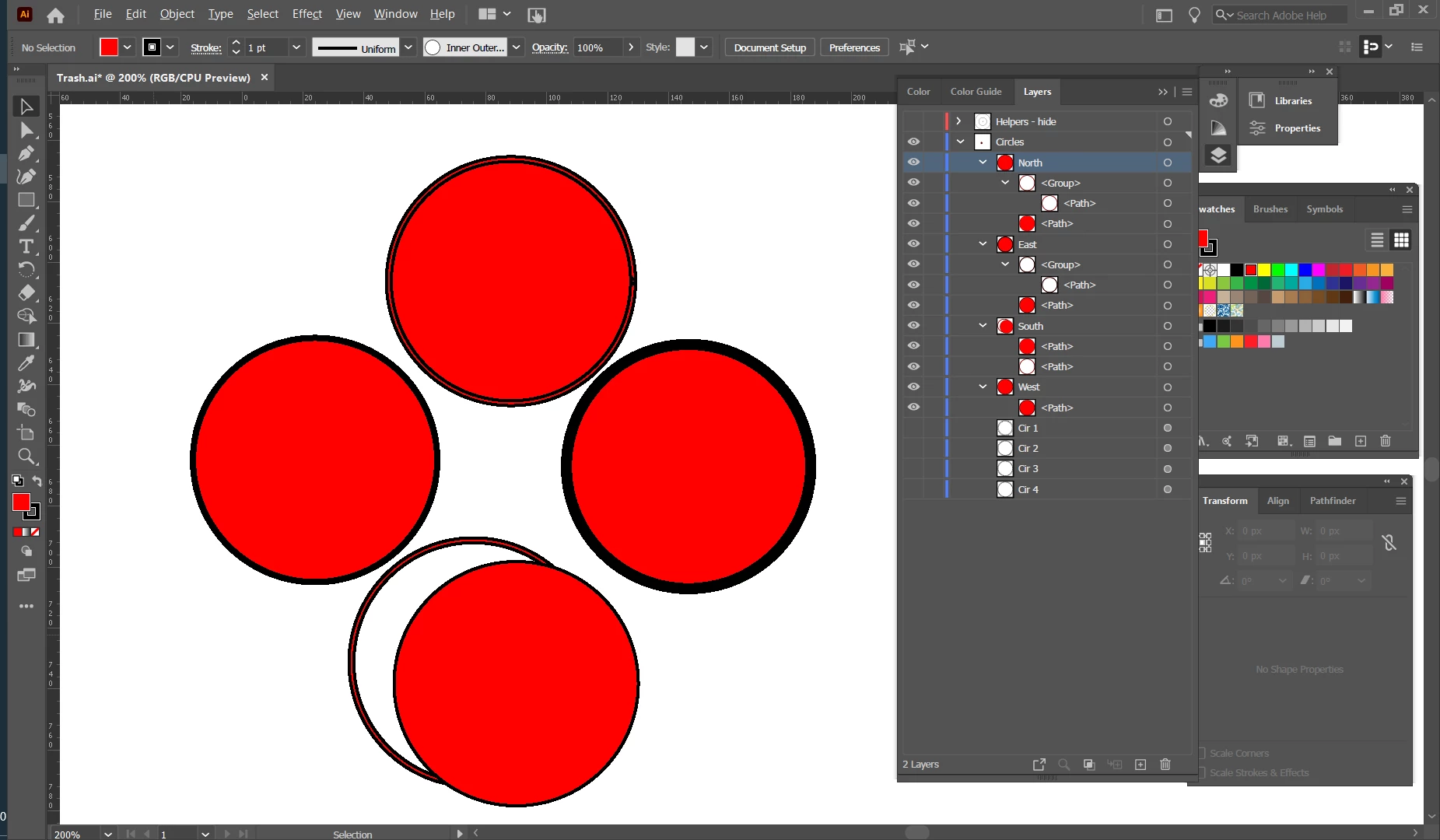
I need to use scatter brush to create about a thousand circles. But scatter brush creates artifacts that make it hard to do further adjustments to color and position. The screen shot is a small version I created for isolating the issue.
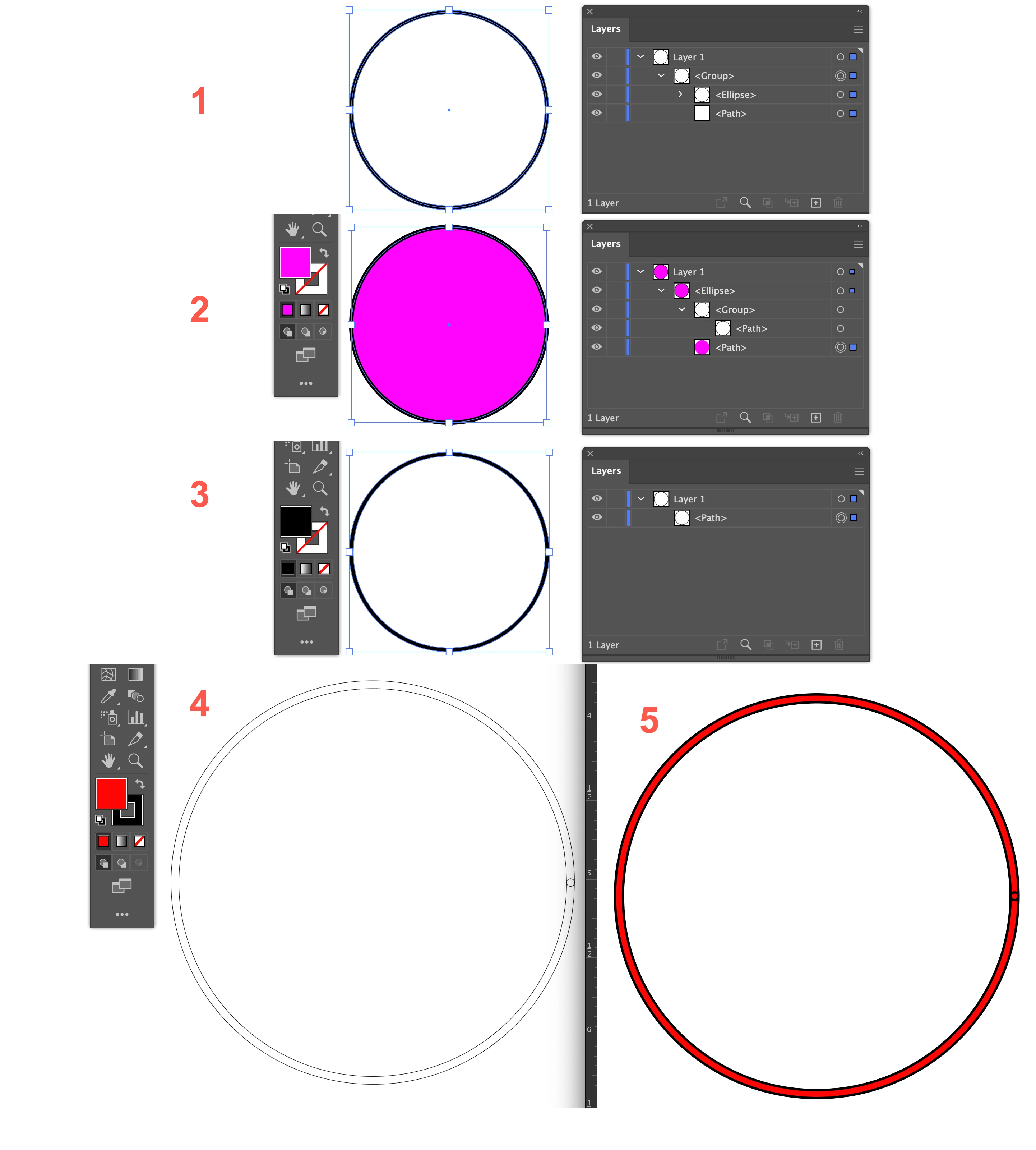
I created 4 circles using scatter brush, then did Expand Appearance, Ungroup, set Fill to red, and set Stroke to black. The North circle shows the result. Note the black-red-black-red at the perimeter.
On the East circle, I set the Stroke to 2 which hides the issue. However, the stroke is not 2; it’s maybe a 5?
The South circle was Ungrouped again, then separated to show the two components. Note that the one that is not filled cannot be filled.
The obvious solution is to simply delete the artifacts like I did in the West circle. Then I have full control over the position and the RandomSwatchesFill script works well. But I have maybe a 1000 circles I need to create.
Is there a way to easily delete all of the artifacts?
 AdChoices