


Some guides don't show in Illustrator CC 2017
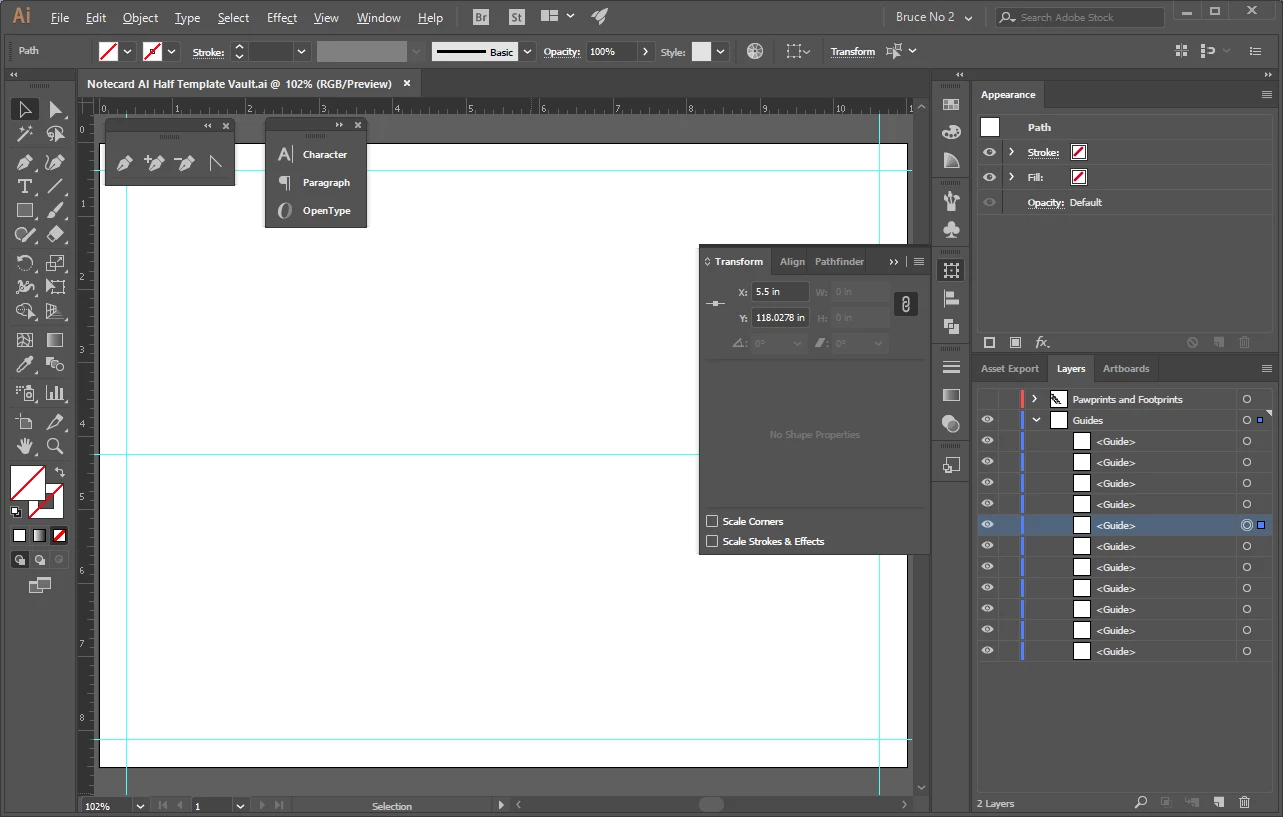
I just created a new document. I set several guidelines. After doing a bit of work, the guides in the center of my document are not showing, but the ones around the edges are (see attachment). There should be VERTICAL guides at 5.25 5.5 and 5.75"
- I've had this happen in other documents, so it is not this particular document
- "Smart Guides" is unchecked, because these are "dumb guides"
- "Guide > Visible" is true, b/c I can see some of them
- "Guide > Unlocked" but shouldn't matter- "Snap to Grid" is off
- I have toggled "GPU/CPU Preview"
- I have toggled "Pixel Preview"
- I have zoomed in and out
- My graphics card IS on the approved list for CC and has latest drivers
- I "forced" a reset by renaming the "Adobe Illustrator 21 Settings" folder
- Illy "knows" the guide is there (see attachment) as one of them is selected and the TRANSFORM window shows it at 5.5 inches
Any more ideas?
 AdChoices