
rafakkuma
Participant
April 14, 2026
Answered

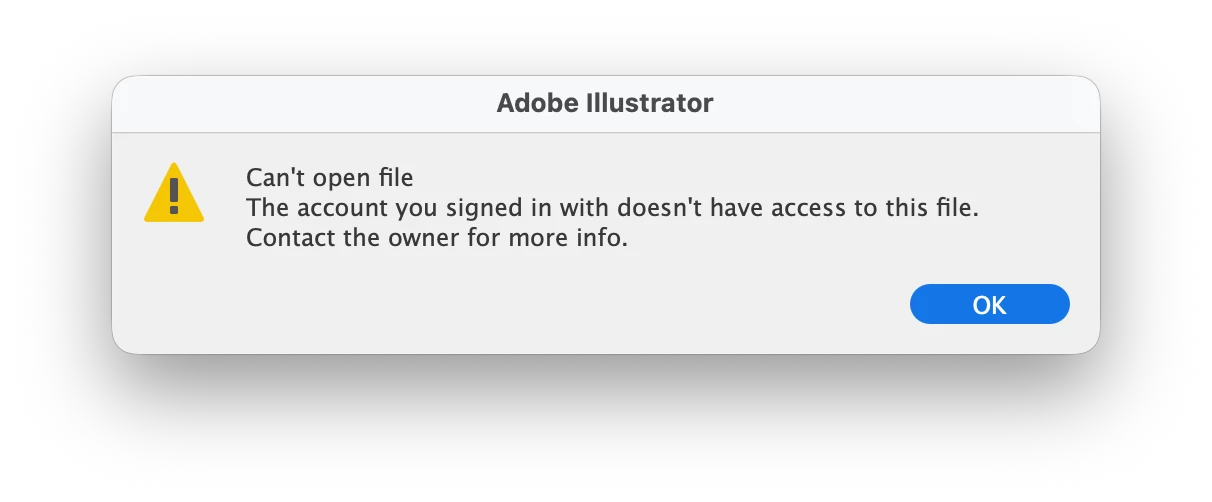
The account you signed in with does not have access to this file

  • April 14, 2026
  • 49 replies
  • 351 views

A week ago, Illustrator has started showing this message. The file was created on my account and using the same account ever since. What is going on?

 

    Correct answer Anubhav M

    Hello everyone,

    The product team has fixed this with the latest release of Illustrator. Kindly update Illustrator using the Creative Cloud Desktop app (https://helpx.adobe.com/creative-cloud/apps/manage-apps/creative-cloud-apps/update-creative-cloud-apps-automatically.html) and let us know how it goes.


    Anubhav

    Note: Marking correct for visibility.

    49 replies

    Known Participant
    May 12, 2026

    I can no longer open my files on the newest version. It says i dont have access to them, how ever they are my files on my account. I have needed to revert to the older version now twice in order for it to still let me access my files. 

    Joseph23906443n9nb
    Participating Frequently
    May 6, 2026

    I’ve been getting the same message as everyone else: “Can’t open file. The account you signed in with doesn’t have access to this file. Contact the owner for more info.” I am the owner, and it’s the only account connected to Illustrator.

    The issue started around two and a half to three weeks ago, shortly after the most recent update, so I’m assuming the update may be causing it.

    I tried several of the solutions suggested above by Anubhav, including:

    • Enabling/re-enabling “CC Library” in Mac Login Items
    • Restarting Illustrator and Creative Cloud
    • Granting Full Disk Access to Creative Cloud
    • Using the Creative Cloud Cleaner Tool

    These may have worked for other people, but unfortunately they didn’t solve the issue for me.

    The only thing that did work was completely uninstalling Creative Cloud, restarting my laptop, and reinstalling everything, which I did last week.

    I thought the problem had been resolved, but now I’m getting the same message again and can’t access the file, so it looks like I may have to go through the whole process... again.

    It’s becoming very frustrating, to say the least. Am I going to have to repeat this process every week just to access my own work, or has anyone found a more effective long-term solution? Any help would be greatly appreciated.

    Do we also know whether Adobe is actively investigating this issue? It seems to be linked to the recent update and, judging by this thread and others online, a lot of people are experiencing the same problem.

    I use Illustrator heavily for work, so this isn’t an issue I can keep running into. I know I’m probably not alone in this with plenty other people reading this in the same boat as me.


    Joseph23906443n9nb
    Participating Frequently
    May 6, 2026

    Also, for additional context, I use a Mac, in case that’s relevant. I’m not sure whether this issue is affecting everyone regardless of device or if it’s more common on macOS.

    Harshika Verma
    Community Manager
    Community Manager
    May 21, 2026

    Hi ​@Joseph23906443n9nb,
     

    Thank you for trying the suggested steps and sorry for the experience. We would like to inform you that this issue has been fixed in the Illustrator 30.4 release. Could you please check on your end and confirm if you are still experiencing the issue?

    Please let us know how it goes, and we will be happy to assist you further.
     

    Thanks,

    Harshika 

    TailorChris
    Participant
    May 1, 2026

    I’m experiencing the same issue with a time consuming and time sensitive project i could not work on at the moment because auf of this. I’ve tried all mentioned steps for resolving the issue but unfortunately it doesn’t work. i have no local copies (shame on me) and the download of the files doesn’t work either. 

    I need to get things to production :(

    Anubhav M
    Community Manager
    Community Manager
    May 1, 2026

    Hello ​@TailorChris 


    I’m sorry to hear the suggestions did not help. I have sent you a DM. Kindly check.

    Please don’t hesitate to reach out if you have more questions or need assistance. We’d be happy to help.


    Anubhav

    Participant
    April 30, 2026

    Getting this issue intermittently also. Some days it works fine. Others it doesn’t. It mostly seems to be affecting me when using Mac OS though there may be some bias as I usually prioritise using Mac.

    Sofi_Ant
    Participant
    April 28, 2026

    Same issue here, since a few days ago. It's being really difficult to work.


    Candeaje
    Participant
    April 28, 2026

    Hello.. I got the same issue here, all of my working files are saved on clouds.. i can’t open any of them.
    I’ve tried logging in and out many times, and even try the Full Disk Access and Enable CC library from System Settings. Please Help, I can’t do any work 😣

    Anubhav M
    Community Manager
    Community Manager
    April 28, 2026

    Hello ​@Candeaje 


    I’m sorry to hear you’re having similar trouble with your Illustrator files. Would you mind trying the suggestions I have shared earlier (https://community.adobe.com/questions-652/the-account-you-signed-in-with-does-not-have-access-to-this-file-1557642?postid=7548081#post7548081) and let us know if it helps resolve the problem?

    Looking forward to hearing from you.
    Anubhav

    Candeaje
    Participant
    April 29, 2026

    I already did all of your suggestions, nothing happen… i still got the issue and can’t access my own file.

    Is this happens because I updated my Macbook Pro OS? Because my Macbook Pro just recently updated to Tahoe 26.4.1

    Anubhav M
    Community Manager
    Community Manager
    April 28, 2026

    Hello everyone,
     

    I'm sorry to hear about your experience. Our product team is currently investigating this issue. Would you mind trying the following steps and letting us know if they help:

    Go to System Settings > General > Login Items > Enable CC Library.
    Relaunch Illustrator

    If it's already enabled, remove it from the items, re-enable and then quit and relaunch the Creative Cloud Desktop app and Illustrator to see if it helps.


    If the problem persists, try enabling Full Disk Access for the Creative Cloud Desktop app from system preferences, restart your computer and relaunch to see if it helps.


    If the steps above failed, try the following steps and let us know how it goes:

    Close all Adobe applications
    Remove the Creative Cloud Desktop app, Core Sync, CC Library and Illustrator using the Creative Cloud Cleaner Tool (https://helpx.adobe.com/creative-cloud/kb/cc-cleaner-tool-installation-problems.html)
    Reinstall the Creative Cloud Desktop application (https://helpx.adobe.com/download-install/kb/creative-cloud-desktop-app-download.html)
    Reinstall and relaunch Illustrator


    Looking forward to hearing from you.
    Anubhav

    Anubhav M
    Community Manager
    Community Manager
    April 28, 2026

    Hello everyone,
     

    I'm sorry to hear about your experience. Our product team is currently investigating this issue. Would you mind trying the following steps and letting us know if they help:

    Go to System Settings > General > Login Items > Enable CC Library.
    Relaunch Illustrator

    If it's already enabled, remove it from the items, re-enable and then quit and relaunch the Creative Cloud Desktop app and Illustrator to see if it helps.


    If the problem persists, try enabling Full Disk Access for the Creative Cloud Desktop app from system preferences, restart your computer and relaunch to see if it helps.


    If the steps above failed, try the following steps and let us know how it goes:

    Close all Adobe applications
    Remove the Creative Cloud Desktop app, Core Sync, CC Library and Illustrator using the Creative Cloud Cleaner Tool (https://helpx.adobe.com/creative-cloud/kb/cc-cleaner-tool-installation-problems.html)
    Reinstall the Creative Cloud Desktop application (https://helpx.adobe.com/download-install/kb/creative-cloud-desktop-app-download.html)
    Reinstall and relaunch Illustrator


    Looking forward to hearing from you.
    Anubhav

    ReemNader
    Participant
    May 17, 2026

    I have the same issue and it is UTTERLY frustrating. 


    We spend hours working on a file for it to decide not to open and then spend DAYS trying to solve an issue for a program that we pay hundreds every year that is SUPPOSED to make sure things like this doesn't ruin our whole WORK. 


    I TRIED EVERYTHING AND IT DIDN'T WORK


    I need my files.

    Anubhav M
    Community Manager
    Community Manager
    April 28, 2026

    Hello ​@Rosie367 ​@lynnnnxd 


    I'm sorry to hear about your experience. Our product team is currently investigating this issue. Would you mind trying the following steps and letting us know if they help:

    • Go to System Settings > General > Login Items > Enable CC Library.
    • Relaunch Illustrator

    If it's already enabled, remove it from the items, re-enable and then quit and relaunch the Creative Cloud Desktop app and Illustrator to see if it helps.

    If the problem persists, try enabling Full Disk Access for the Creative Cloud Desktop app from system preferences, restart your computer and relaunch to see if it helps.

    If the steps above failed, try the following steps and let us know how it goes:

    • Close all Adobe applications
    • Remove the Creative Cloud Desktop app, Core Sync, CC Library and Illustrator using the Creative Cloud Cleaner Tool (https://helpx.adobe.com/creative-cloud/kb/cc-cleaner-tool-installation-problems.html)
    • Reinstall the Creative Cloud Desktop application (https://helpx.adobe.com/download-install/kb/creative-cloud-desktop-app-download.html)
    • Reinstall and relaunch Illustrator


    Looking forward to hearing from you.
    Anubhav

    DaliArri
    Participating Frequently
    April 28, 2026

    Gracias! Lo voy a intentar.