
rafakkuma
Participant
April 14, 2026
Answered

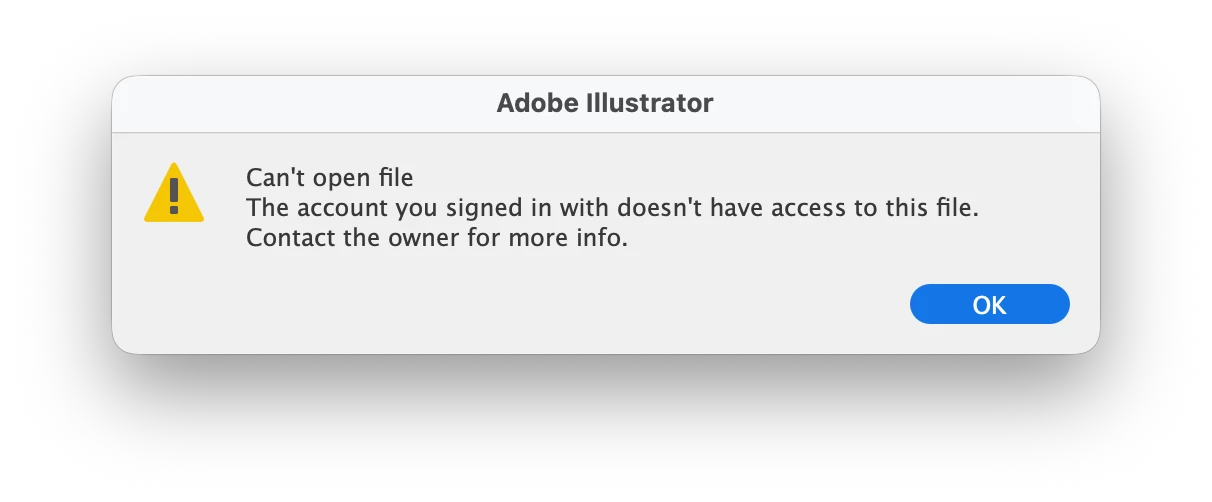
The account you signed in with does not have access to this file

  • April 14, 2026
  • 49 replies
  • 351 views

A week ago, Illustrator has started showing this message. The file was created on my account and using the same account ever since. What is going on?

 

    Correct answer Anubhav M

    Hello everyone,

    The product team has fixed this with the latest release of Illustrator. Kindly update Illustrator using the Creative Cloud Desktop app (https://helpx.adobe.com/creative-cloud/apps/manage-apps/creative-cloud-apps/update-creative-cloud-apps-automatically.html) and let us know how it goes.


    Anubhav

    Note: Marking correct for visibility.

    49 replies

    Participant
    April 28, 2026

    having the same problem

    glad I could still download the file to computer

    analuaguilar
    Participant
    April 27, 2026

    Hi, I’m also unable to access my Adobe Cloud files inside Projects.

    I am the owner of the files, but Illustrator says I don’t have permission to open them. I also cannot download, duplicate, or save a copy.

    This started after updating Illustrator.

    It seems like a permissions or ownership issue with Adobe Projects.

    Please help me:

    • Reassign ownership of the project/files to my current profile
    • Or fix the permissions so I can access them again

    This is urgent as I cannot access my work files.

    Thank you.

    Anubhav M
    Community Manager
    Community Manager
    April 28, 2026

    Hello ​@analuaguilar 


    I'm sorry to hear about your experience. Our product team is currently investigating this issue. Would you mind trying the following steps and letting us know if they help:

    • Go to System Settings > General > Login Items > Enable CC Library.
    • Relaunch Illustrator

    If it's already enabled, remove it from the items, re-enable and then quit and relaunch the Creative Cloud Desktop app and Illustrator to see if it helps.

    If the problem persists, try enabling Full Disk Access for the Creative Cloud Desktop app from system preferences, restart your computer and relaunch to see if it helps.

    If the steps above failed, try the following steps and let us know how it goes:

    • Close all Adobe applications
    • Remove the Creative Cloud Desktop app, Core Sync, CC Library and Illustrator using the Creative Cloud Cleaner Tool (https://helpx.adobe.com/creative-cloud/kb/cc-cleaner-tool-installation-problems.html)
    • Reinstall the Creative Cloud Desktop application (https://helpx.adobe.com/download-install/kb/creative-cloud-desktop-app-download.html)
    • Reinstall and relaunch Illustrator


    Looking forward to hearing from you.
    Anubhav

    Adrian Fletcher
    New Member
    May 6, 2026

    This worked for me. Thanks 

    Anubhav M
    Community Manager
    Community Manager
    April 27, 2026

    Hello ​@nxsx1 


    I'm sorry to hear about your experience. Our product team is currently investigating this issue. Would you mind trying the following steps and letting us know if they help:

    • Go to System Settings > General > Login Items > Enable CC Library.
    • Relaunch Illustrator

    If it's already enabled, remove it from the items, re-enable and then quit and relaunch the Creative Cloud Desktop app and Illustrator to see if it helps.

    If the problem persists, try enabling Full Disk Access for the Creative Cloud Desktop app from system preferences, restart your computer and relaunch to see if it helps.

    If the steps above failed, try the following steps and let us know how it goes:

    • Close all Adobe applications
    • Remove the Creative Cloud Desktop app, Core Sync, CC Library and Illustrator using the Creative Cloud Cleaner Tool (https://helpx.adobe.com/creative-cloud/kb/cc-cleaner-tool-installation-problems.html)
    • Reinstall the Creative Cloud Desktop application (https://helpx.adobe.com/download-install/kb/creative-cloud-desktop-app-download.html)
    • Reinstall and relaunch Illustrator


    Looking forward to hearing from you.
    Anubhav

    Anubhav M
    Community Manager
    Community Manager
    April 27, 2026

    Hello ​@DaliArri 


    I’m sorry to hear about your experience. Our product team is currently investigating this issue. Would you mind trying the following steps and letting us know if they help:

    • Go to System Settings > General > Login Items > Enable CC Library.
    • Relaunch Illustrator

    If it’s already enabled, remove it from the items, re-enable and then quit and relaunch the Creative Cloud Desktop app and Illustrator to see if it helps.

    If the problem persists, try enabling Full Disk Access for the Creative Cloud Desktop app from system preferences, restart your computer and relaunch to see if it helps.

    If the steps above failed, try the following steps and let us know how it goes:

    • Close all Adobe applications
    • Remove the Creative Cloud Desktop app, Core Sync, CC Library and Illustrator using the Creative Cloud Cleaner Tool (https://helpx.adobe.com/creative-cloud/kb/cc-cleaner-tool-installation-problems.html)
    • Reinstall the Creative Cloud Desktop application (https://helpx.adobe.com/download-install/kb/creative-cloud-desktop-app-download.html)
    • Reinstall and relaunch Illustrator


    Looking forward to hearing from you.
    Anubhav

    JadeAMiles
    Participant
    April 27, 2026

    I am having exactly the same issue. I am logged in to my account. Lots of my files say the account I am logged in to doesn’t have access to them. Even though the owner for the files is listed as the owner of the files. Did you get a fix for it? I’ve tried logging in and out and closing everything down etc 

    DaliArri
    Participating Frequently
    April 26, 2026

    Estoy teniendo un problema al intentar abrir un archivo desde la sección “Proyectos” en mi cuenta de Adobe.

    Problema

    Al abrir el archivo en Illustrator aparece el siguiente mensaje:

    “No es posible acceder a este archivo a través de la cuenta con la que has iniciado sesión…”

    Contexto

    • Estoy usando mi cuenta habitual de Adobe (mismo correo de siempre).
    • El archivo sí aparece en la sección “Proyectos/elTallerdeArri” (no en Bibliotecas).
    • El proyecto fue creado por mí (figura como “Creado por [mi nombre]”).
    • Trabajo en macOS.
    • El archivo esta almacenado en la nube de Adobe (no local).

    Objetivo

    Poder abrir el archivo normalmente en Illustrator.

    Dudas específicas

    1. ¿Puede haber un problema de permisos aunque el proyecto figure como creado por mí?
    2. ¿Existe alguna diferencia de propiedad o acceso entre “Proyectos” y archivos locales/bibliotecas?
    3. ¿Puede estar asociado a otro perfil (personal vs empresa) dentro de la misma cuenta?
    4. ¿Cómo puedo recuperar o forzar el acceso a ese archivo?

    Información adicional

    • No he cambiado de cuenta ni de plan recientemente.
    • El archivo no fue movido manualmente a otra cuenta (al menos no conscientemente).
    • El problema ocurre directamente al intentar abrirlo desde Adobe.

    Cierre

    Agradezco cualquier orientación para entender por qué ocurre este conflicto de permisos y cómo recuperar el acceso al archivo.


    Participant
    April 25, 2026

    Two weeks ago, I didn’t have this problem, but now every time I login to my Illustrator account, it’s telling me I don’t have access to my files because I’m not the owner. This is a personal account, with only me and I only have the one account. None of the work arounds are fixing it - I’ve deleted keychain access certificates, I’ve allowed full disc access. Just frustrated and furious that I can’t work on my own files!

    Monika Gause
    Community Expert
    Community Expert
    April 25, 2026

    That one is currently going round. The engineers are on it. 

    Can you please try this here: 


    R.Rulopzy
    Participant
    April 25, 2026

    I did it that way and it worked—thank you very much. But after some time, it’s happening again: I can’t open my files. Adobe doesn’t respond and seems to ignore the issue. I’m desperate because I trusted the cloud, and it’s terrible.

    Participant
    April 25, 2026

    It didn’t work for me either. Pretty ticked off at Adobe for whatever is going on here when nothing has changed on my end. 

    nxsx1
    Participant
    April 25, 2026

    I tried open my files i saved in the Adobe Cloud but then it showed this error even though i log in with the same account i saved the file earlier. and i have never logged in another account in my laptop too.