


Participant
December 3, 2021
Question

Unite Problem on illustrator
  • December 3, 2021
  • 2 replies
  • 1919 views

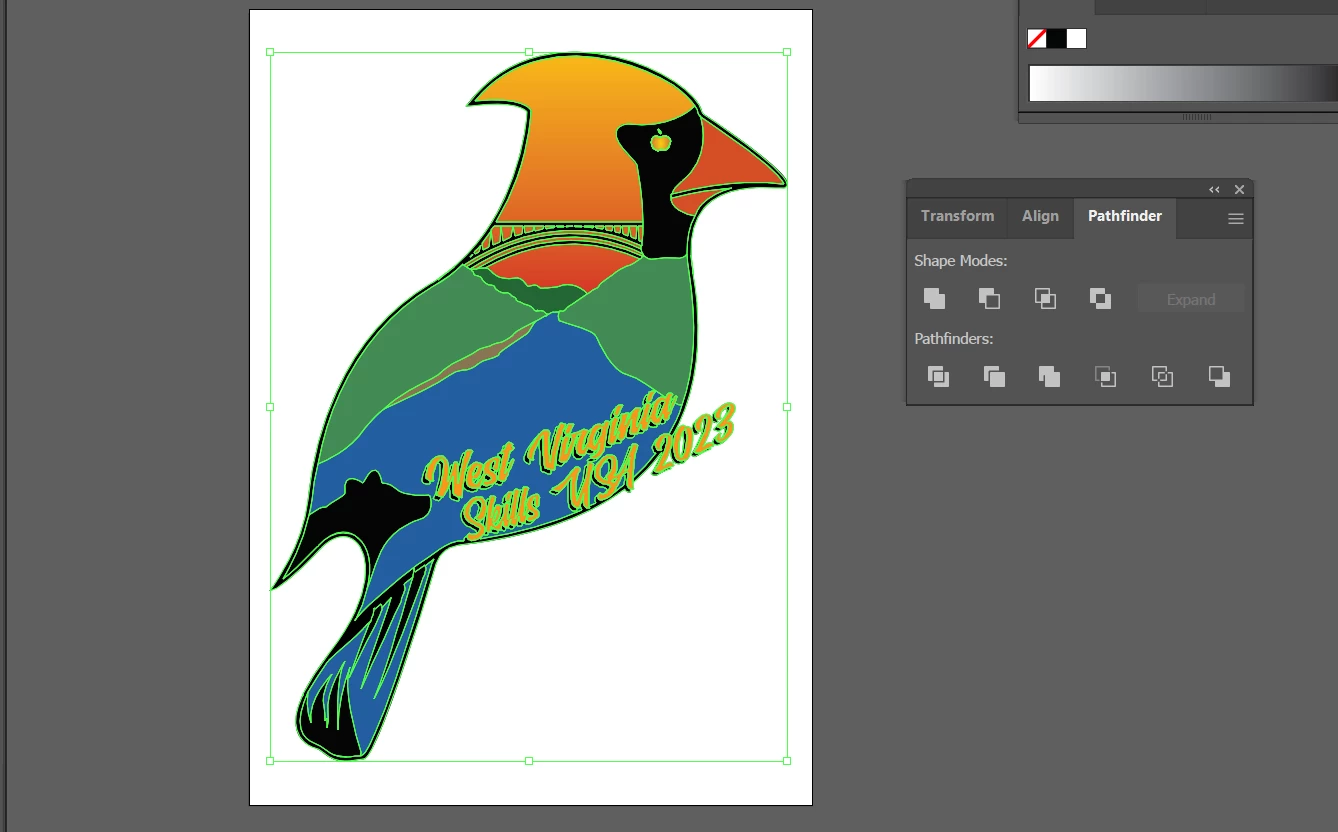
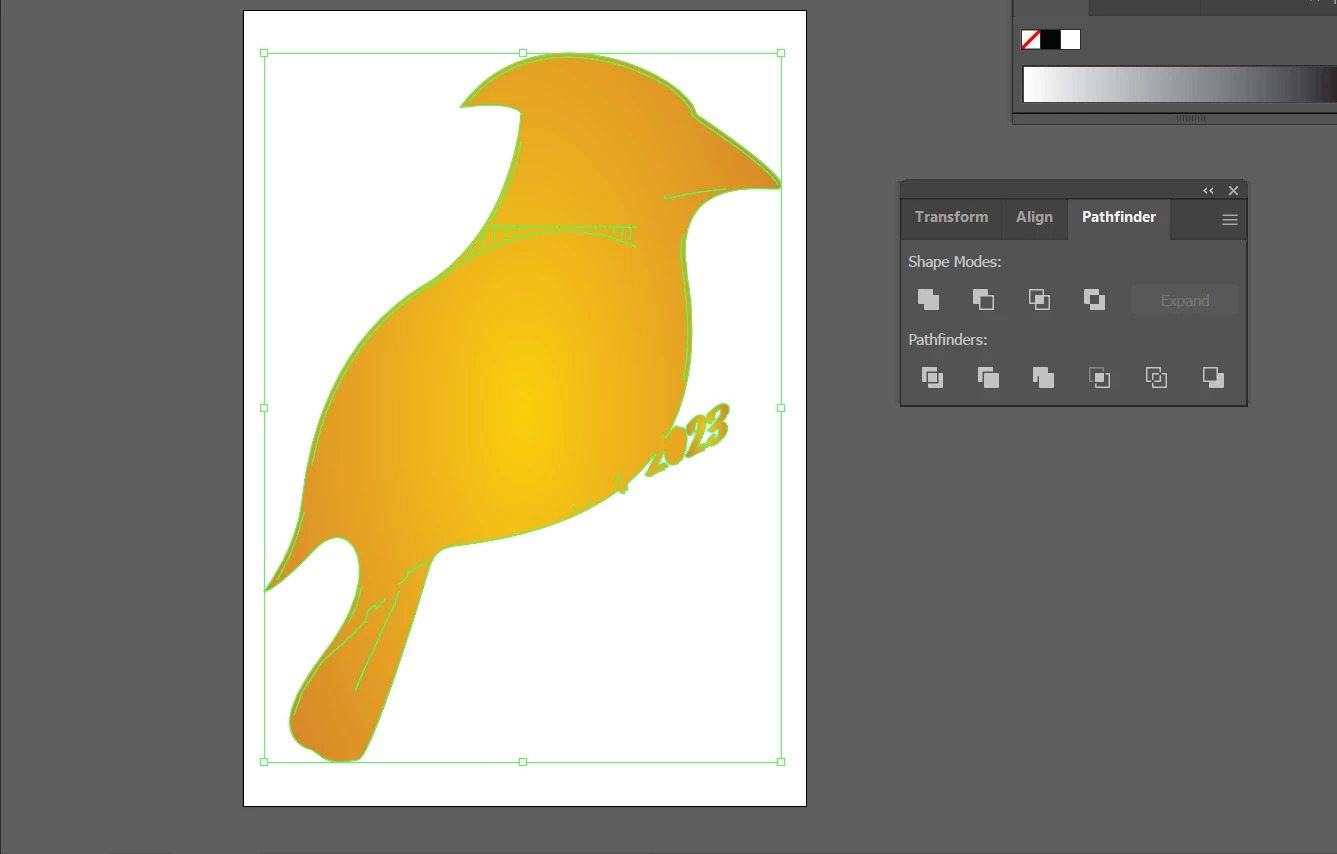
I want all the shapes and objects to unite as one single object, but when I select everything (screenshot above) and use pathfinder and hit Untie the outcome result is as the second screenshot(screenshot below) and I cant figure out why its doing this...Help?


This topic has been closed for replies.

2 replies

Jacob Bugge
Community Expert
Community Expert
December 3, 2021

defaultj,


Sometimes, Unite creates Compound Paths, with sometimes rather evasive inner paths, or other funny things.


What happens if you deselect everything (click an empty spot on the Artboard/Workspace), then hold Alt/Option and Click the offending paths one by one with the Direct Selection Tool (or seek them out in the expanded Layer in the Layers panel?


And/or, to the extent failing that, what happens if you Click on the (remaining) offending parts with the Delete Anchor Point Tool (the Pen with the minus), starting form the ends furthest from the outer shape?


Met1
Legend
December 3, 2021

Convert strokes to outlines, then run unite.

Participant
December 3, 2021

I converted all stroke to outlines and shapes, and redid it. It produced the same results.