Inspiring
June 25, 2023
Answered

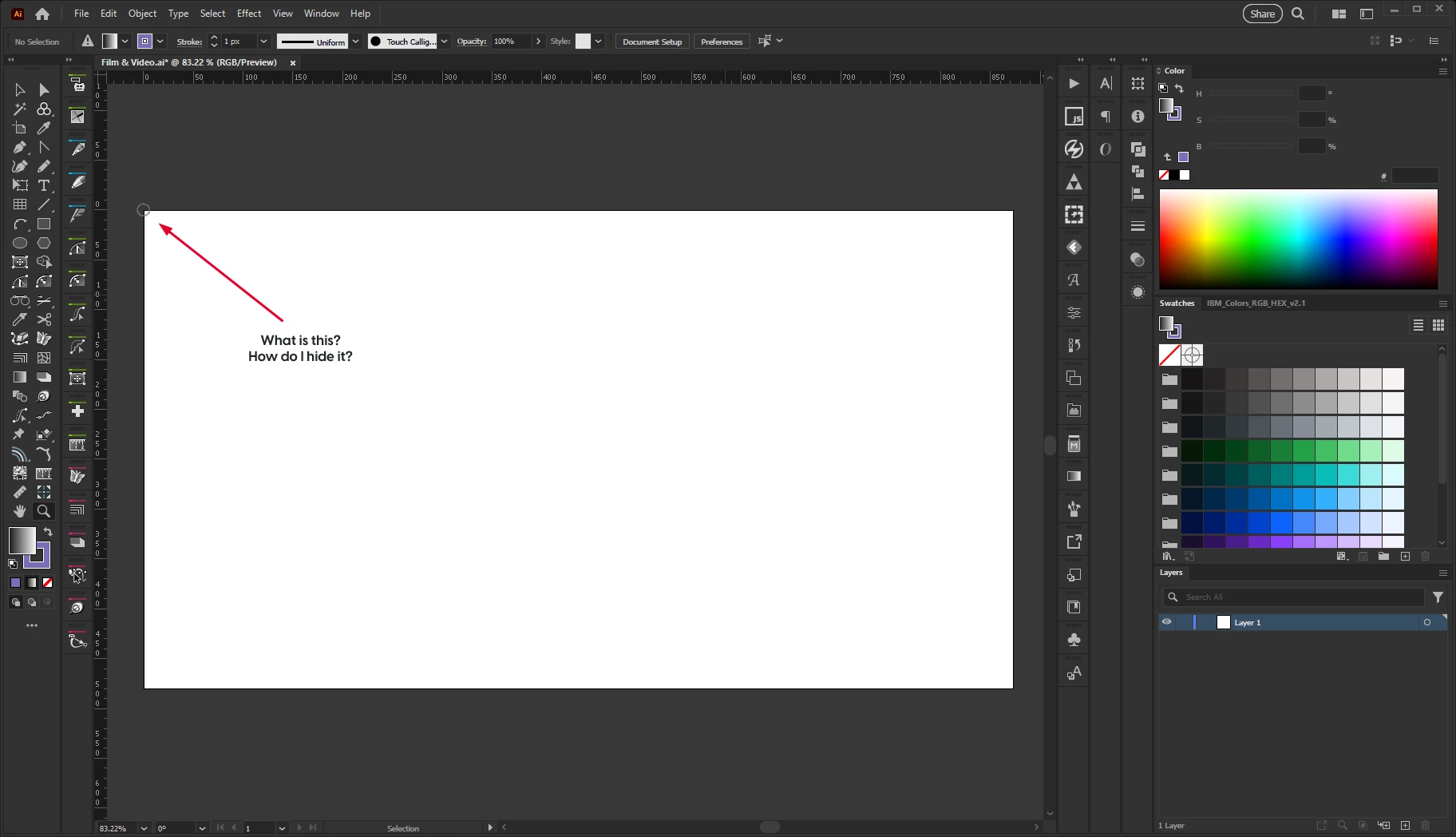
What is this marker, and how do I hide it?

  • June 25, 2023
  • 3 replies
  • 636 views

Check the below template:


It appears in the "Film & Video" template stored in your "New Document Profiles" folder. For me on Windows that's:

C:\Users\[username]\AppData\Roaming\Adobe\Adobe Illustrator 27 Settings\en_US\x64\New Document Profiles

 
Not sure what the path is on mac.

Either way, does anyone know what that marker is and how I can disable it?

Thanks much,
Jay

This topic has been closed for replies.
Correct answer futuremotion6798557

I just kind of abandoned the quest, closed the file, and started fresh. Sorry, thanks for the suggestion though!

3 replies

Kurt Gold
Community Expert
Community Expert
June 25, 2023

Does it disappear if you select Illustrator's common Brush tool and then immediately switch to the Selection tool (black arrow)?


futuremotion6798557AuthorCorrect answer
Inspiring
June 25, 2023

I just kind of abandoned the quest, closed the file, and started fresh. Sorry, thanks for the suggestion though!

Ton Frederiks
Community Expert
Community Expert
June 25, 2023

And your Film & Video profile does not look at all like the default, you may already have hidden/turned off lots of stuff.

Inspiring
June 25, 2023

You are correct, I was updating and removing uneccessary guides from the Film and Video profile. That's how I found it. I wanted to turn off all guides and helpers, but for some reason can't turn that pesky circle off. I have no idea what it is.

Ton Frederiks
Community Expert
Community Expert
June 25, 2023

Does it appear in other presets?

Ton Frederiks
Community Expert
Community Expert
June 25, 2023

I don't see that one (if you are meaning the circle), but I see many plug-in tools that may be causing it.

Inspiring
June 25, 2023

I'll have to go through my plugins. But it would be really odd that a plugin is creating that object ONLY for the Film & Video profile. I've never seen it before.