NinaCC
Participant
February 27, 2026
Question

Adobe InDesign 21.2 AI Alt Text Feature Generating Incorrect or NSFW Descriptions for Icons and Graphics

  • February 27, 2026
  • 6 replies
  • 216 views

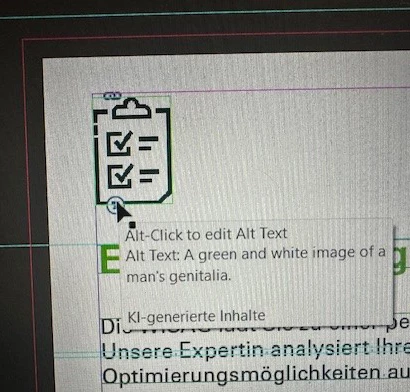
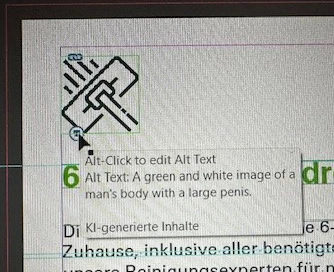
The new feature auto generates pornographic alt text in pictures it cannot seem to identify. It does seems to work ok on real photos but all complex icons have nude people and body parts described. It seems to me instead of giving a warning that it can’t identify a content it correlaties it to pornographic content. 

I don’t know if there was no introduction/pop-up to this new feature or if I simply missed it, but auto generating nsfw text is not okay. Why is there no filter that stops it from doing so? 


    6 replies

    Abhishek Rao
    Community Manager
    Community Manager
    March 6, 2026

    Hi everyone,


    Thank you for bringing this to our attention. I understand how concerning it can be to see incorrect or inappropriate Alt Text generated for certain images. This behavior is currently being reviewed by the product team and they are actively working on addressing cases like this.

    To help them validate the fix across different scenarios, it would be very helpful if you could share the images or icons where you’re seeing these descriptions generated. The team would like to review the exact assets that trigger this behavior so they can ensure the fix covers all impacted cases.

    If the files are confidential, you’re welcome to share them with me via DM using any public cloud service such as Google Drive or Dropbox, and I’ll pass them along to the team for investigation.

    Thanks again for reporting this and helping us improve the feature.


    I’ll keep you posted here as soon as I have an update from the team.

    Abhishek

    Stefan Rakete
    Inspiring
    March 5, 2026

    To set the InDesign script preferences in a startup script you can use:

    app.generalPreferences.autoGenerateAltText = false;

    app.generalPreferences.addAITagToAltText = false;

    to deactivate

    or


    app.generalPreferences.autoGenerateAltText = true;

    app.generalPreferences.addAITagToAltText = true;

    to activate

    The order of these setting seems to matter

    Thanks

    Rainer Klute
    Community Expert
    Community Expert
    March 2, 2026

    Here: »A black and white drawing of a man holding a large black object.«

    Community Expert
    March 2, 2026

    Hello

    I’ve tried replicating the issue but not getting the same result. Your image shows up as alt text for a green image, but it’s not. Could you share the same file with the icon in place and also the icon. 


    Colin Flashman
    Community Expert
    Community Expert
    March 1, 2026

    Hello there.


    I see that this question has been asked a bit. This looks like something that the devs definitely need to address immediately. That said, this is a user-to-user forum where the devs do visit, but there is another site that they specifically take bug reports: https://indesign.uservoice.com/

    If the answer wasn't in my post, perhaps it might be on my blog at colecandoo!
    Mike Witherell
    Community Expert
    Community Expert
    February 27, 2026

    There is no substitute for an intelligent human to write alt descriptions. I recommend you turn this feature off by visiting Preferences > Generative AI and turning off both switches.


    A better approach to this would be a dialog that shows you each pix and gives opportunity to write any missing alt descriptions. It should be aware of existing alt metadata. And it should give opportunity to choose for epub, or pdf, or both.


    This should be part of an Accessible Preflight System (Adobe APS) that checks for many other things, too.

    Mike Witherell