
Participating Frequently
November 7, 2019
Question

AIGPUSniffer crashing while launching InDesign 2020 on macOS Catalina

  • November 7, 2019
  • 3 replies
  • 1916 views

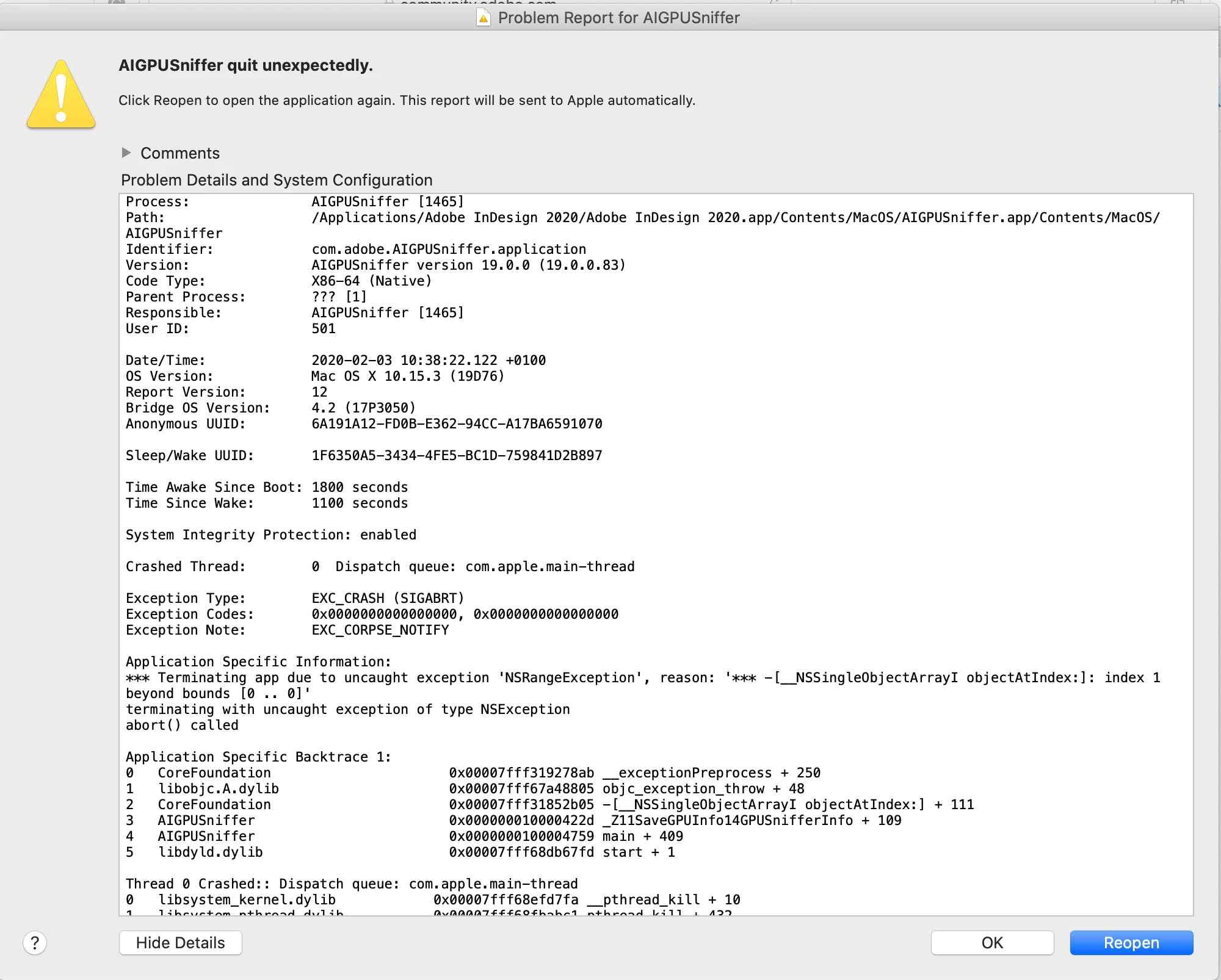
I was wondering if anyone can help me when I startup Indesign 2020. The AIGPUSniffer quits unexpectedly. I am running Mac Catalina 10.15.3. You could see it because a system icon jumps at the dock and if I try to reopen it keep quitting.


I have a new Macpro 16inch with the GPU AMD Radeon Pro 5500M 8GB.


This problem is only happening in Indesign, no in other adobe applications.


I even tried to uninstall Indesign and reinstalled, but the problem persists.


{Renamed By MOD}


I don't know if it has any impact on the performance, as I haven't used it with big files yet, but none the less having a warning sign is not very pleasant, especially for a paid service like Adobe.


I have read many things in various forums, but this problem is not very clear if I need to do something and what?


Please help.!!!😁


Andres
 

This topic has been closed for replies.

3 replies

Rishabh_Tiwari
Legend
February 3, 2020

Hi there,


Sorry to hear about the trouble. Could you please try turning off the GPU Performance in Preferences and see if AIGPUSniffer still quits?


Regards

Rishabh

AAndresAuthor
Participating Frequently
February 3, 2020

Dear Rishabh.


Thank you for your reply and advice.


I have just done what you suggested, even I have restarted my hole computer keeping the GPU Performance in InDesign turn off. 


And it still keeps quitting!!!


Any other suggestions? 


Thank you again and I look forward to your reply.


Andres


Participant
February 18, 2020

I am experiencing this as well, in addition the GPU Performance Under Prefrences now tells me my GPU in not supported ?


Adobe what is going on here is this another instance where Apple does everything it can to break existing functionality with every update?

Community Expert
February 3, 2020
AAndresAuthor
Participating Frequently
February 3, 2020

Dear Eugene, 


Thank you for your reply!! 👌


No, I haven't tried it!! The strange thing that it is a brand new computer that I install the  adobe cc application, Indesign, Photoshop, Illustrator, Bridge, Adobe Cloud Indesign is the only application that is creating this problem with AIGPUsniffer


Do you think I should run the cc cleaner taking the hole adobe away? Or only Indesdign?


I am looking forward to your reply. 👍


Thanks again


Andres.

Community Expert
February 3, 2020

Sometimes installs can go wrong - they are not infallable.

I'd use the Cleaner Tool to uninstall everything.


Make sure your computer is completely up to date - Windows/Graphic Drivers etc. 

I didn't realise you had a new computer - so definitely updating all your drivers and graphics drivers is a must.

Make sure you're on the most up to date version of Windows.


Then install the software again.

lorrainer35151512
Participating Frequently
November 7, 2019

Always when I startup Indesign 2019 (and now 2020) the AIGPUSniffer quits unexpectedly. Running Mac Catalina 10.15.1 but it was doing it before this on the older system software too.


Although I have Creative Suite it has nothing to do with Illustrator as this isn't even open....


I've looked at all the Forum posts and tried the GPU Performance for Indesign but most posts talk about Illustrator and Indesign is different. Tried turning off "Animated Zoom" it made no difference.


Here is a snippet of the "Problem Report"


Its been doing this for months. Any advise would be GREATLY appreciated....


{Renamed by MOD}

November 7, 2019

Moving to the InDesign forum from Community Help