
Answered
Auto fit a text box within a page's margins?
Is there a quick way to auto size (or resize) the text box horizontally to fit within the page margins (the magenta lines)?

Is there a quick way to auto size (or resize) the text box horizontally to fit within the page margins (the magenta lines)?
Hi arjun2:
When you place text (File > Place), InDesign sets the top position of a new text frame based on where you click, but it will also seek out the left, right and bottom margins. It's more accurate than we are.
Alternatively, what version of InDesign are you using? In CC 2018, you can set up an object style set the size and position.
Select the frame:
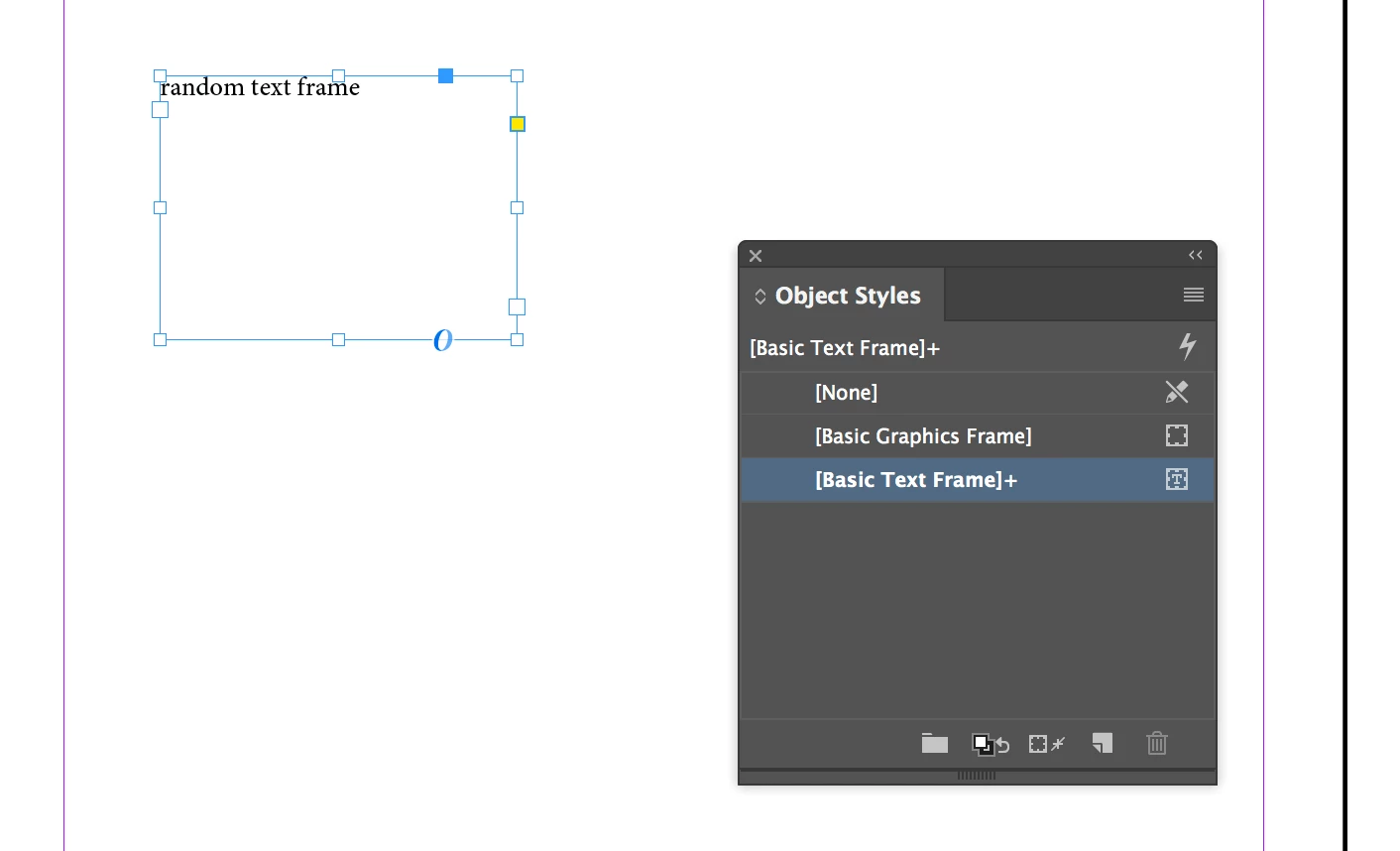
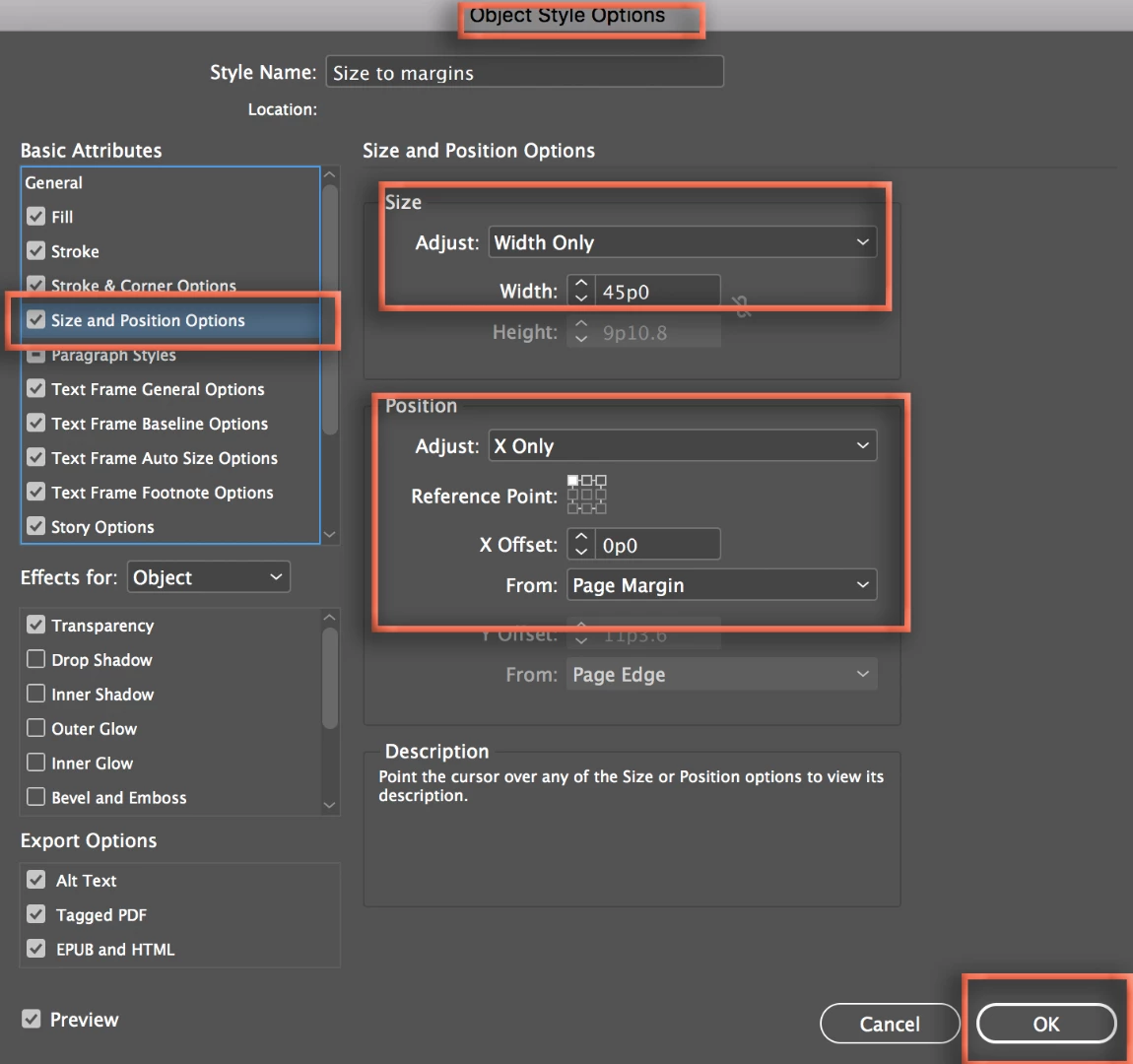
Create a new object style and set the new Size and Position options. I'm working only with Width and the X-offset, this would also work with Height and the Y-offset, or both. I'm using a new default document (w=51p0) with 3p0 left and right margins, so set the Width to 45p0 (51-6=45).
Click to assign the new object style to the selected frame: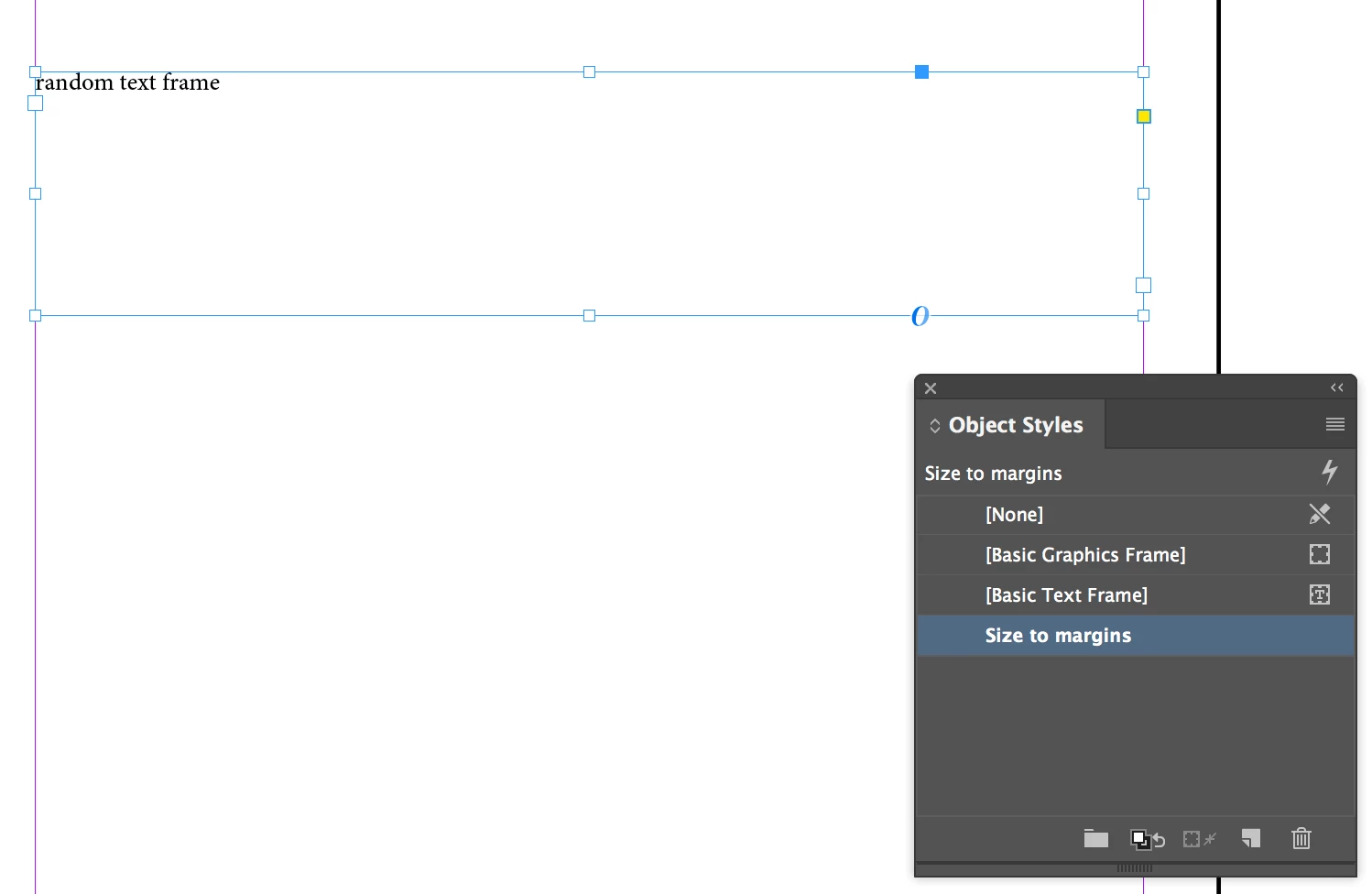
An advantage to this technique is if the paper size or margins change, you can edit the Object style and update the size and position of all the frames that are using the style.
~Barb
Already have an account? Login
No account yet? Create an account
Enter your E-mail address. We'll send you an e-mail with instructions to reset your password.


 AdChoices