

解決済み
Auto Sizing Frames, Auto Height only?
I'd like to set Image Frames to maintain the width I set but to change height depending on the content I set inside of it.
I'd like to set Image Frames to maintain the width I set but to change height depending on the content I set inside of it.
I've attached an example file with the style set
You can - shockingly - drag the width of the image and it breaks the style - so you have to override the object style
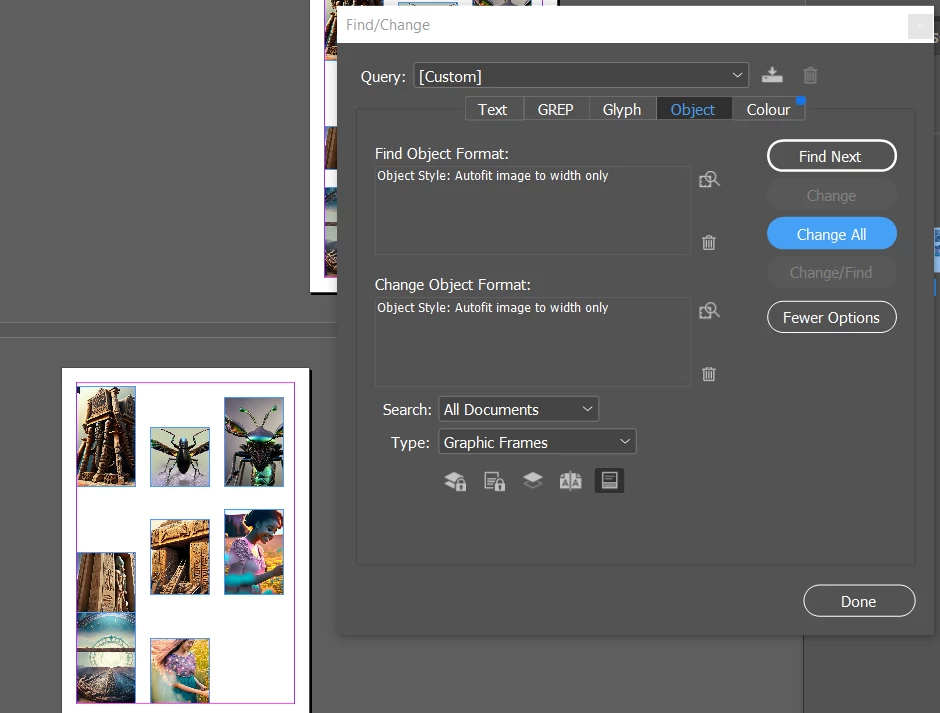
But if you do a find/change for object like this - you can reset them all in one go.
And use the Object style to update your width settings or fitting settings globally.
Enter your E-mail address. We'll send you an e-mail with instructions to reset your password.
 AdChoices